CryptosBeginner

Updated 8 October 2026 · By Alex Rivera · Reviewed for CryptosBeginner

PrimeXBT App: Mobile Trading Review & Download Guide for 2026

The PrimeXBT app puts the trading platform in your pocket: charts, orders, deposits, and withdrawals on Android and iOS. This guide covers how to download it safely, what it does well, where it falls short of desktop, and the security settings you should enable first.

Affiliate disclosure: Some links on this page are affiliate links, including PrimeXBT links. CryptosBeginner may earn a commission if you register through one. This does not change our assessment criteria or conclusions. This page is educational content, not financial advice.
PrimeXBT trading interface, mirrored in the mobile app for Android and iOS
The PrimeXBT trading experience, available on desktop and in the mobile app for Android and iOS.

TL;DR: the short version

  • Free on Android and iOS, installed from the official store listings only.
  • Covers the essentials: trading, charts, deposits, withdrawals, and account management on the go.
  • Desktop still wins for serious chart analysis and complex order management.
  • Enable 2FA and biometric login before funding, and never install from unofficial sources.
  • New to the platform? Start with our trading guide on desktop, then use the app for monitoring.

Download on Android

  1. Open the Google Play Store on your device.
  2. Search for PrimeXBT.
  3. Find the official PrimeXBT listing and verify the developer name before tapping install.
  4. Tap Install and wait for the download to finish.
  5. Open the app and log in, or register a new account if you do not have one yet.

If the official app does not appear in your Play Store, PrimeXBT may be restricted in your region. Do not sideload APK files from random websites. Those are a classic malware vector, and a fake trading app can drain your account.

Download on iOS

  1. Open the App Store on your iPhone or iPad.
  2. Tap Search and type PrimeXBT.
  3. Find the official PrimeXBT app in the results and check the developer name.
  4. Tap Get to download and install it.
  5. Open the app and log in or create an account.

The same regional note applies: if the app is missing from your App Store, your country may be unsupported. Check the restricted countries section of our full review rather than looking for workarounds.

What the app can do

Where the app falls short

Honest assessment: a phone screen is a compromise. Multi-chart layouts, detailed drawing tools, and scanning many markets at once are all harder on mobile. Complex order tickets with several conditional legs are easier to misconfigure on a small screen, and fat-finger errors are a real phenomenon.

The practical setup most experienced traders use: do your analysis and position planning on desktop, then use the app for monitoring, alerts, and managing existing positions when away. Opening brand-new leveraged positions from a phone, in a hurry, is where avoidable mistakes happen.

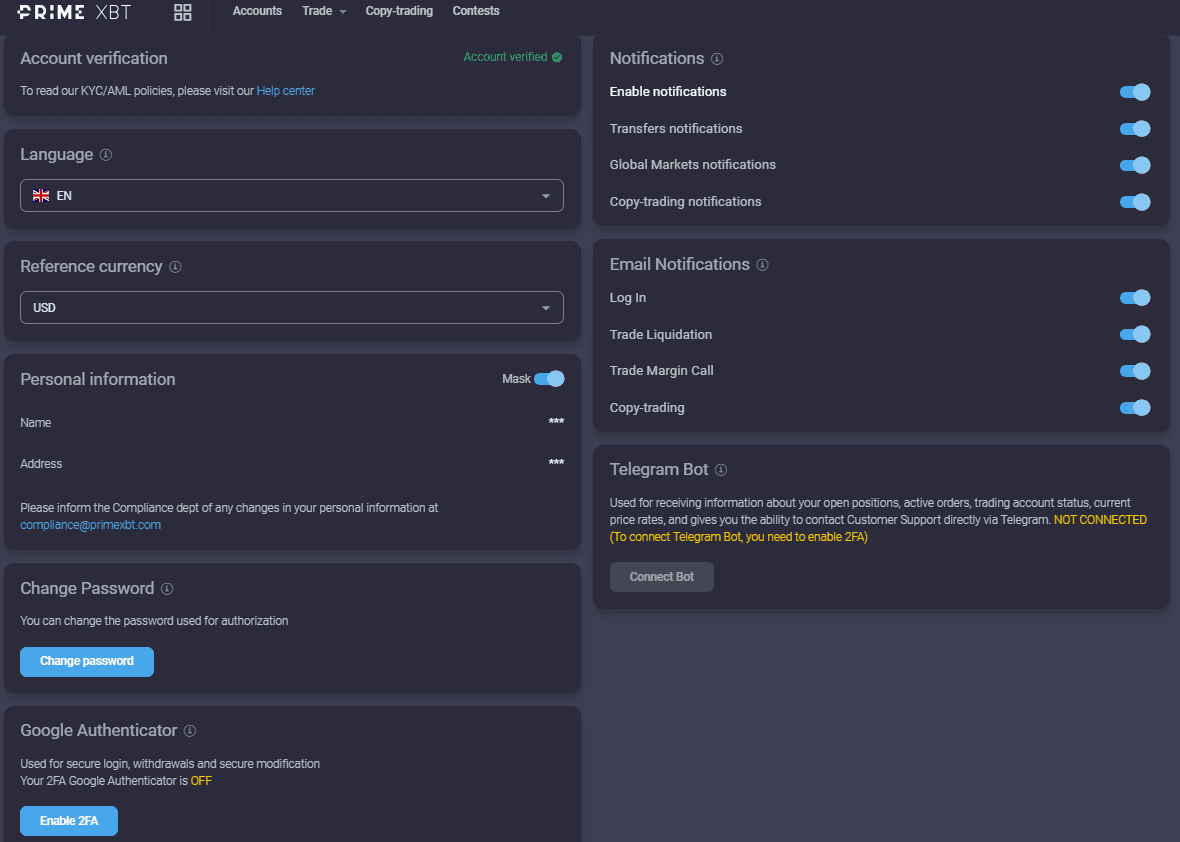
Mobile security settings

Frequently asked questions

How do I download the PrimeXBT app?

On Android, open the Google Play Store, search for PrimeXBT, and install the official app. On iOS, open the App Store, search for PrimeXBT, and tap Get. Always install from the official store listing and double-check the developer name before installing.

Is the PrimeXBT app free?

Yes, the app itself is free to download and use. You only pay the normal trading costs: spreads, commissions, funding, and withdrawal fees, exactly as on the web platform.

Can I do everything on the app that I can on desktop?

The app covers the essentials: trading, deposits, withdrawals, and account management. Complex multi-chart analysis, some advanced order settings, and heavy research are more comfortable on desktop. Serious chart work still belongs on a bigger screen.

Is the PrimeXBT mobile app safe?

The app supports the same account protections as the web platform, including two-factor authentication and biometric login where your device allows it. Most mobile security incidents come from phishing, fake apps, and unsecured devices rather than the official app itself.

Why can't I find the PrimeXBT app in my app store?

Availability varies by country due to regional restrictions. If the official app does not appear in your store, PrimeXBT may not serve your region, and you should check the restricted countries list in our full review rather than sideloading anything from unofficial sources.

Should beginners trade on the app or on desktop?

Learn on desktop first, where the full interface, order panel, and risk controls are easiest to see. Use the app for monitoring positions and managing on the go once you already understand what you are doing.

Continue with the full review

The app is one chapter. The full review covers trading products, leverage, regulation, restricted countries, fees, and who should skip PrimeXBT entirely.

Read the PrimeXBT review

Sources and verification

This page was reviewed on 8 October 2026. App features, store availability, and supported regions change over time. Check the official store listings and provider terms before installing.

Disclaimer: Educational content only. This page is not financial, investment, legal, or tax advice. Cryptocurrency, CFDs, futures, and leveraged products can result in rapid or total loss of capital. Availability depends on your jurisdiction. Some links are affiliate links. Verify live terms, fees, legal disclosures, restrictions, and product conditions on PrimeXBT's official website before depositing funds.