Updated 8 October 2026 · By Alex Rivera · Reviewed for CryptosBeginner
PrimeXBT Withdrawal Guide: Fees, Limits, and How to Cash Out
Getting money off a platform should be boring and predictable. This guide walks through PrimeXBT's withdrawal process step by step, explains the flat fee model, covers processing times and limits, and shows what to check before you panic about a delayed payout.
Affiliate disclosure: Some links on this page are affiliate links, including PrimeXBT links. CryptosBeginner may earn a commission if you register through one. This does not change our assessment criteria or conclusions. This page is educational content, not financial advice.
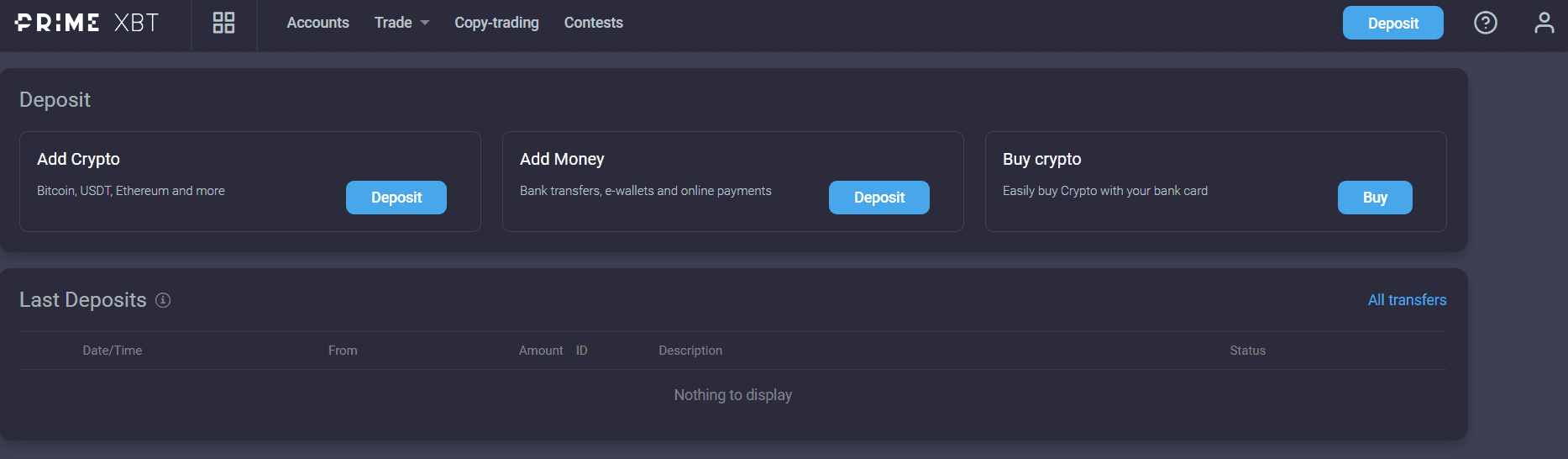
PrimeXBT funding and withdrawal options. Methods, fees, and limits depend on your account type and jurisdiction.
TL;DR: the short version
How: dashboard, withdrawal function, pick wallet and network, enter address and amount, confirm by email.
Fees: flat per asset and network, not a percentage. Same coin, different network, different fee.
Timing: requests are processed in a daily 12:00 to 14:00 UTC window, then sent on-chain. Network confirmation adds more time.
Limits: unverified accounts face daily caps. Verify before you need to move serious money.
Golden rule: withdraw to the same route you deposited with, and test with a small amount first.
Withdrawing from PrimeXBT follows the same path as most crypto platforms, with one extra compliance layer: money generally has to leave by the same route it came in. That is an anti-money laundering rule, not a quirk, and it is worth planning your deposit method with your eventual withdrawal in mind.
Open the withdrawal section. From your account dashboard, choose the withdrawal function and select the wallet holding the funds you want to move.
Pick the asset and network. Choose the coin and, where offered, the blockchain network. For USDT this choice matters a lot: ERC-20, BEP-20, and TRC-20 are different networks with different fees and speeds.
Enter the destination address. Paste the address of your personal wallet or receiving exchange. If you use address whitelisting, only pre-approved addresses will be accepted.
Enter the amount. The interface shows the flat withdrawal fee for your selection, so you can see exactly what arrives on the other side before you commit.
Confirm. Submit the request, then approve it through the confirmation email. New addresses usually need email verification before the request can proceed.
Wait for processing and confirmation. PrimeXBT processes requests in its daily window, then broadcasts the transaction. After that, arrival time depends on the blockchain.
Withdrawal fees explained
Crypto withdrawals on PrimeXBT use a flat fee, not a percentage. Each asset has its own fixed charge, and for multi-network coins the fee differs by network. This is the single most useful thing to understand, because picking the right network is often the difference between a cheap withdrawal and an expensive one.
Network choice (USDT example)
Typical speed
Fee pattern
ERC-20 (Ethereum)
Minutes, slower when congested
Highest of the three
BEP-20 (BNB Chain)
Fast, usually under a few minutes
Much lower than ERC-20
TRC-20 (Tron)
Fast, often sub-10 minutes
Among the cheapest options
The table shows the pattern, not exact figures. Published reviews have listed these fees in the past, but the numbers move with network conditions, so treat any figure you see elsewhere as a snapshot. Check the live withdrawal page in your account right before you withdraw.
Two cost traps to avoid. First, the fee is flat per withdrawal, so withdrawing ten small amounts costs ten times the fee of one larger withdrawal. Batch when you can. Second, fiat routes such as bank wires or card withdrawals can carry their own processing charges from the payment provider, separate from anything PrimeXBT lists.
Minimums and limits
Withdrawal limits on PrimeXBT depend on two things: how verified your account is, and which payment method you use. Unverified accounts face daily withdrawal caps, while fully verified accounts get substantially higher limits. The exact caps are shown inside your account and can change, so this is one detail to confirm on the live page rather than memorize from a guide.
There is a practical minimum too: your withdrawal has to clear the flat network fee with something left over. Withdrawing an amount barely above the fee is technically possible and financially pointless. As a habit, keep withdrawals comfortably above the fee shown at confirmation time.
Plan ahead: if you might need to move a large sum one day, complete identity verification now. Discovering a daily cap at the moment you need the money is an avoidable problem.
Processing times
A PrimeXBT withdrawal has two phases, and most confusion comes from mixing them up. First PrimeXBT itself has to process your request, then the blockchain has to confirm it.
PrimeXBT processing: published materials describe a daily processing window of 12:00 to 14:00 UTC. Requests submitted before the window are handled the same day; later requests roll to the next day.
Blockchain confirmation: once broadcast, timing is the network's, not PrimeXBT's. Fast networks confirm in minutes; Bitcoin typically needs 30 to 90 minutes depending on congestion.
E-wallets: near instant after PrimeXBT approves the request.
Bank wires and cards: the slowest route, potentially several business days each way through the banking system.
If you submit at 15:00 UTC on a Friday, expect nothing to move until the next processing window. That is normal scheduling, not a problem with your withdrawal.
Safety checklist before you withdraw
Most withdrawal disasters are user error, and all of them are preventable. Run through this list every time, even when you are in a hurry. Especially when you are in a hurry.
Match the network on both ends. Sending USDT on TRC-20 to an ERC-20-only address can lose the funds permanently. The deposit address your wallet shows must be for the same network you select on PrimeXBT.
Use address whitelisting. PrimeXBT lets you restrict withdrawals to pre-approved addresses verified by email. Turn it on, so a compromised account cannot send funds somewhere new.
Test with a small amount first. For any new destination, send a small test withdrawal, confirm it arrives, then send the rest. The extra flat fee is cheap insurance.
Keep 2FA enabled. Withdrawal confirmation plus two-factor authentication means an attacker needs your device and your inbox, not just your password.
Withdraw to your own accounts only. PrimeXBT processes withdrawals back to the original source and will not send to third-party or anonymous accounts. Do not try to route around this.
Beware of support impersonators. PrimeXBT support will never ask for your password or 2FA codes to "release" a withdrawal. Anyone who does is running a scam.
Troubleshooting: when a withdrawal is delayed
Work through these in order before contacting support. Nine times out of ten, the answer is in the first three.
Check the clock. Did your request go in after the 12:00 to 14:00 UTC processing window? If so, it simply waits for the next window.
Check the blockchain. If PrimeXBT shows the withdrawal as sent, paste the transaction hash into a block explorer. No confirmations yet means network congestion, which resolves on its own.
Check the address and network. One wrong character, or the right address on the wrong network, explains most "missing" withdrawals. Compare character by character.
Check your email. An unconfirmed verification email leaves the request sitting in pending. Spam folders eat these regularly.
Check for a verification hold. Large or unusual withdrawals can trigger additional identity checks. These add delay but are standard compliance practice.
Contact support with details. If the request is still pending after the next processing window, reach out with your account details, the amount, the asset, the destination address, and the time you submitted. Complete information gets faster answers.
One honest note: third-party review sites carry scattered withdrawal complaints about PrimeXBT, as they do for nearly every leveraged platform. Keep records of every withdrawal, test with small amounts when trying a new route, and never keep more on a derivatives platform than you can afford to have tied up during a dispute.
Frequently asked questions
How do I withdraw from PrimeXBT?
Open your account dashboard, choose the withdrawal function, select the wallet or payment method, enter the destination address and amount, then confirm. New withdrawal addresses typically need email verification before the request is processed.
How long do PrimeXBT withdrawals take?
PrimeXBT's finance team processes withdrawal requests in a daily window, published as 12:00 to 14:00 UTC. Crypto withdrawals are then sent on-chain, so blockchain confirmation adds more time depending on the network: minutes on fast networks, longer on congested ones. E-wallets are near instant after approval; bank wires can take several business days.
What are the PrimeXBT withdrawal fees?
Crypto withdrawals use a flat fee per asset and network, not a percentage. The same coin costs different amounts on different networks, for example USDT on ERC-20 versus BEP-20 versus TRC-20. Check the live withdrawal page before you withdraw, because network fees and the schedule change.
Is there a minimum or maximum withdrawal on PrimeXBT?
Limits depend on your verification level and the payment method. Unverified accounts face daily withdrawal caps, while fully verified accounts get substantially higher or no limits. The exact figures are shown in your account area and can change, so confirm them there.
Do I need to complete KYC to withdraw?
You can use PrimeXBT with limited verification, but withdrawal caps apply until you complete identity verification. If you plan to move larger amounts, verify early rather than discovering the cap when you need the funds.
My withdrawal is delayed. What should I do?
First check the basics: correct address, correct network, and whether your request went in before or after the daily 12:00 to 14:00 UTC processing window. Then check the blockchain explorer for your transaction. If the funds left PrimeXBT but have no confirmations, the delay is on the network. If the request is still pending with PrimeXBT after the next processing window, contact support with your transaction details.
Continue with the full review
Withdrawals are one chapter. The full review covers fees, leverage, regulation, restricted countries, platform tools, and who should skip PrimeXBT entirely.
This page was reviewed on 8 October 2026. Withdrawal fees, processing windows, and limits can change with provider updates. Check the current provider terms before moving funds.
Disclaimer: Educational content only. This page is not financial, investment, legal, or tax advice. Cryptocurrency, CFDs, futures, and leveraged products can result in rapid or total loss of capital. Availability depends on your jurisdiction. Some links are affiliate links. Verify live terms, fees, legal disclosures, restrictions, and product conditions on PrimeXBT's official website before depositing funds.