Wallets · hardware wallets
OneKey Review 2026: the hardware wallet that grew into a trading terminal
Updated 19 October 2026 · Reviewed for CryptosBeginner
OneKey pairs serious hardware, four EAL6+ secure elements on the Pro models, with the most capable companion app in the business: swaps across 400+ DEXs, Hyperliquid perpetuals, staking, and even tokenized stocks. This review covers the full lineup from the $99 Classic 1S to the $299 Pro 2, the security architecture, the app ecosystem, and how OneKey stacks up against Trezor, Ledger, SafePal, Ellipal, and Tangem.
Affiliate disclosure: Some links on this page are affiliate links. CryptosBeginner may earn a commission if you order through one. This does not change our assessment criteria or conclusions. This page is educational content, not financial advice.
Alex Rivera · Crypto researcher, CryptosBeginner
Every review is research-led: specs, fees, and availability are checked against official sources before publication and re-checked on every update. Affiliate links never influence verdicts. Last reviewed 19 October 2026.
TL;DR: our take
- Our preferred pick: OneKey is our current recommendation for most buyers. Four EAL6+ secure elements, open-source firmware, independent audits, and an app that covers swap, perps, and DeFi in one place is a combination no competitor matches right now.
- Best value: the Classic 1S at $99 gives you an EAL6+ chip, Bluetooth, and the full OneKey app for less than a dinner out.
- Best overall: the Pro 2 at $299, with its 3.54-inch AMOLED touchscreen, fingerprint unlock, and $257 of bundled extras.
- Security model: keys generated and signed inside secure elements, Clear Signing with plain-language transaction details, SignGuard scam screening, tamper-evident packaging, and PIN-triggered auto-wipe.
- Honest caveat: the secure element firmware is not open source (industry standard, but worth knowing), the Pro 2 is premium priced, and perps availability depends on your jurisdiction.
On this page
What OneKey is
OneKey is a Hong Kong hardware wallet company founded in 2019 that has grown into one of the most complete self-custody ecosystems in crypto. The pitch is simple: a signing device you can verify, paired with an app that does far more than show balances. Where most hardware wallets stop at key storage, OneKey's app bundles spot markets, swap aggregation, perpetual futures, staking, and tokenized stocks into one interface that works with or without the hardware connected.

The company raised a Series A of around $20 million in 2022 led by Dragonfly and Ribbit Capital with Coinbase Ventures participating, followed by a Series B at a $150 million valuation led by YZi Labs. That funding shows up in the product: the app ships features at a pace the legacy wallet makers cannot match, and the hardware lineup was refreshed in October 2026 with the Pro 2.
The hardware lineup
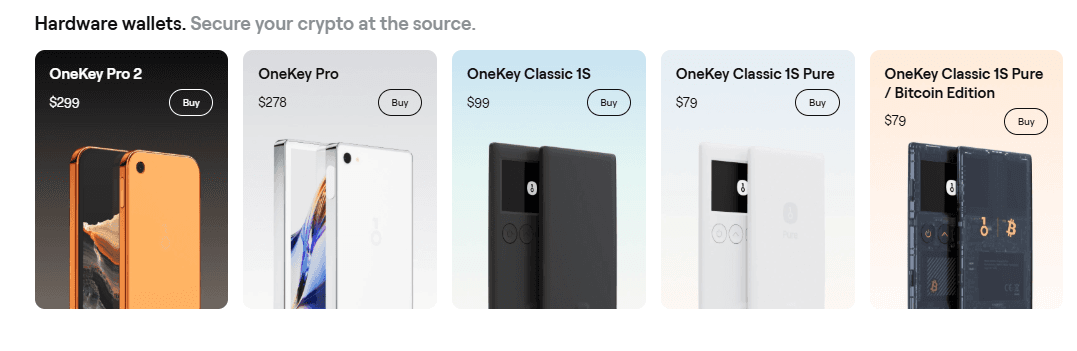
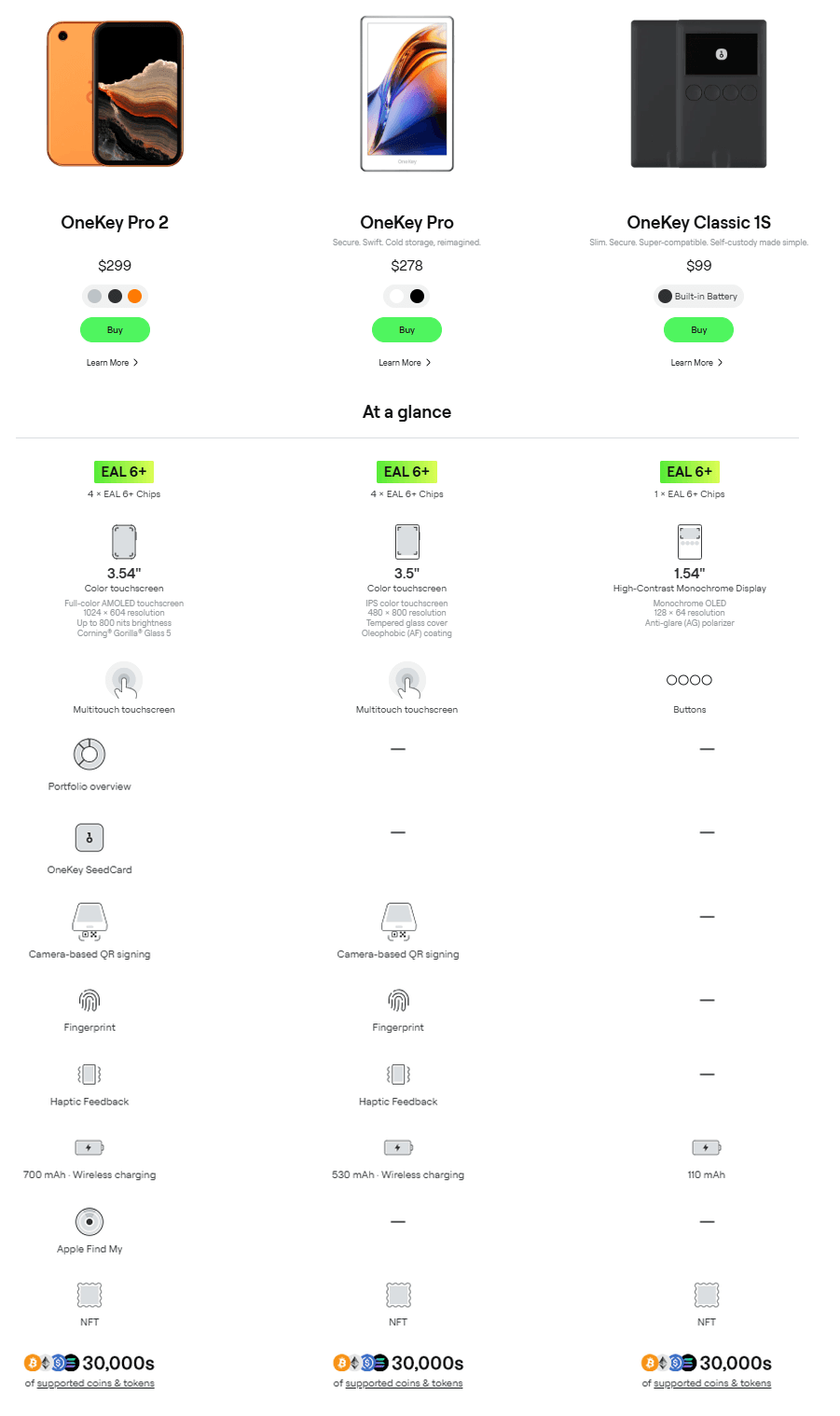
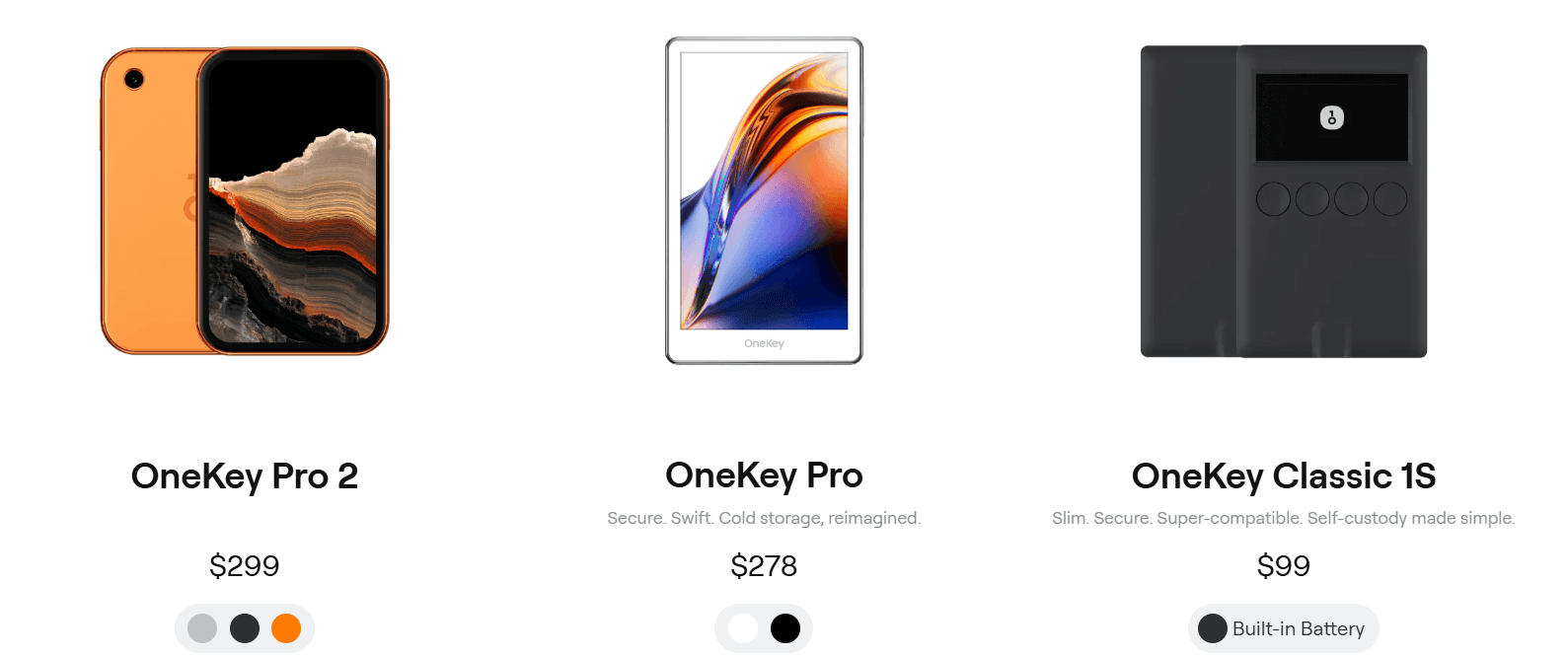
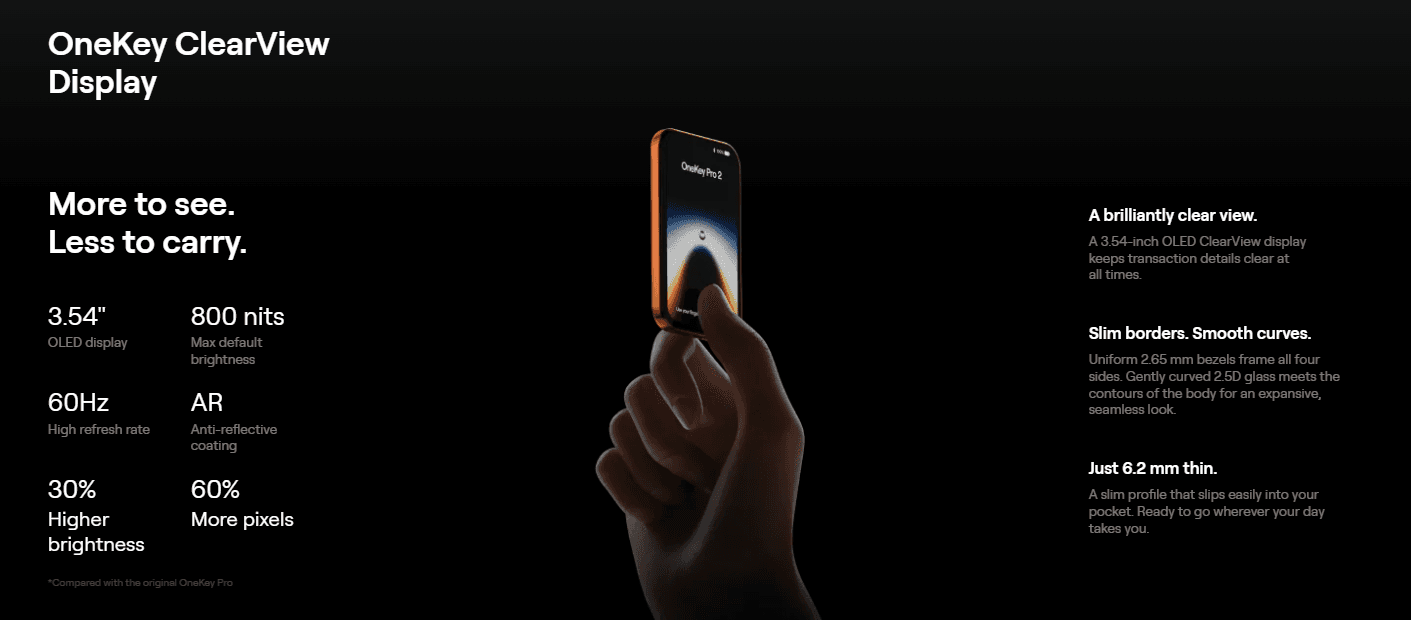
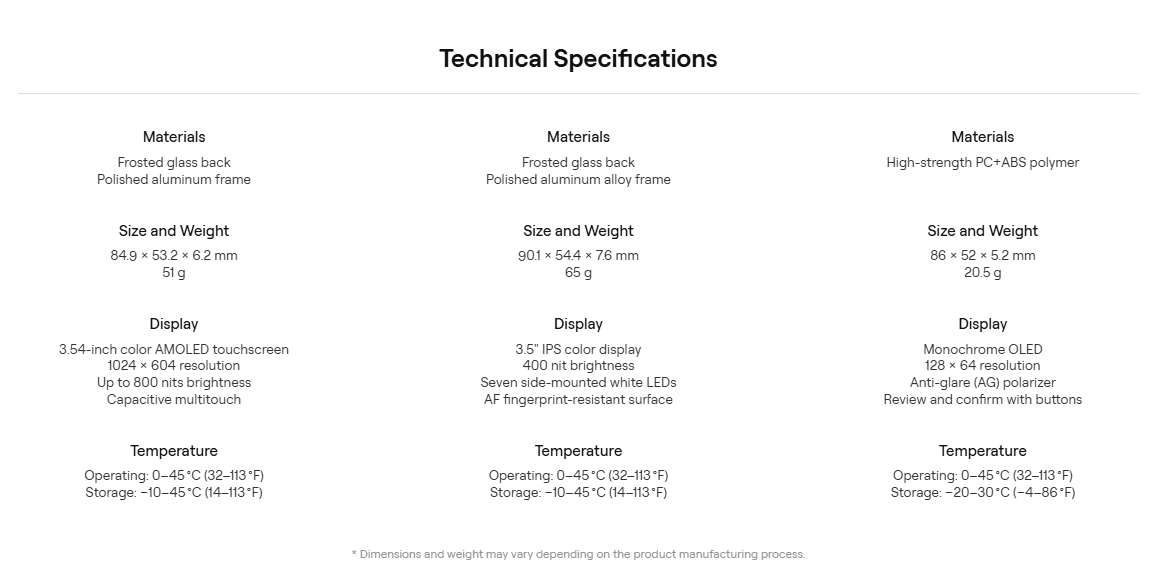
OneKey currently sells five models, all working with the same app. The Pro 2 ($299), launched October 2026, is the flagship: a 3.54-inch AMOLED touchscreen at 1024 by 604 resolution pushing 800 nits, Gorilla Glass 5, fingerprint unlock, haptic feedback, a 700 mAh battery with wireless and 10W USB-C fast charging, and four EAL6+ secure elements. It connects over USB-C, Bluetooth, NFC, and camera-based QR signing for air-gapped workflows.
The Pro ($278) is the previous flagship and still a strong buy: 3.5-inch IPS touchscreen, the same four EAL6+ chips, fingerprint unlock, wireless charging, and the same connectivity set. The Classic 1S ($99) is the budget pick: a 1.54-inch monochrome OLED screen, physical buttons, one EAL6+ secure element, USB-C and Bluetooth, and a 110 mAh battery. The Classic 1S Pure ($79) drops the battery entirely for a device meant to sit in a safe for years, and a Bitcoin-only edition exists at the same price.
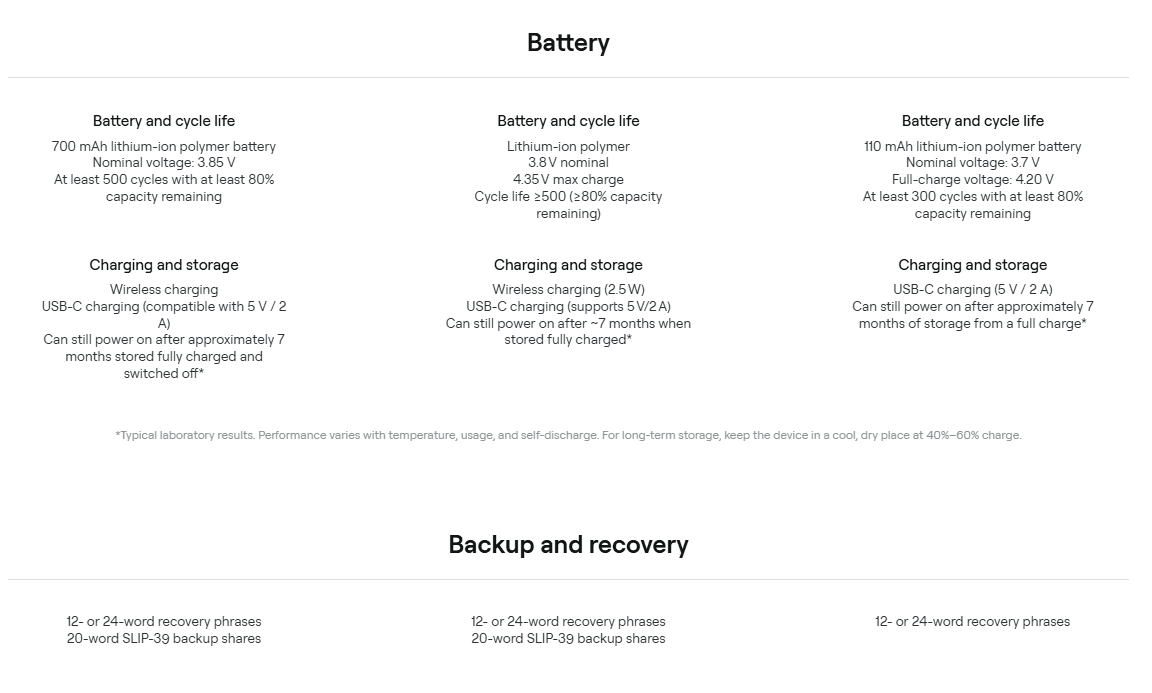
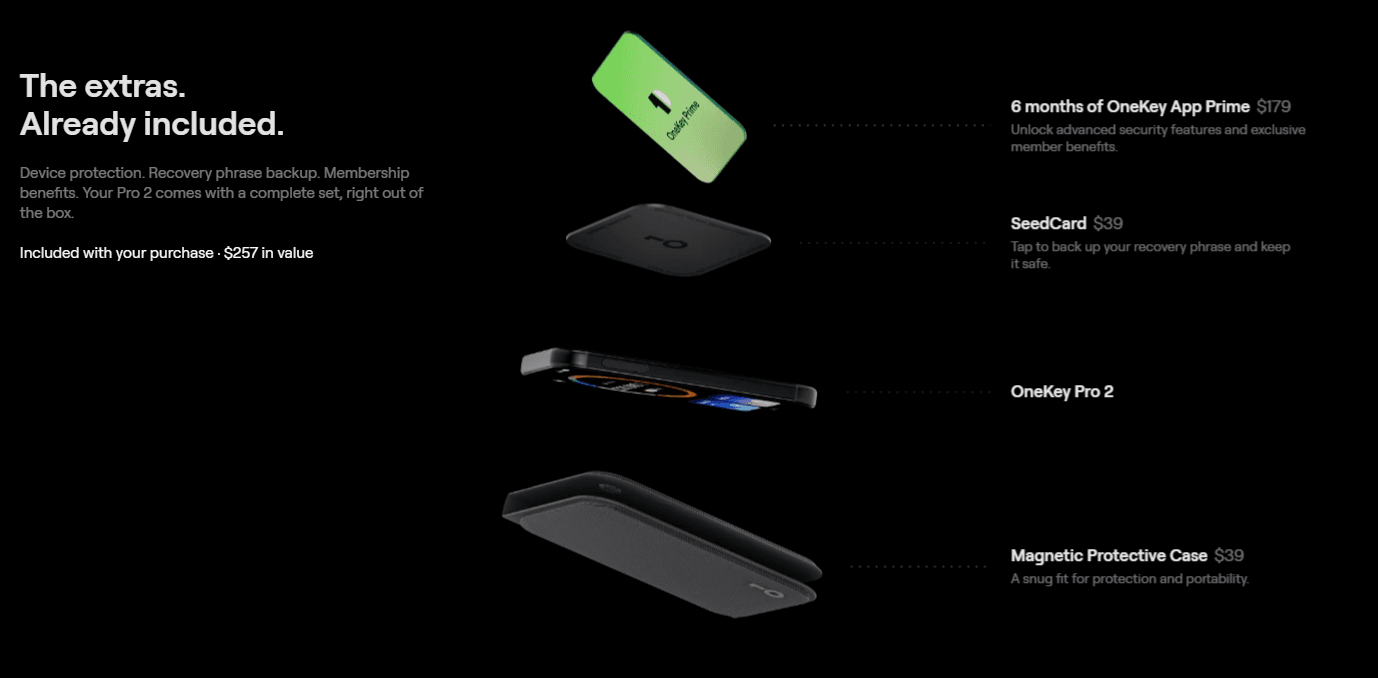
Two details deserve attention. First, the Pro 2 ships with $257 of bundled extras: a fabric folio case, the $39 SeedCard for encrypted NFC seed backup, and six months of OneKey App Prime. Second, SLIP-39 backup shares are supported across the range, which means you can split your recovery secret into shares where only a subset is needed to restore, so no single piece of paper is a single point of failure.
Security architecture
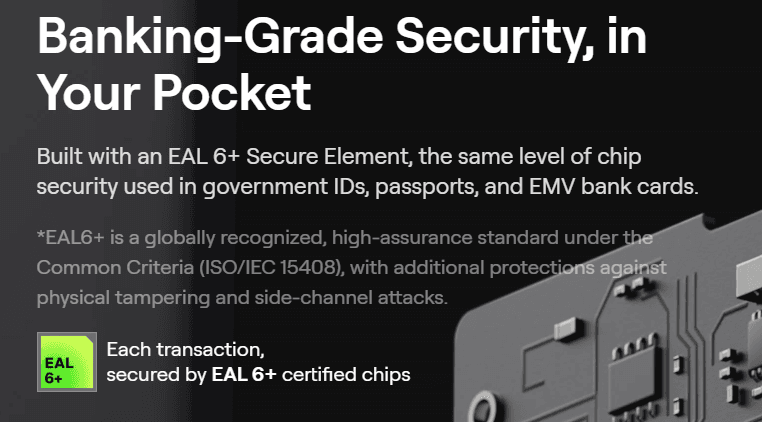
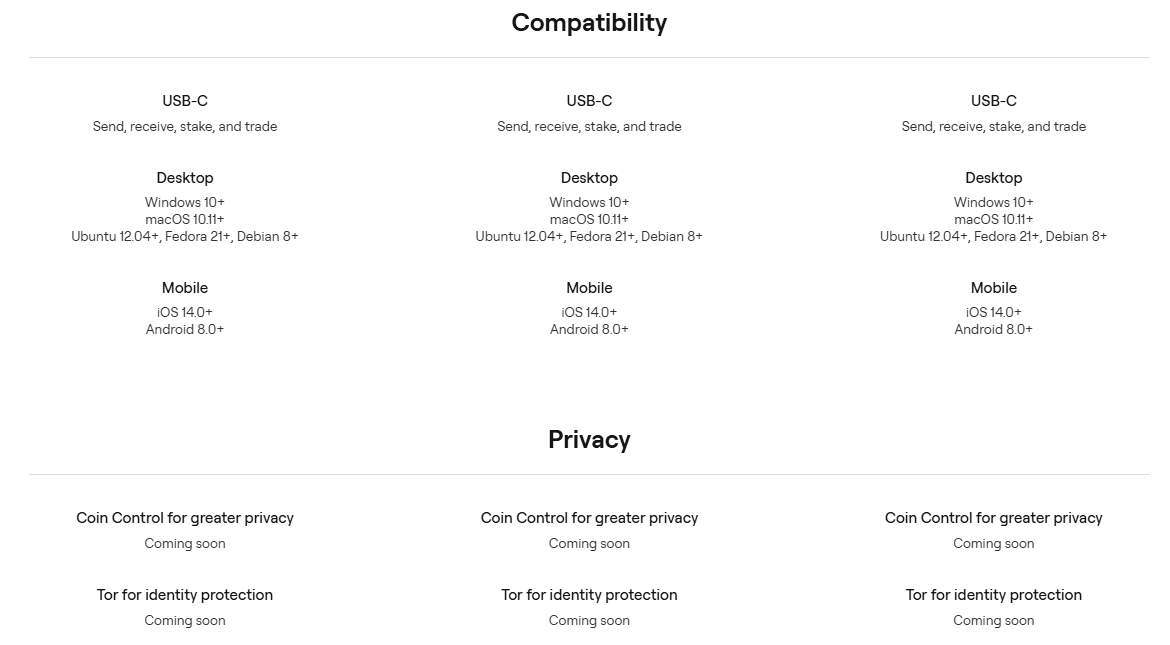
The headline number is four. The Pro and Pro 2 each carry four EAL6+ secure elements, which OneKey claims makes them the only hardware wallets on the market with that configuration. Keys are generated inside the secure elements and every signature happens there; the private key material never leaves the chip. The Classic 1S carries a single EAL6+ chip, which is still the same certification tier as the chips in Trezor and Tangem devices.
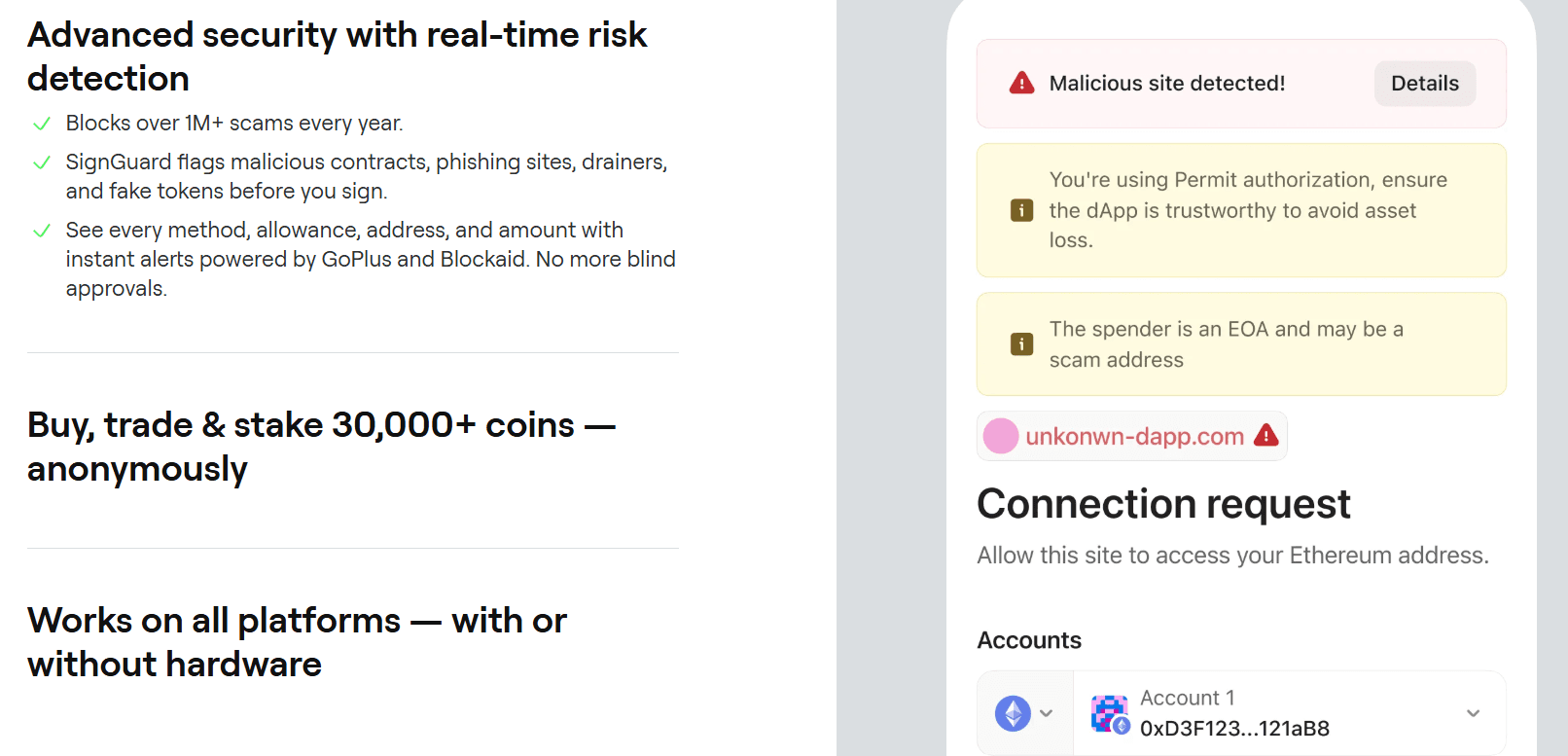
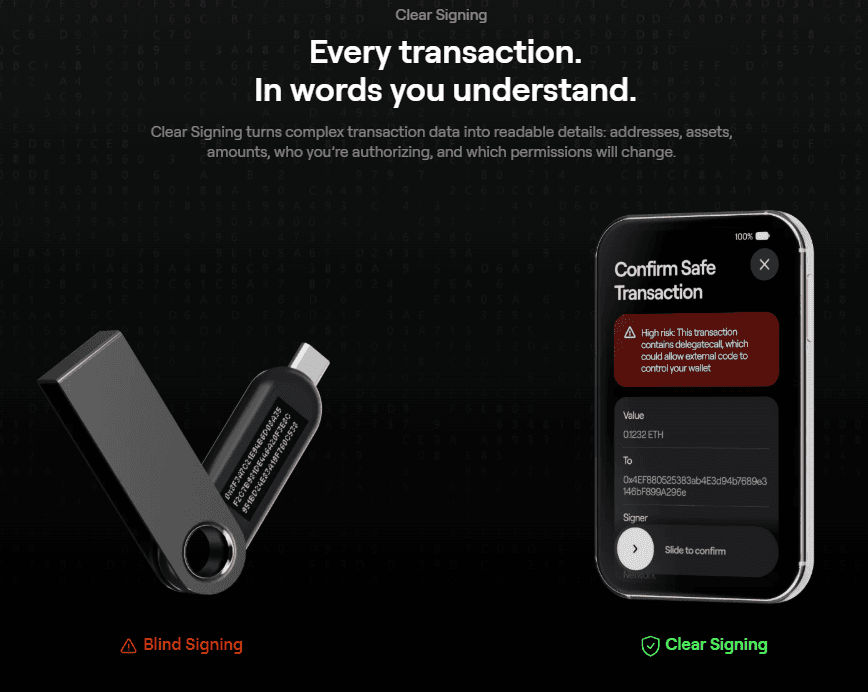
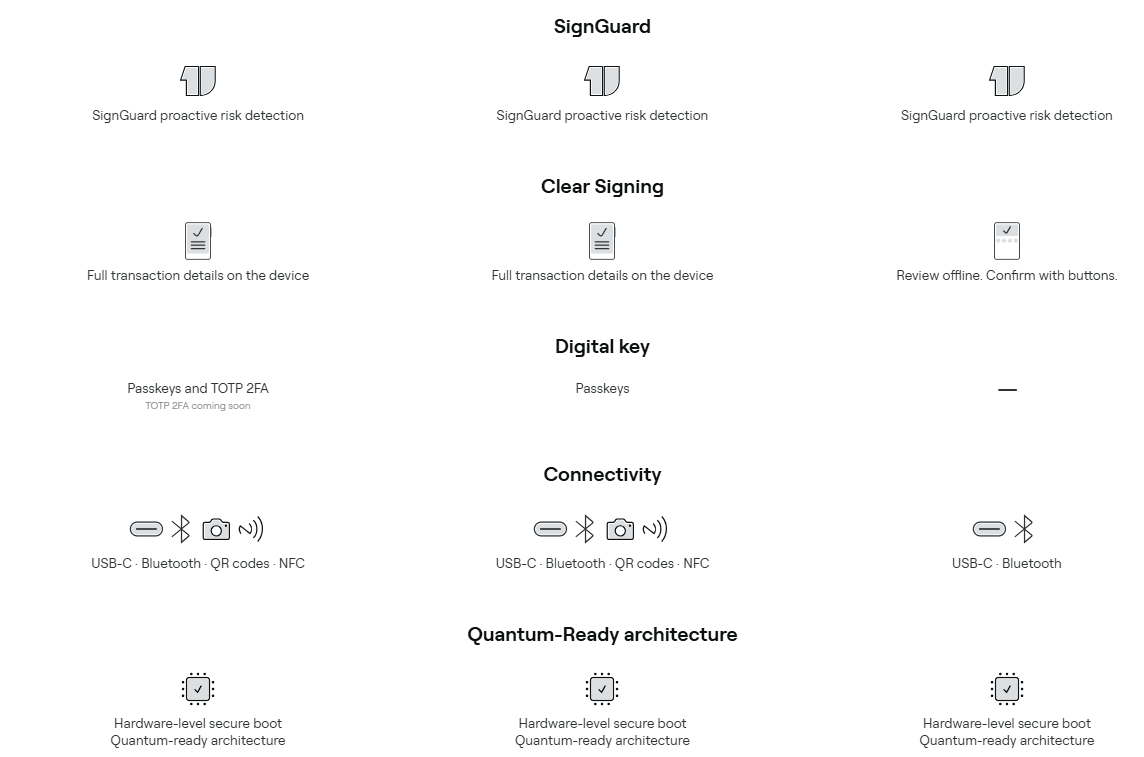
The software layer is where OneKey pulls ahead of most rivals. Clear Signing renders every transaction in plain language on the device screen: the addresses, the assets, the amounts, who you are authorizing, and which permissions will change. SignGuard adds real-time risk detection on top, flagging malicious contracts, phishing sites, drainers, and fake tokens before you approve, powered by GoPlus and Blockaid data.
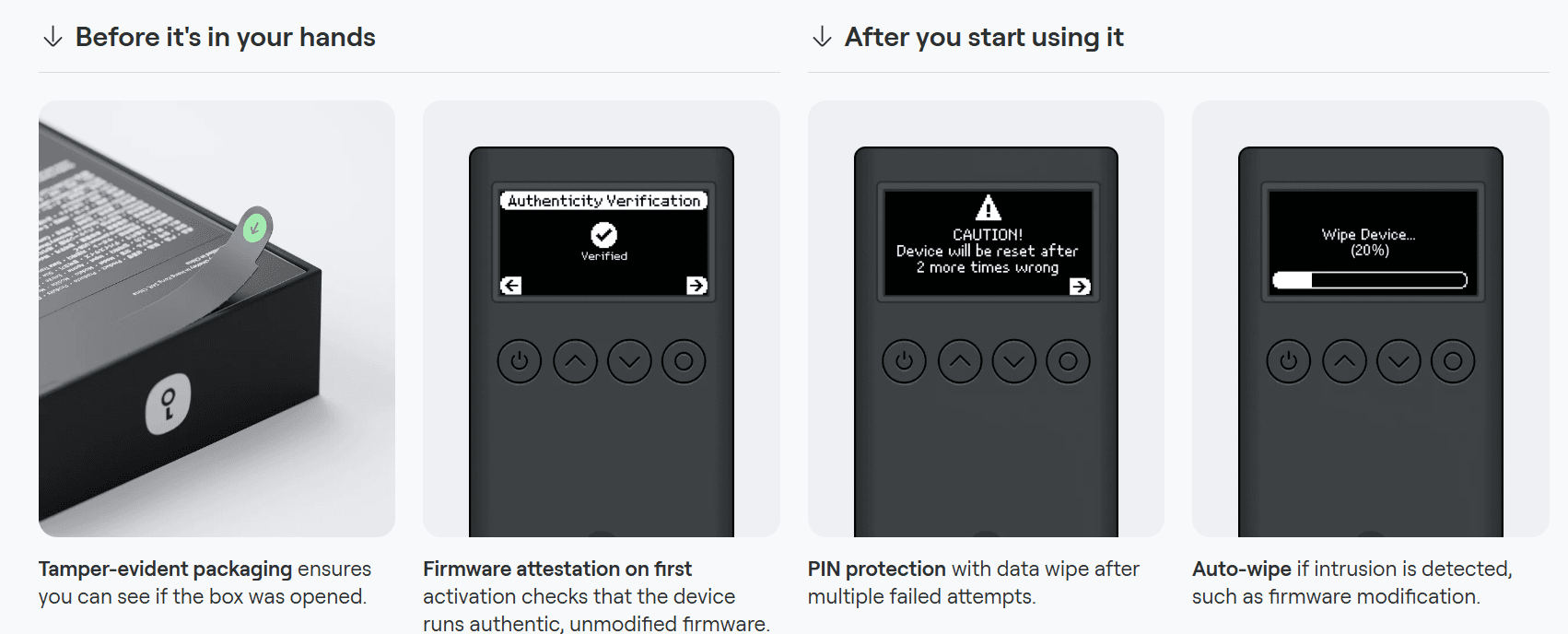
Physical security follows the same layered thinking. Devices ship in tamper-evident packaging, run firmware attestation on first activation to confirm the code is authentic and unmodified, wipe themselves after repeated wrong PIN entries, and auto-wipe if intrusion such as firmware modification is detected. A PIN plus passphrase gives you hidden wallets, and the Pro supports attaching passphrases to PINs.
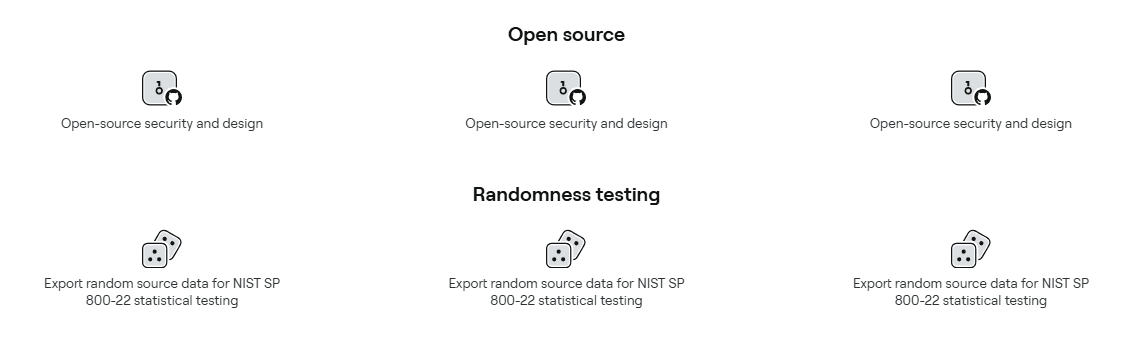
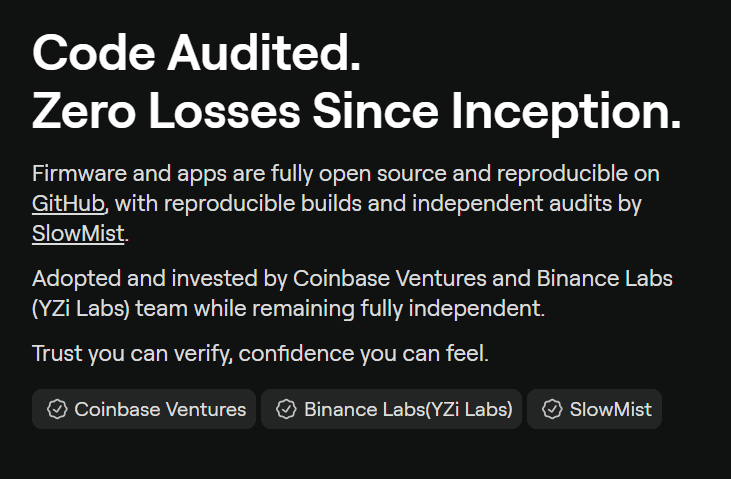
Now the honest caveat on open source. OneKey's app and MCU firmware are fully open source with reproducible builds on GitHub, audited by SlowMist and Keylabs, and that is genuinely more transparent than Ledger or SafePal. But the secure element firmware is not public, which tempers the "100% open source" marketing. This is industry standard, Trezor is the only major maker that opens the hardware design too, but you should know exactly what the claim covers.
The OneKey app
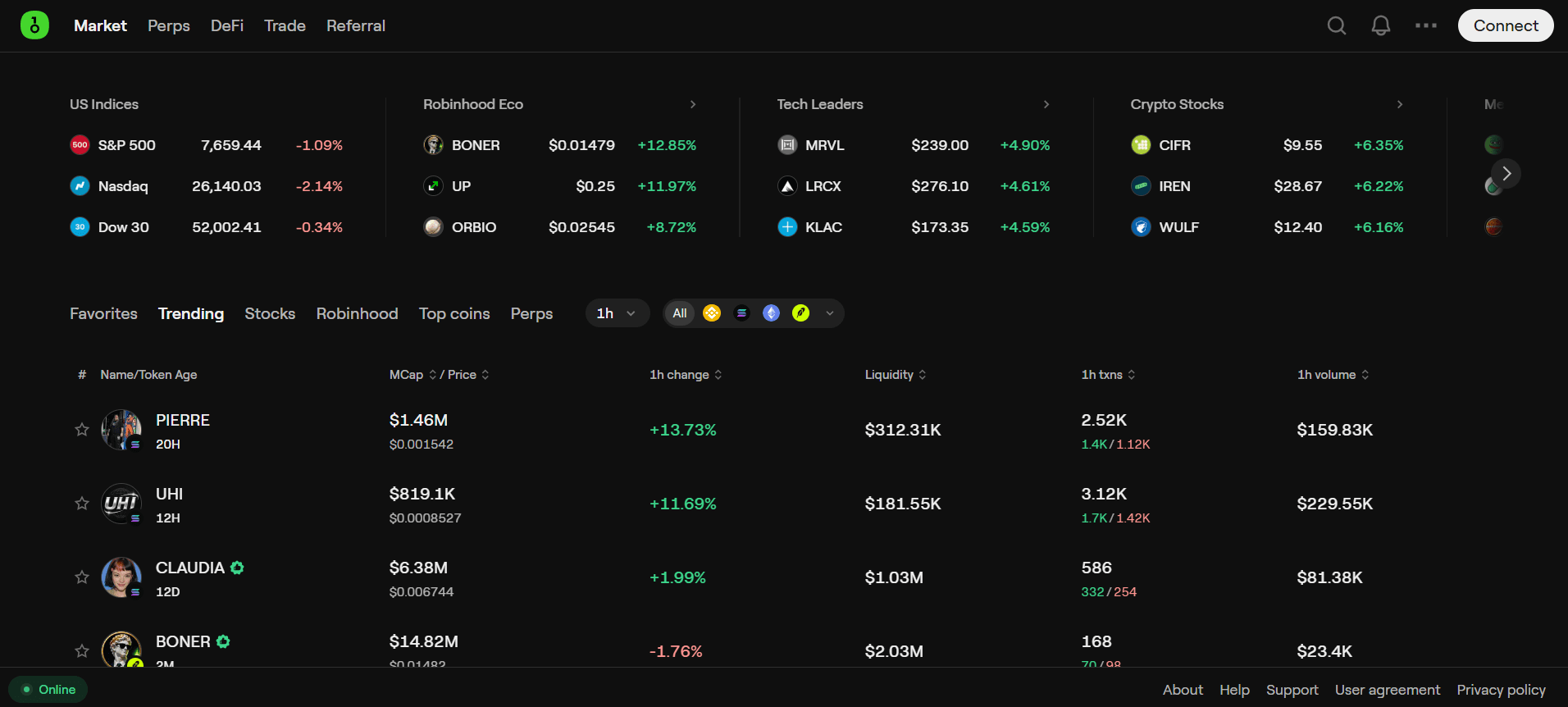
This is where OneKey stops being just a hardware wallet company. The OneKey app runs on desktop (macOS, Windows, Linux), mobile (iOS, Android), and as a browser extension, works with or without a OneKey device connected, and claims 30,000+ coins and tokens across 100+ chains. The tab bar tells the story: Market, Perps, DeFi, Trade, Referral. That is a trading terminal's tab bar, not a signer's.
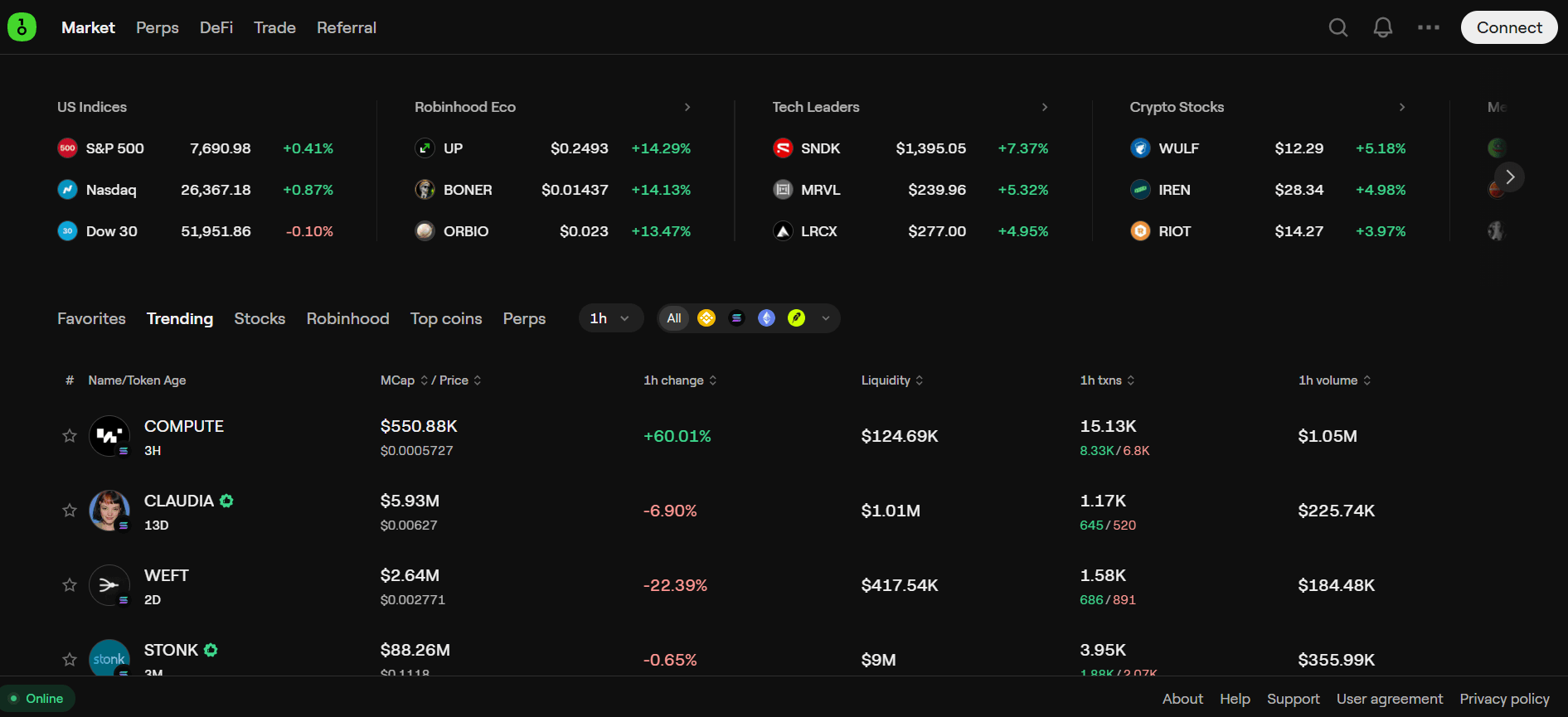
The Market tab covers spot prices, trending tokens with liquidity and volume data, and perps listings. OneKey App Prime ($179 for six months, bundled free with the Pro 2) unlocks advanced security features and member benefits. The app is localized into more than 20 languages, which matters more than it sounds for a product selling into 100+ countries.
Swap, bridge, and limit orders
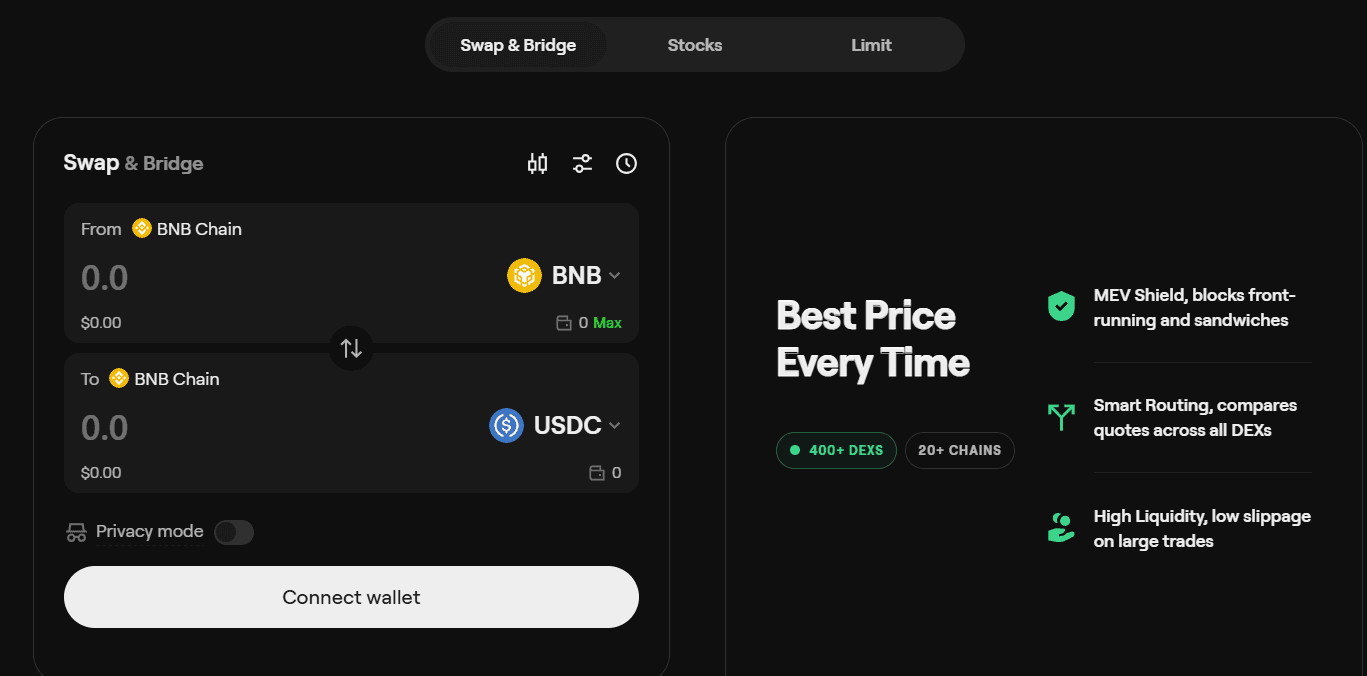
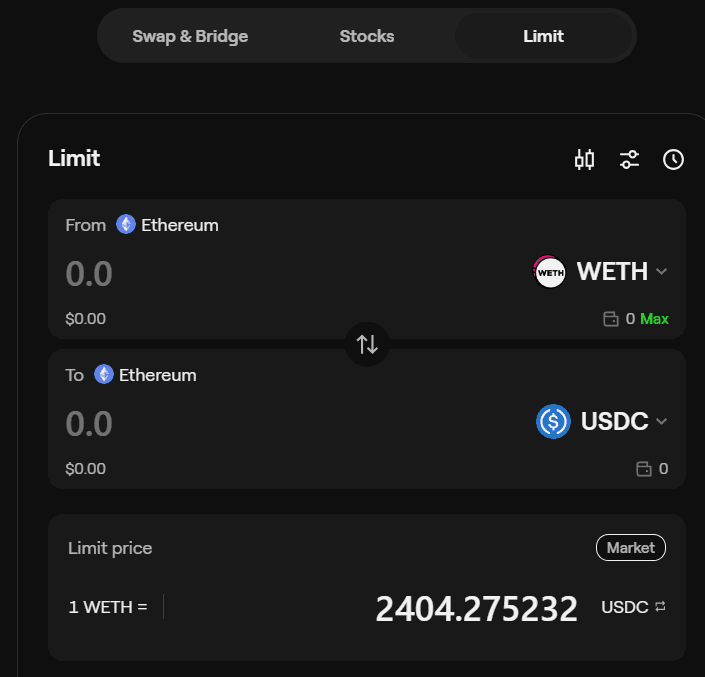
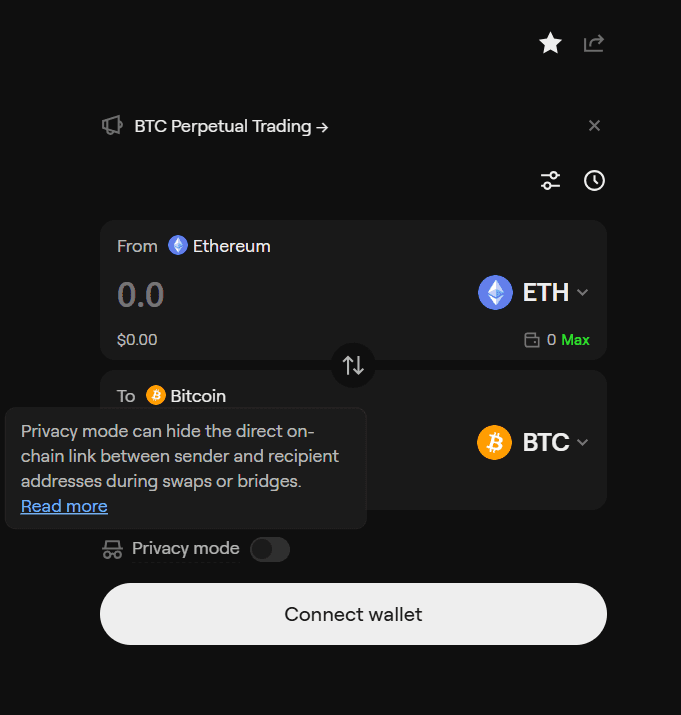
OneKey's swap is an aggregator, not a single venue. Confirmed integrations include 1inch, ChangeHero, Jumper Exchange, and LI.FI, with same-chain swaps, cross-chain bridges, flash swaps, and limit orders. The MEV Shield blocks front-running and sandwich attacks, smart routing compares quotes across all connected DEXs, and a privacy mode hides the direct on-chain link between sender and recipient addresses during swaps or bridges.
Be clear-eyed about the economics. OneKey discloses a service fee on in-app trade channels, 0.85% since app v6.2.0, shown before you confirm, on top of network gas and provider spreads. That fee goes to OneKey, not to you. Compare the all-in cost against doing the same swap on 1inch or a DEX directly before assuming the convenience is free.
Try OneKey Swap with 10% cashback on swap fees
Use referral code CRYPTOSBEGINNER when you bind your wallet.
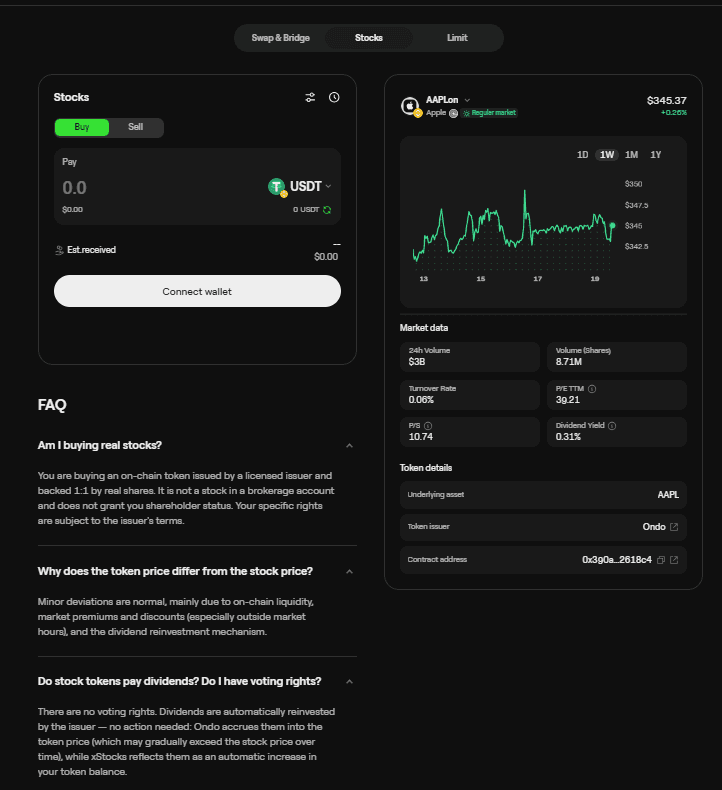
Open OneKey SwapThe Trade tab goes further than crypto. Tokenized stocks let you buy on-chain tokens issued by a licensed issuer and backed 1:1 by real shares, Apple was the example in the app, with the FAQ honest about the limits: no shareholder status, no voting rights, and token prices can deviate from the stock price outside market hours. This is a genuinely unusual feature for a wallet app, and it is worth reading the issuer terms before treating a stock token like a brokerage account.
Perpetuals trading
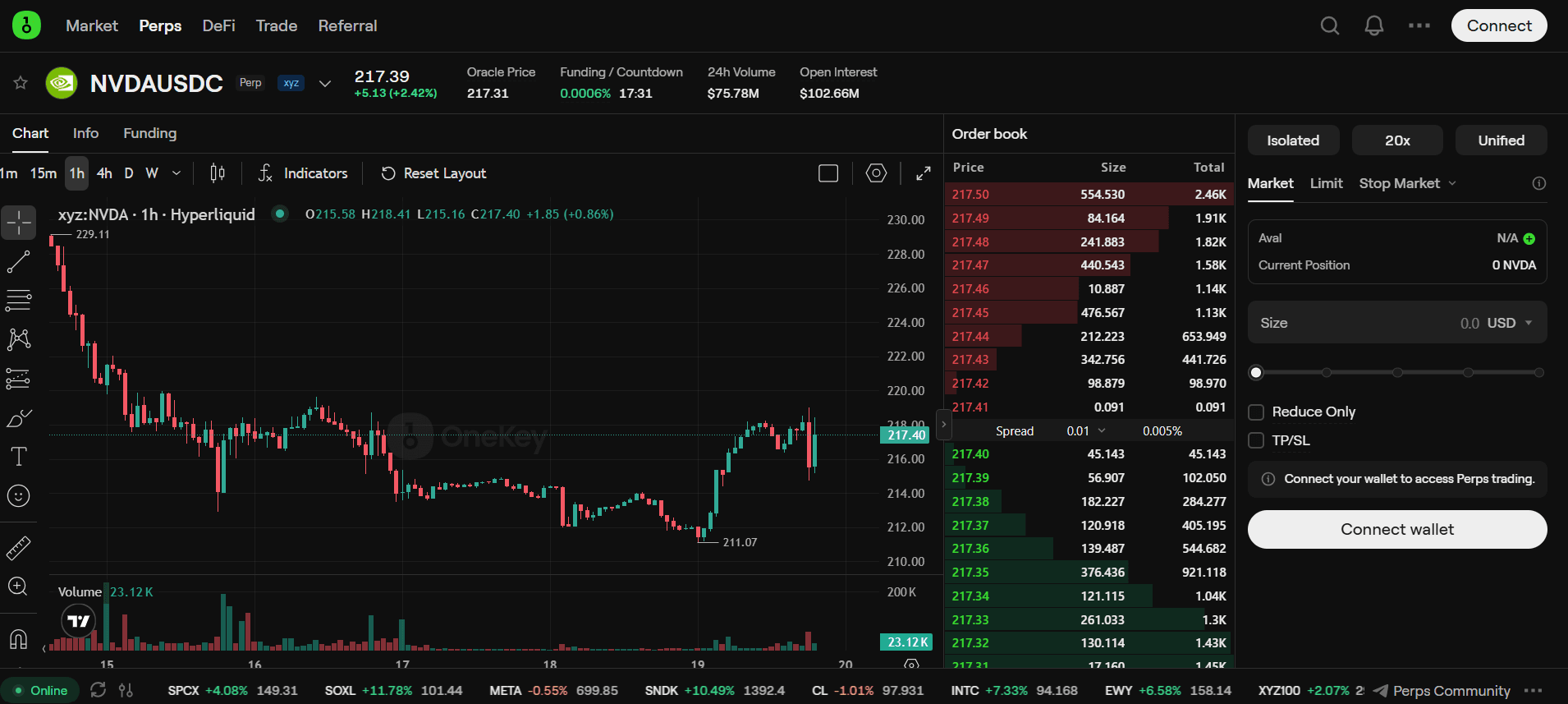
The Perps tab connects directly to Hyperliquid, the dominant on-chain perpetuals venue. You get up to 40x leverage on Bitcoin, 25x on Ethereum, and lower multiples across 200+ tokens, with market, limit, and stop-market orders, isolated or unified margin, and TradingView charting. Deposits are in USDC on Arbitrum. OneKey markets this as self-custodial with no KYC on their side.
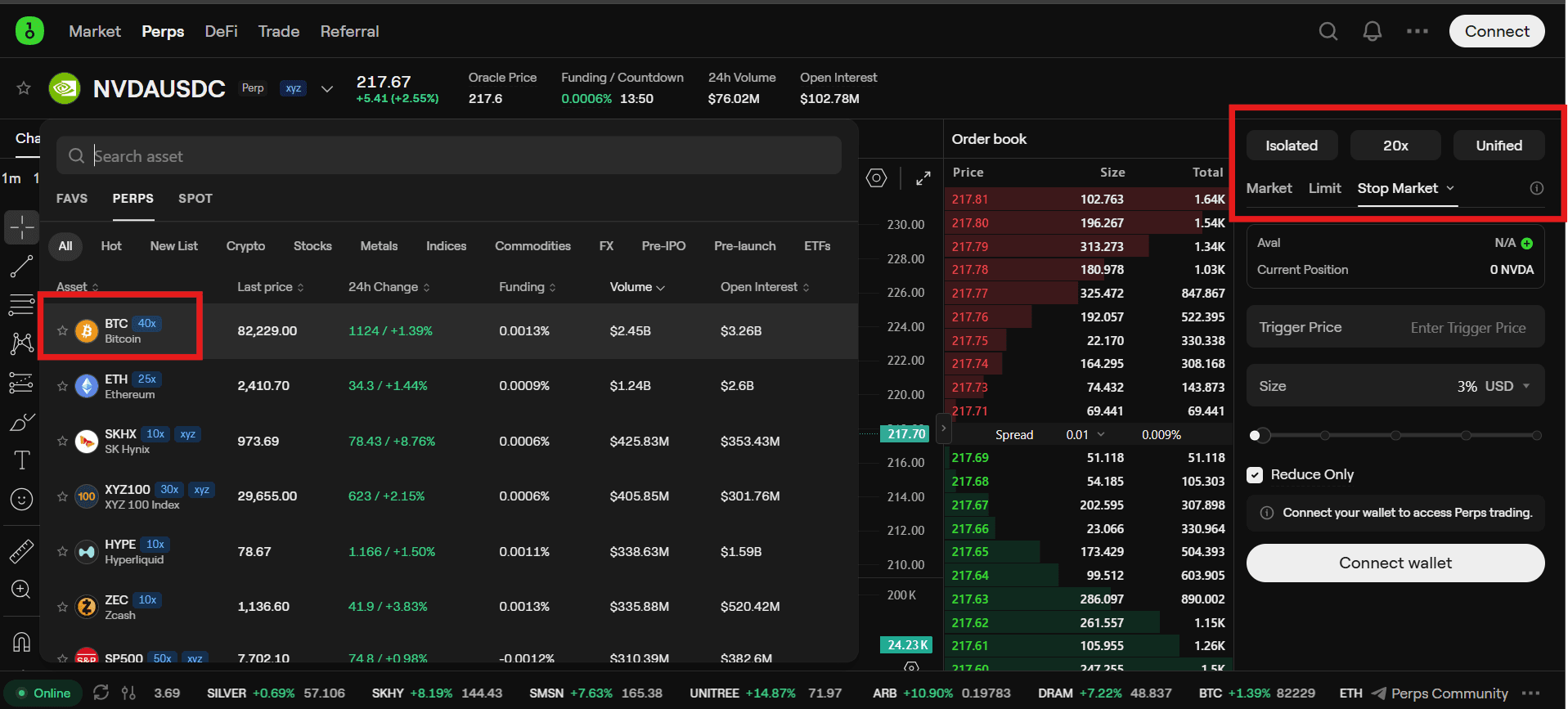
Two warnings, both important. First, leverage is leverage: 40x means a 2.5% move against you wipes the position, and no hardware wallet changes that math. Second, Hyperliquid itself restricts users in some jurisdictions including the US and UK under its own terms, so the "no KYC" framing describes OneKey's side of the flow, not necessarily your legal ability to trade. Beginners should treat perps as a spectator sport until they deeply understand funding rates and liquidation.
Trade perps on OneKey, powered by Hyperliquid
Up to 40x leverage on 200+ tokens, self-custodial.
Open OneKey PerpsDeFi and staking
The DeFi tab covers staking through an Everstake partnership, with POL, ATOM, APT, SOL, and ETH supported, showing APR, total value locked, and unstaking terms with 24-hour reward tracking. An Earn section builds fixed-income positions on Pendle PT tokens. A dApp browser with risk detection and WalletConnect support rounds out the picture, so the app can serve as your everyday Web3 interface with the hardware as the signing backstop.
The honest framing: staking rewards are variable and every DeFi position carries smart contract risk that no hardware wallet can remove. The device protects your keys; it does not audit the protocol you stake into. Check the current APRs and lock-up terms in the app before committing funds, because both move.
Explore DeFi and staking in the OneKey app
Stake, earn yield, and manage DeFi positions in one place.
Open OneKey DeFiBuying: store, shipping, and warranty
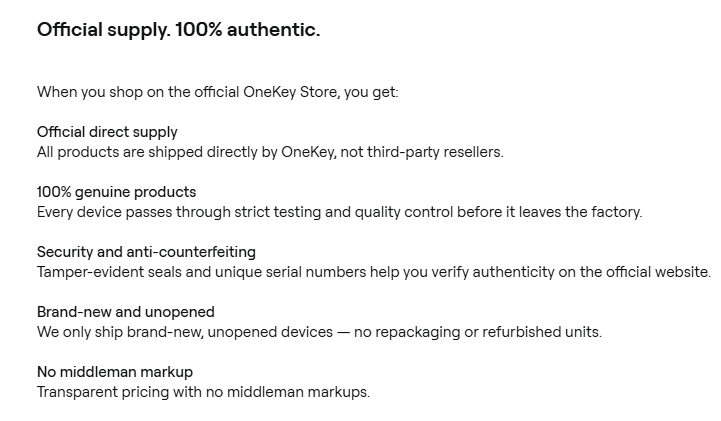
OneKey sells direct through its official store and is explicit that you should not buy from third-party resellers. Every device ships from OneKey with tamper-evident seals and a unique serial number you verify on the official site, brand new and unopened, with no middleman markup. This matters more than usual after October 2026, when OneKey revoked a Malaysian reseller's authorization over tampered stock and offered free replacements to affected buyers.
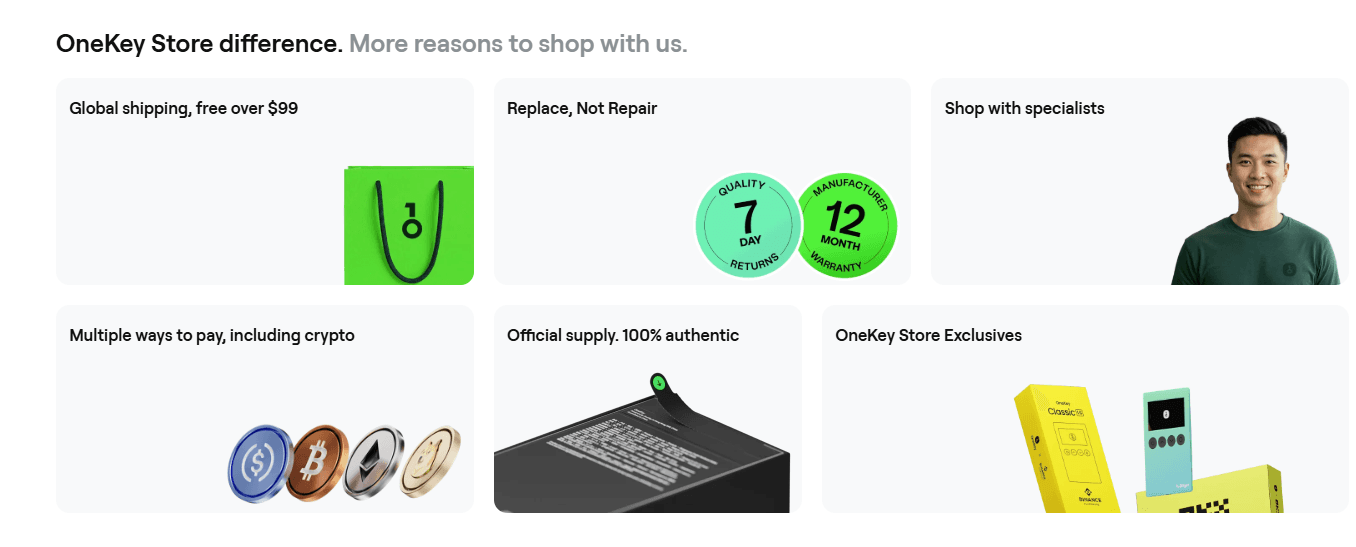
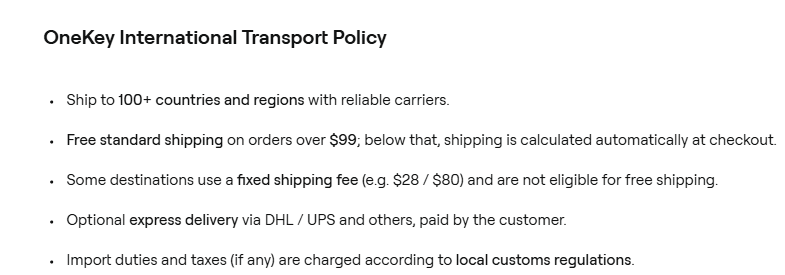
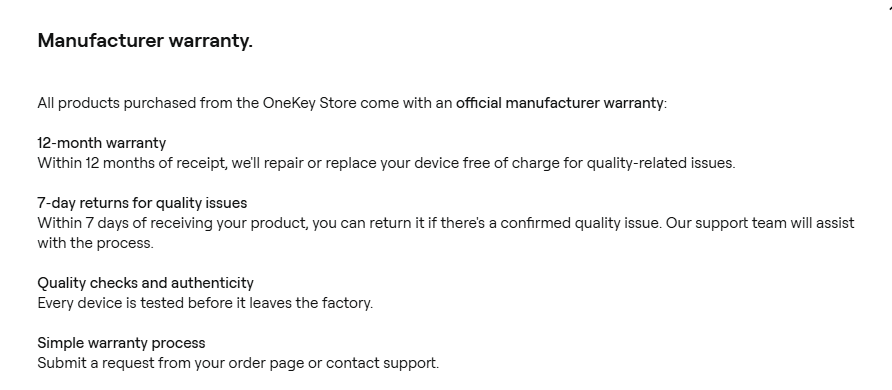
Shipping covers 100+ countries and is free on orders over $99, which every hardware model except accessories clears on its own. Express delivery via DHL or UPS is available at your cost, and import duties follow your local customs rules. The warranty is 12 months with free repair or replacement for quality issues, plus 7-day returns if a confirmed quality problem shows up early.
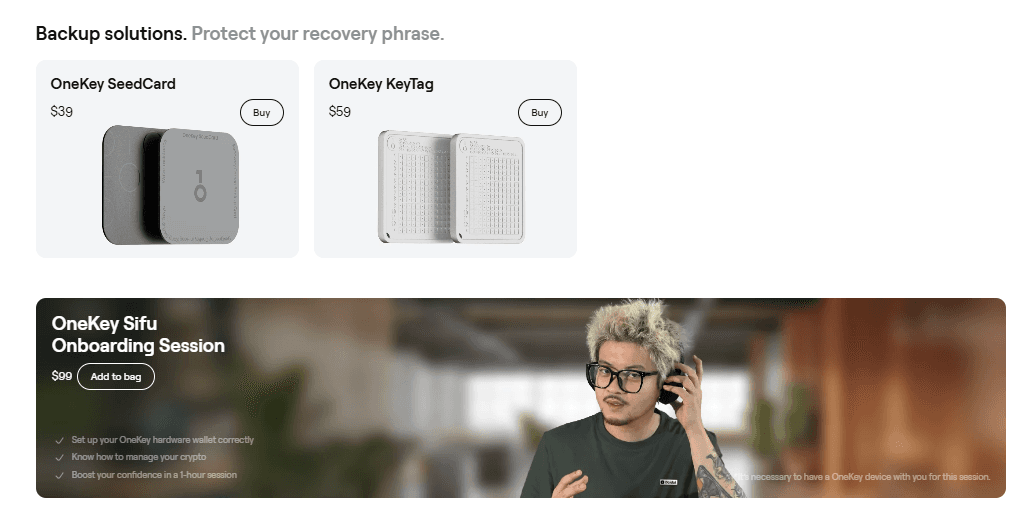
The accessories are worth a look while you order. The $39 SeedCard backs up your recovery phrase encrypted on an NFC card secured by a PIN, the $59 KeyTag is the fireproof metal-plate option, and the $99 Sifu onboarding session pairs you with a specialist for an hour to set up the wallet correctly and learn to manage your crypto. For beginners, the Sifu session is arguably the best $99 in the store.
Referral rewards
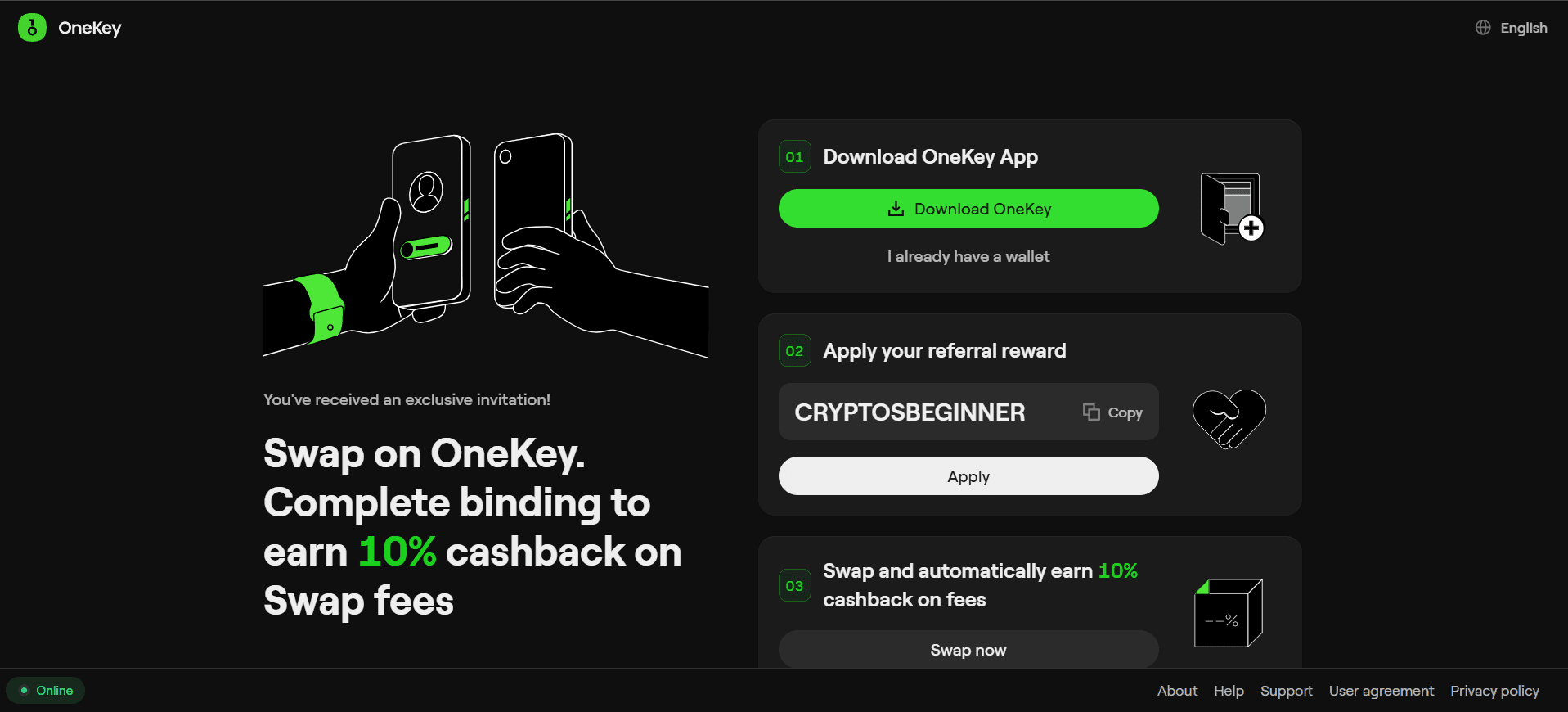
OneKey runs a referral program for both hardware and swaps. On the swap side, applying a referral code in the app earns 10% cashback on swap fees automatically. The code CRYPTOSBEGINNER is shown in the app's referral flow and works today. On the hardware side, OneKey operates an affiliate program for creators and resellers; commission rates are not published and require applying through their partnerships team.
OneKey vs the competition
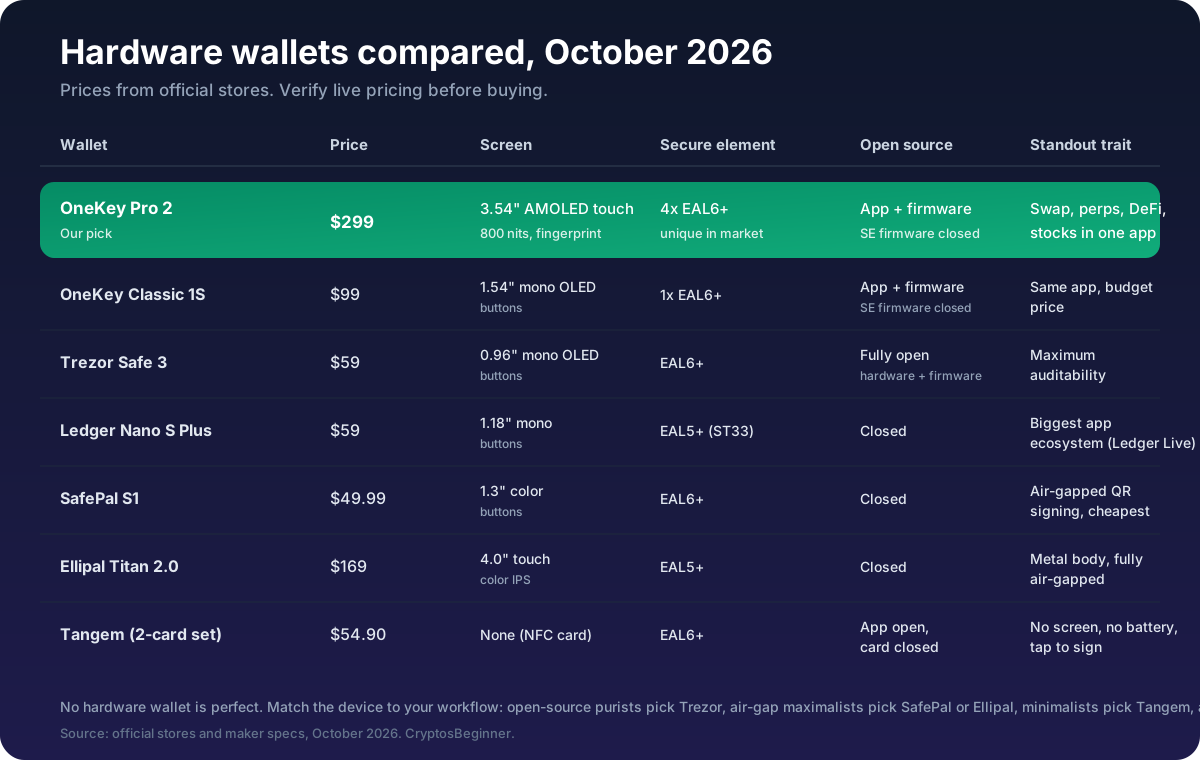
Here is the honest landscape. No device wins everything, so match the wallet to what you actually value.
Trezor Safe 3 ($59) remains the auditability champion: fully open-source hardware and firmware, an EAL6+ chip, and the longest track record of independent review. What you give up is the app ecosystem; Trezor Suite is solid but it is not a trading terminal, there is no Bluetooth, and the 0.96-inch monochrome screen feels spartan next to OneKey's touchscreens. Choose Trezor if verifying everything yourself is the priority.
Ledger Nano S Plus ($59) brings the deepest mainstream ecosystem through Ledger Live and the widest third-party integrations. The trade-offs are a closed secure element and closed firmware, plus two documented security incidents: the 2023 customer data breach that exposed buyer personal data, and the October 2026 CryptoBilis supply-chain attack, in which Ledger confirmed that a covert cellular implant inside devices sold by the reseller CryptoBilis captured users 24-word recovery phrases from the device screen and transmitted them over LTE, with estimated losses of up to $93.2 million across more than 300 wallets (see CoinDesk, October 13 2026). Ledger described it as a physical supply-chain attack, not a breach of its software. OneKey revoked the same reseller and offered free replacements with zero reported user losses. Choose Ledger if you want the most supported device in the industry and accept the closed stack.
SafePal S1 ($49.99) is the air-gap maximalist's pick: QR-code-only signing with no Bluetooth, WiFi, NFC, or USB data, an EAL6+ chip, and the lowest price of any credible air-gapped wallet. In August 2026 SafePal disclosed unauthorized access to order information for approximately 39,798 customers who ordered between March 2025 and April 2026, exposing names, emails, shipping addresses, and phone numbers (seed phrases and private keys were not affected, per SafePal's official security update). The cost of the device itself is app dependence and closed firmware, and the experience lives or dies inside SafePal's mobile app. Choose SafePal if a true offline signing boundary matters more to you than an open stack or a trading app. Read our SafePal S1 review for the full assessment.
Ellipal Titan 2.0 ($169) is the tank: a full-metal sealed body, a 4-inch touchscreen, QR-only air-gapped signing, and an EAL5+ chip, with firmware updates delivered offline via microSD. It is bigger, heavier, and closed-source, and the app ecosystem is thinner than OneKey's. Choose Ellipal if you want the most physically imposing air-gapped device and do not mind the premium.
Tangem ($54.90 for two cards) is the minimalist: NFC cards with an EAL6+ chip, no screen, no battery, no cables, tap your phone to sign. Setup takes two minutes and the multi-card backup is elegant. The trade-off is total: every transaction detail you verify comes from the phone screen, because there is no device display to check against. Choose Tangem for simplicity and portability, not for verification.
Against all of them, OneKey's case is the combination. Four EAL6+ chips where rivals carry one, open-source app and firmware with independent audits, Clear Signing plus SignGuard, and an app that handles spot, swaps, perps, staking, and stock tokens. The Classic 1S at $99 undercuts Trezor and Ledger on price while matching their chip tier, and the Pro 2 at $299 is the only device here that doubles as a trading terminal. That is why it is our preferred pick for most buyers right now.
Pros and cons
Strengths
- 4x EAL6+ secure elements on Pro models, unique in the market
- Open-source app and firmware with SlowMist and Keylabs audits
- Clear Signing plus SignGuard scam screening
- App covers swap, bridge, perps, staking, and tokenized stocks
- Hyperliquid perps with up to 40x leverage built in
- 30,000+ assets across 100+ chains claimed
- Strong incident response record (CryptoBilis, October 2026)
- Buy direct with tamper-evident packaging, 12-month warranty
Weaknesses
- Secure element firmware is not open source
- Pro 2 at $299 is premium priced against $59 rivals
- 0.85% service fee on in-app swaps, on top of gas and spreads
- Perps availability depends on jurisdiction (Hyperliquid restricts some regions)
- Classic 1S lacks the touchscreen and fingerprint reader
- Tokenized stocks carry issuer terms, no voting rights
- Affiliate commission rates not published
Verdict
OneKey is our current preferred hardware wallet, and the reasons compound. The Pro models carry four EAL6+ secure elements where every rival carries one. The app and firmware are open source and independently audited, which is more transparency than Ledger or SafePal offer. Clear Signing and SignGuard attack the exact failure mode, blind approvals, that drains more wallets than any chip vulnerability. And the app is simply in a different league: swaps across 400+ DEXs, Hyperliquid perps, staking, and tokenized stocks, all signable by the device in your hand.
The honest costs are the price of the Pro 2, the closed secure element firmware, and the 0.85% swap service fee. None of them breaks the case. If $299 is too steep, the $99 Classic 1S gives you the same app, the same EAL6+ tier chip, and the same signing security for a third of the money.
Buy from the official store, verify the tamper-evident packaging on arrival, generate your seed on the device, and back it up on the SeedCard or a metal plate. Then the hardware fades into the background and the app becomes the interesting part, which is exactly how a wallet should feel.
FAQ
OneKey questions
How much does a OneKey hardware wallet cost?
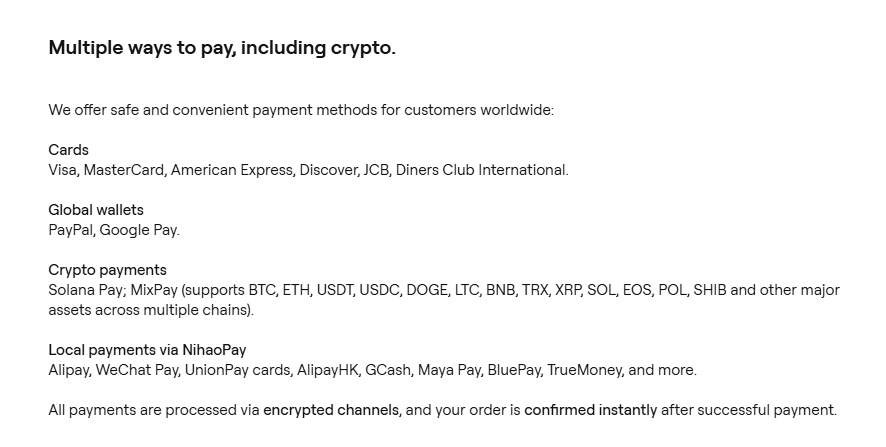
The current lineup is priced at $299 for the OneKey Pro 2, $278 for the OneKey Pro, $99 for the Classic 1S, and $79 for the battery-free Classic 1S Pure (a Bitcoin-only edition also exists at $79). Shipping is free on orders over $99, and the official store accepts cards, PayPal, crypto, and Asian wallets via NihaoPay.
Is OneKey really open source?
Partly. The OneKey app and the MCU firmware are fully open source with reproducible builds on GitHub, which is more than most competitors publish. The secure element firmware itself is not public, which is standard across the industry (Ledger and SafePal are closed there too). If you want fully open hardware plus firmware, Trezor remains the reference point.
What makes OneKey different from Ledger or Trezor?
Three things: the Pro models carry four EAL6+ secure elements instead of one, the firmware and app are open source and independently audited by SlowMist and Keylabs, and the OneKey app bundles swap aggregation, Hyperliquid-powered perpetuals, staking, and tokenized stocks into one interface. Ledger and Trezor sell you a signing device; OneKey sells you a signing device plus a trading terminal.
Can I trade perpetuals with a OneKey wallet?
Yes, through the OneKey app's Perps tab, which connects directly to Hyperliquid with up to 40x leverage on Bitcoin and lower multiples on other assets. OneKey markets this as self-custodial with no KYC on their side, but Hyperliquid itself restricts some jurisdictions including the US, so check availability where you live before counting on it.
Does OneKey charge fees on swaps?
OneKey discloses a service fee on in-app trade channels (0.85% since app v6.2.0), shown before you confirm, on top of network gas and any provider spread. Their swap aggregates providers including 1inch, ChangeHero, Jumper Exchange, and LI.FI, with an MEV Shield and smart routing. A referral code like CRYPTOSBEGINNER can earn 10% cashback on swap fees.
What happens if I lose my OneKey device?
Your crypto is not on the device, it is on the blockchain, and your 12 or 24 word recovery phrase (or 20-word SLIP-39 backup shares) restores everything on a replacement. OneKey also sells a $39 SeedCard for encrypted NFC backup and a $59 KeyTag metal plate. Never buy a replacement from a marketplace seller; order from the official store so the device arrives sealed and genuine.
Where should I buy a OneKey wallet?
Only from the official OneKey store. Every device ships directly from OneKey with tamper-evident seals and a serial number you can verify, and the company explicitly warns against third-party resellers after the October 2026 CryptoBilis incident, where a revoked reseller was linked to tampered devices. OneKey offered free replacements to affected buyers.
Is OneKey safe after the CryptoBilis incident?
The October 2026 incident involved a Malaysian reseller, not OneKey's hardware or firmware: tampered devices were traced to that seller's stock. OneKey revoked the reseller's authorization the same week, paused new reseller onboarding, and offered free replacements with no need to return the old device. No vulnerability in OneKey devices themselves was reported, and the response is exactly what you want to see from a wallet maker.
Disclaimer: Educational content only. This page is not financial, investment, legal, or tax advice. Features, pricing, and availability change; verify the live provider terms before ordering. Never share your recovery seed with anyone, including anyone claiming to be support. Availability of linked third-party sites depends on their own terms.