Wallets · hardware wallets
SafePal S1 Review 2026: air-gapped cold storage for $49.99
Updated 9 October 2026 · Originally published November 2023 · Reviewed for CryptosBeginner
The SafePal S1 is a $49.99 hardware wallet that signs transactions 100% offline via QR codes, with no Bluetooth, WiFi, or USB data touching your keys. This review covers the air-gapped design, the app-centered workflow, coin support, and how it compares to Ledger, Trezor, and its own siblings.
Affiliate disclosure: Some links on this page are affiliate links. CryptosBeginner may earn a commission if you order through one. This does not change our assessment criteria or conclusions. This page is educational content, not financial advice.
TL;DR: our take
- Best for: budget buyers who want true air-gapped signing and a color screen, and who are happy living in the SafePal app.
- Not ideal for: desktop-first users, open-source purists, and anyone wanting broad third-party wallet integrations.
- Price reality: $49.99 for the S1, $69.99 for the Bluetooth X1, $89.99 for the premium S1 Pro. The S1 remains one of the cheapest credible air-gapped wallets.
- Security model: EAL6+ secure element, QR only, self-destruct anti-tamper. Closed firmware is the transparency trade-off.
- Main caveat: the experience is app-dependent. If you will not use the SafePal mobile app as your hub, look elsewhere.
On this page
What the SafePal S1 is
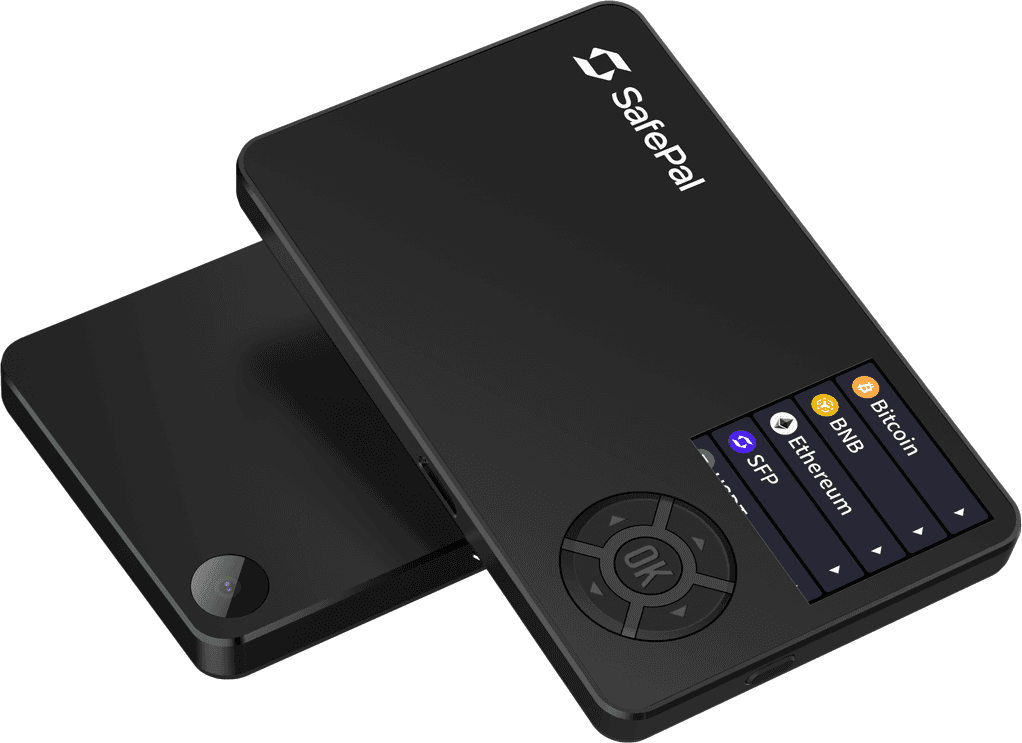
The SafePal S1 is a hardware wallet built around one idea: your keys should never touch an internet-connected interface. It has no Bluetooth, no WiFi, no NFC, and no USB data connection. Every interaction happens through encrypted QR codes scanned between the device's camera and your phone. Backed by Binance and priced at $49.99, it is the budget entry point into genuine air-gapped cold storage.
That positioning matters. Most $50 wallets cut security corners; the S1 cuts connectivity instead, keeping a CC EAL6+ secure element and a 1.3-inch color screen. The result is a device that feels deliberately limited in exactly the ways that make it safer.
Design and air-gapped signing
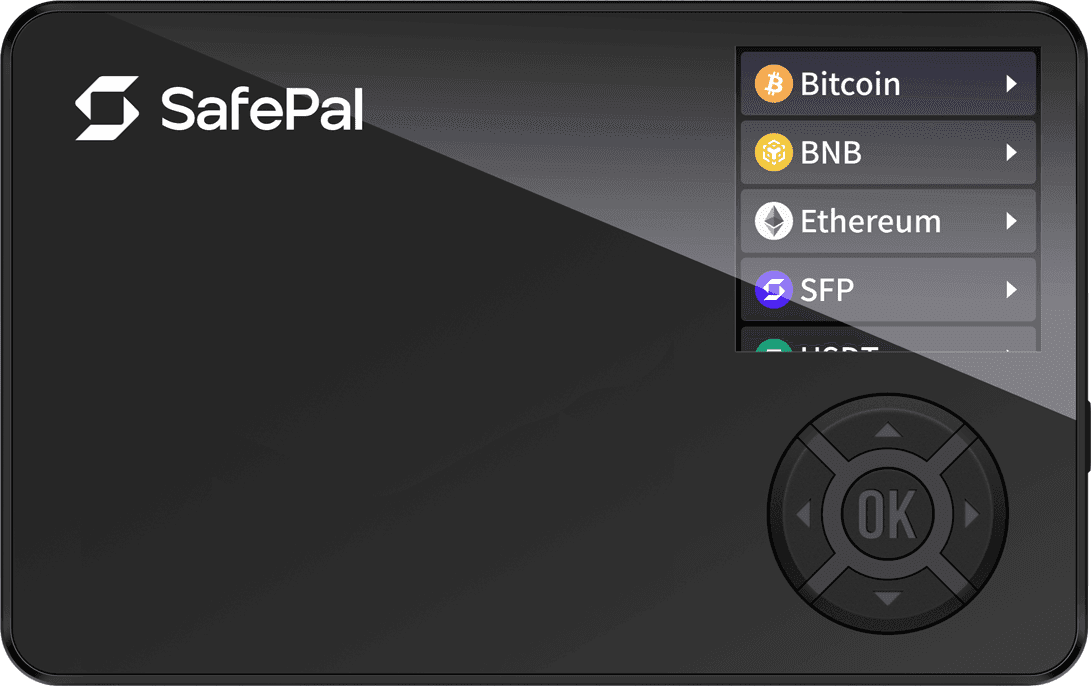
The S1 is a slim, credit-card-adjacent slab with a 1.3-inch full-color screen and a D-pad style control cluster: directional buttons around a central OK. A 400mAh battery powers it, and a camera on the back handles QR scanning. Build quality is plastic and functional rather than premium, which is the honest trade for the price.
Signing works like this: you build a transaction in the SafePal app, the app shows a QR code, you scan it with the S1, verify the details on the device screen, approve with the physical buttons, and the device shows a signed QR code for the app to broadcast. Keys never leave the device at any point. An anti-tamper self-destruct mechanism wipes the device if physical interference is detected.
The SafePal app ecosystem
Here is the part buyers most often misunderstand: the S1 is half of a product. The SafePal mobile app is the interface for everything: balances, swaps, staking, NFT management, and a DApp browser for DeFi. The hardware device itself only stores keys and signs. This division is clean in practice, but it means the S1 experience stands or falls on the app.
The trade-off versus Ledger and Trezor is breadth. Those devices plug into many independent wallets: Sparrow, Electrum, MetaMask's hardware hub, and others. The S1 is designed to live inside SafePal's own app, and third-party integrations are thinner. If your workflow depends on a specific external wallet, check compatibility before buying. On transparency, the S1's firmware is not fully open source; the open-source minded should look at the X1 sibling or at Trezor instead.
Setup and seed handling
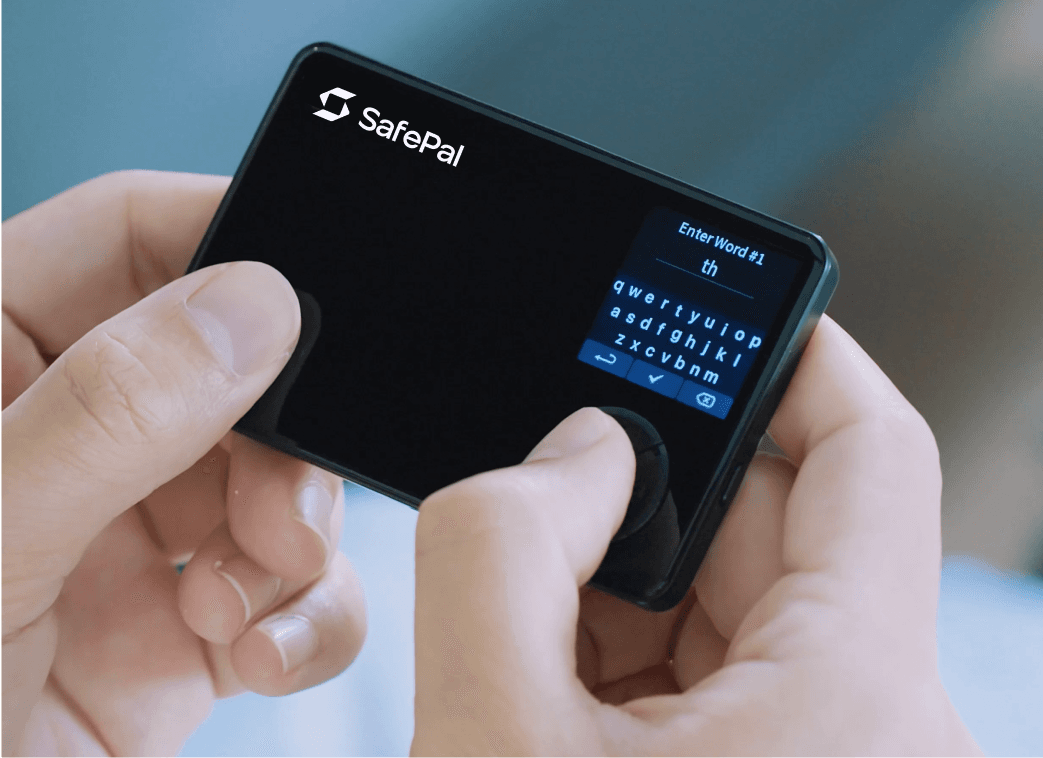
Setup is the standard flow done well: power on, generate a new wallet on the device itself, and write down the BIP39 recovery seed it shows you, word by word, on the device screen. A passphrase option adds a hidden-wallet layer for advanced users. The on-device keyboard keeps seed entry off your phone and computer entirely.
The non-negotiable rules: generate the seed on the device, never on a website or app. Write it on paper or stamp it into the separately sold Cypher metal backup. Never photograph it, never type it into anything except the device during recovery, and never share it with "support." Every hardware wallet scam in existence ends with someone surrendering their seed.
Coin support
SafePal advertises 200+ blockchains and 10,000+ tokens and NFTs, with custom tokens addable by contract address. In practice the app manages the asset list, so device storage is not the constraint it is on some competitors. Swaps, staking, and fiat on-ramps inside the app depend on third-party providers with their own fees, KYC, and regional limits.
As with every wallet here, verify your specific holdings against the live supported list. Headline counts and your actual portfolio overlap until they do not, usually on some obscure token you assumed was covered.
Pricing and models
The lineup is refreshingly simple. The S1 at $49.99 is the air-gapped budget pick. The X1 at $69.99 adds Bluetooth and an open-source framework for users who want convenience plus auditability. The S1 Pro at $89.99 keeps the air-gapped design with a premium aluminum build and larger battery. All three use high-grade secure elements and support the same asset range.
Pros and cons
Strengths
- True air-gap: QR only, no Bluetooth, WiFi, NFC, or USB data
- CC EAL6+ secure element at a $49.99 price
- 1.3-inch color screen, clear transaction verification
- Self-destruct anti-tamper mechanism
- Broad asset support via the app
- Binance-backed company, regularly updated
Weaknesses
- App-dependent: thin third-party wallet integrations
- Firmware not fully open source
- QR signing is slower than USB or Bluetooth flows
- Plastic build feels budget next to premium rivals
- Weak desktop story compared to Ledger and Trezor
- In-app third-party services carry their own KYC and fees
Buying safely
Order only from SafePal's official store. Counterfeit hardware wallets with preinstalled backdoors are a documented threat, and no marketplace discount justifies it. When the device arrives, run the official authenticity check before generating anything, and generate your seed on the device itself. If anything about the packaging or the first boot looks wrong, stop and contact support.
Who it suits, and who should skip it
The S1 suits budget-conscious holders who want genuine air-gapped security and are happy to make the SafePal app their home base. If your mental model is "phone app for viewing, offline device for signing," the S1 executes that model better than anything near its price.
Skip it if you live on desktop wallets like Sparrow or Electrum, if open-source firmware is non-negotiable, or if you want the widest third-party ecosystem. The X1 sibling answers the Bluetooth and open-source objections for $20 more, which tells you how narrow the S1's trade-offs really are.
Alternatives
SafePal X1 ($69.99) is the in-family upgrade: Bluetooth convenience and an open-source framework, keeping the same asset support. Ledger Nano S Plus brings the deepest mainstream ecosystem and desktop software at a higher price with closed secure elements.
Trezor Safe 3 is the open-source-first pick with the longest auditability track record. Prokey Optimum ($59) is the budget open-source alternative with a web-only workflow. See our best crypto wallets 2026 guide and our Prokey Optimum review for the full comparison.
Verdict
The SafePal S1 remains the best value in air-gapped hardware wallets. For $49.99 you get a genuine offline signing boundary, a high-grade secure element, and a color screen, with the only real costs being app dependence and closed firmware. Nothing else at this price makes the same security bargain.
Buy it if the app-centered workflow fits you, from the official store, and treat the seed ceremony with the seriousness it deserves. Cold storage is a ritual as much as a product, and the S1 makes the ritual affordable.
FAQ
SafePal S1 questions
How much does the SafePal S1 cost?
The SafePal S1 sells for $49.99 on the official store. Sibling models cost more: the Bluetooth X1 at $69.99 and the premium-build S1 Pro at $89.99. Prices exclude VAT and duties in some regions, so check the live store for your total.
What does air-gapped mean for the SafePal S1?
Air-gapped means the device has no Bluetooth, WiFi, NFC, or USB data connection. It communicates with the SafePal app purely by showing and scanning encrypted QR codes. Your private keys never touch an internet-connected interface, which removes whole categories of remote attack.
How many coins does SafePal S1 support?
SafePal advertises 200+ blockchains and 10,000+ tokens and NFTs, with custom tokens addable by contract address. Because the app manages the asset list, storage on the device itself is not the constraint. As always, verify your specific assets on the live supported-coins list before buying.
Do I need the SafePal app to use the S1?
Yes. The S1 is designed around the SafePal mobile app, which acts as the interface for balances, swaps, staking, and the DApp browser, while the device itself only signs via QR codes. If you prefer a desktop-first or multi-wallet workflow, Ledger or Trezor integrate more broadly with third-party software.
Is the SafePal S1 open source?
The S1's firmware is not fully open source, which is a transparency trade-off worth knowing: it uses a closed CC EAL6+ secure element. Users who want maximum auditability tend to prefer Trezor, while the S1's open-source sibling, the X1, addresses exactly this concern at $69.99.
Where should I buy the SafePal S1?
Only from SafePal's official store. Counterfeit hardware wallets with preinstalled backdoors are a real threat, and the discount from a marketplace seller is never worth it. When your device arrives, follow the official authenticity check before generating your seed phrase.
Disclaimer: Educational content only. This page is not financial, investment, legal, or tax advice. Features, pricing, and availability change; verify the live provider terms before ordering. Never share your recovery seed with anyone, including anyone claiming to be support. Availability of linked third-party sites depends on their own terms.