Wallets · hardware wallets
Prokey Optimum Review 2026: the $59 open-source hardware wallet
Updated 9 October 2026 · Originally published November 2023 · Reviewed for CryptosBeginner
The Prokey Optimum is an open-source hardware wallet that keeps private keys offline, supports 3500+ coins through a web interface with no apps to install, and costs $59. This review covers the design, security model, setup, and honest trade-offs against Ledger, Trezor, and SafePal.
Affiliate disclosure: Some links on this page are affiliate links. CryptosBeginner may earn a commission if you order through one. This does not change our assessment criteria or conclusions. This page is educational content, not financial advice.
TL;DR: our take
- Best for: holders who want open-source cold storage at a budget price and manage coins through a browser.
- Not ideal for: anyone needing Bluetooth mobile signing, the biggest third-party app ecosystem, or a premium metal build.
- Price reality: $59 with two USB cables and three recovery sheets in the box, 14-day returns, free standard shipping. Genuinely cheap for a hardware wallet.
- Security model: open-source firmware and hardware, offline key storage, PIN plus recovery seed, and FIDO two-factor support. Transparency is the trust argument.
- Main caveat: smaller company and ecosystem than Ledger or Trezor. Buy only from the official store and verify no firmware ships pre-installed.
Video review
Watch: Prokey hardware wallet review
Our video review walks through the Prokey Optimum: unboxing, setup, and how the device handles everyday transactions.
On this page
What the Prokey Optimum is
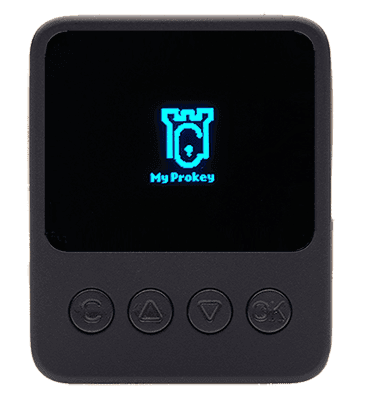
The Prokey Optimum is a hardware wallet: a small physical device that stores your crypto private keys offline and signs transactions on the device itself, so keys never touch your internet-connected computer. It is aimed squarely at the budget end of the market at $59, competing with entry-level Ledger and SafePal devices rather than premium metal wallets.
Its defining trait is openness. Both the firmware and the hardware designs are published openly, which lets anyone inspect what the device actually does. In a product category where trust is the entire value proposition, "do not trust, verify" is a meaningful differentiator, and it is the reason the Optimum keeps appearing in open-source wallet roundups.
Design and build
The Optimum is a compact plastic unit with rounded edges, a 0.96-inch OLED screen, and four physical buttons beneath it for navigating, confirming, and cancelling. The buttons are well spaced, which matters more than it sounds: mis-pressing a confirm button on a hardware wallet is exactly the kind of small disaster good industrial design prevents.
There is no battery. The device draws power over USB (Micro-B), so there is nothing to charge and no battery to degrade over years in a drawer. The trade-off is connectivity: no Bluetooth, so mobile use means a wired connection to an Android device. Inside is an STM32F205VG chip with a true random number generator for key generation.
Setup and ease of use
Setup follows the standard hardware wallet flow: connect the device, create a new wallet or restore from an existing BIP39 recovery phrase, set a PIN, and write down the recovery seed on the included sheets. The whole process runs through a web interface, with no desktop app or bridge to install on Windows, Mac, or Linux.
Day-to-day use is straightforward: connect, open the web dashboard, and confirm transactions on the device screen. Because there are no per-coin apps to install, you do not hit storage limits juggling apps the way Ledger owners do. Prokey also offers a demo platform you can try with just an email address, which is a sensible way to test the interface before buying.
Security model
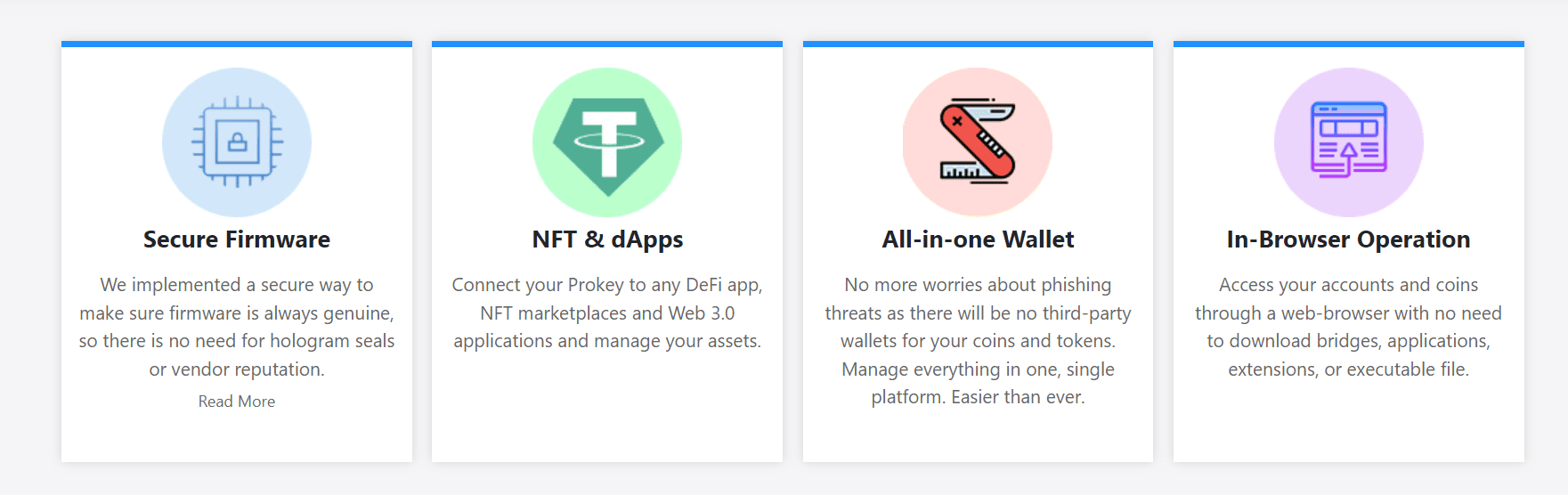
Private keys are generated on the device and never leave it. Transactions are signed on the hardware itself, so even a compromised computer only ever sees signed, broadcast-ready transactions. The wallet is a BIP39 hierarchical deterministic wallet, which means your recovery seed restores everything if the device is lost or broken.
Two details deserve emphasis. First, open-source firmware means the signing code is auditable, unlike closed secure-element designs where you trust the vendor's claims. Second, the device doubles as a FIDO two-factor authentication key, so it hardens your exchange and email logins too. No hardware wallet makes you immune to phishing or seed phrase theft: anyone who photographs your recovery sheet owns your coins, device or no device.
Coin support
Prokey advertises 3500+ supported coins and tokens, covering Bitcoin, Ethereum and ERC-20 tokens, BNB Chain, and other major networks, plus NFT and Web3 dApp interaction through the browser. The no-per-coin-app architecture is the practical advantage here: support breadth does not cost you device storage or firmware juggling.
The honest caveat for any smaller-ecosystem wallet: check the live supported-coins list for the specific assets you hold before buying. Marketing counts and your portfolio are different things, and niche tokens are where coverage gaps hide.
Pricing and what's in the box
The Optimum sells for $59 on the official store. The box includes the device, two USB cables, and three recovery sheets. Returns are accepted within 14 days, and standard shipping is free. At this price it is one of the cheapest credible hardware wallets available, which is exactly why the buying-safely section below matters: discounts from unofficial sellers are not worth the risk.
Pros and cons
Strengths
- Fully open-source firmware and hardware designs
- $59 price undercuts most competitors
- 3500+ coins with no per-coin apps to manage
- No battery, no desktop app, no bridge to install
- FIDO two-factor authentication support
- Try-before-you-buy demo platform
Weaknesses
- No Bluetooth for wireless mobile signing
- Smaller company and ecosystem than Ledger or Trezor
- Micro-B connector feels dated next to USB-C rivals
- Plastic build, not a premium metal device
- Third-party wallet integrations less extensive
- Smaller screen than some competitors
Buying safely
This applies to every hardware wallet, but it matters more for lesser-known brands. Order only from the official Prokey store. When the device arrives, verify that no firmware is pre-installed: a genuine new unit ships blank, and pre-installed firmware is the classic sign of tampering. Never buy a hardware wallet second-hand, from a marketplace, or at a "too good" discount. Your recovery seed should be generated by the device in front of you, written down by hand, and never photographed, typed, or dictated to anyone.
Who it suits, and who should skip it
The Optimum suits holders with meaningful balances who want open-source cold storage without paying $150+. If your thesis is "keys offline, code auditable, price sane," this is one of the most coherent options at this price. It also suits the browser-first crowd who would rather not install yet another desktop app.
Skip it if you need Bluetooth signing on the move, if you want the deepest third-party ecosystem, or if your holdings are small enough that a free software wallet with disciplined seed backup is the proportionate choice. Hardware wallets pay off when the balance justifies the ritual.
Alternatives
Ledger Nano S Plus is the default mainstream pick: bigger ecosystem, Ledger Live software, and wider third-party support, at a higher price and with closed-source secure elements.
Trezor is the open-source veteran with the longest track record in the category. Model One competes near this price; the trade-off is an older design against Prokey's broader coin support claims.
SafePal S1 is cheaper still and fully air-gapped, communicating by QR code. It suits the paranoid well, at the cost of a more fiddly signing flow. See our best crypto wallets 2026 guide for the full comparison.
Verdict
The Prokey Optimum is the rare budget hardware wallet that does not feel like a compromise on the things that matter: open-source transparency, offline keys, and broad coin support without app-juggling. The $59 price makes cold storage an easy decision for balances that deserve it.
The trade-offs are real but honest: no Bluetooth, a smaller ecosystem, and a plastic build. None of them touch the security model. Buy from the official store, verify the blank firmware on arrival, back up the seed on paper, and you have credible cold storage for the price of a dinner.
FAQ
Prokey questions
How much does the Prokey Optimum cost?
The Prokey Optimum is priced at $59 on the official store, which undercuts most name-brand hardware wallets. The box includes the device, two USB cables, and three recovery sheets, with 14-day returns and free standard shipping. Prices can change, so check the live store before ordering.
Is the Prokey Optimum open source?
Yes. Prokey publishes its firmware and hardware designs openly, which means anyone can inspect the code the device runs. That transparency is the main trust argument: you do not have to take the company's word for what the wallet does with your keys.
How many coins does Prokey support?
Prokey advertises support for 3500+ coins and tokens across networks including Bitcoin, Ethereum and ERC-20 tokens, BNB Chain, and others. Because it works through a web interface without per-coin apps to install, adding supported assets does not eat device storage the way some competitors do.
How do I know my Prokey was not tampered with?
Buy only from the official Prokey store, and when the device arrives, check that no firmware is pre-installed. A genuine new device ships without firmware; if firmware is already present, treat the device as tampered with and contact support. Never buy a hardware wallet second-hand or from marketplace sellers.
Does Prokey need an app or battery?
Neither. The Optimum is USB-powered with no battery to charge or degrade, and it works entirely through a web browser with no bridges or desktop apps to install. It supports Windows, Mac, Linux, and Android over a Micro-B USB connection.
Who should skip the Prokey Optimum?
Skip it if you need Bluetooth mobile signing on the go, if you want the largest third-party ecosystem (Ledger and Trezor still lead there), or if you only hold small amounts where a free software wallet plus good backup hygiene is proportionate. Hardware wallets suit meaningful balances you plan to hold.
Disclaimer: Educational content only. This page is not financial, investment, legal, or tax advice. Features, pricing, and availability change; verify the live provider terms before ordering. Never share your recovery seed with anyone, including anyone claiming to be support. Availability of linked third-party sites depends on their own terms.