Tools · portfolio trackers
CoinStats Review 2026: the all-in-one portfolio tracker, assessed
Updated 9 October 2026 · Originally published April 2025 · Reviewed for CryptosBeginner
CoinStats connects your exchanges, wallets, DeFi positions, and NFTs into one dashboard with live prices, profit and loss, alerts, and newer AI features. This review covers what it tracks, what the plans cost, how the read-only security model works, and where it falls short, so you can decide if it fits your setup.
Affiliate disclosure: Some links on this page are affiliate links. CryptosBeginner may earn a commission if you register through one. This does not change our assessment criteria or conclusions. This page is educational content, not financial advice.
TL;DR: our take
- Best for: investors with crypto spread across several exchanges, wallets, and DeFi positions who want one live dashboard.
- Not ideal for: single-exchange holders, anyone needing exact DeFi accounting without reconciliation, and people unwilling to connect a third-party service to their accounts.
- Pricing reality: a genuinely useful free tier, with Premium around $13.99/month billed yearly and a Degen tier for heavy users. Plan caps and prices change, so verify the live pricing page.
- Security model: read-only API connections that cannot withdraw funds. Sensible design, but your own key hygiene still matters.
- Main caveat: breadth is both the strength and the weakness. More integrations mean more chances of misclassified transactions and small valuation mismatches.
Video review
Watch: CoinStats review 2026
Our video walkthrough covers the mobile app and web terminal, the token risk scanner, AI integration, connecting portfolios, wallet tracking, swaps, tax reporting, and the pricing plans, in about six minutes.
On this page
What is CoinStats?
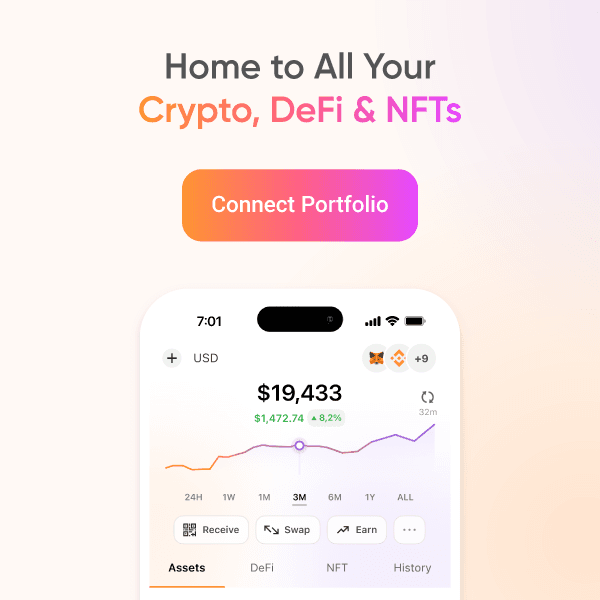
CoinStats is a crypto portfolio tracker: one dashboard that pulls together balances from your exchanges, wallets, DeFi positions, and NFTs, then shows live prices, allocation, and profit and loss. Instead of opening five apps to answer "where do I stand," you connect everything once and read one screen.
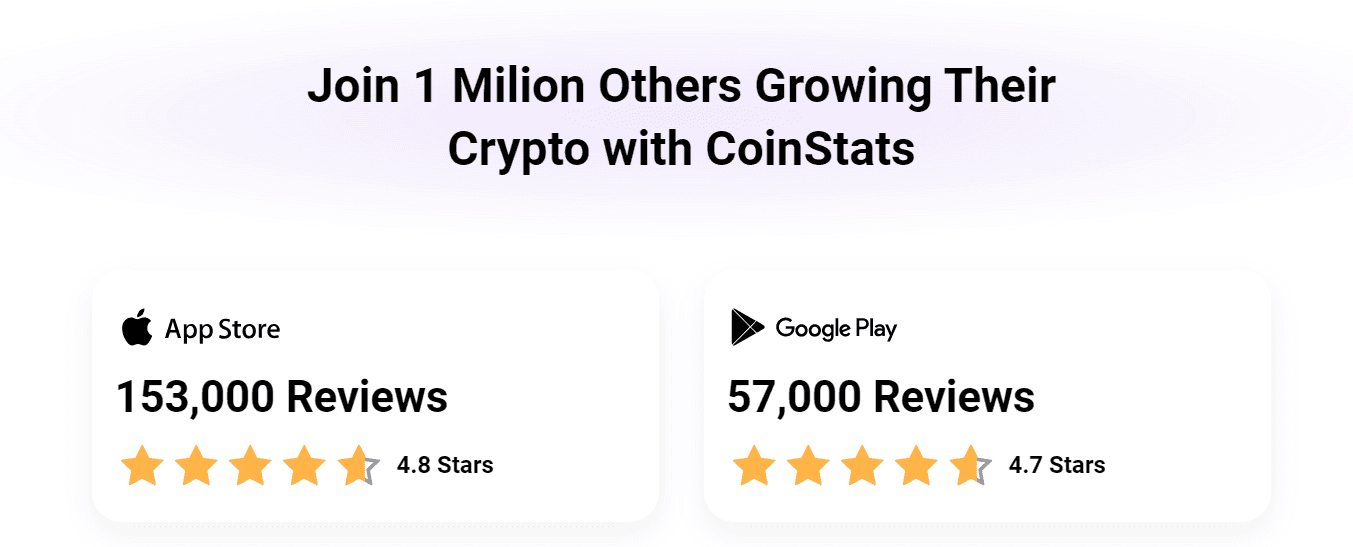
The company has been building the product since 2017, led by founder and CEO Narek Gevorgyan. By its own reporting it serves around a million users, with coverage claims of 300+ wallets and exchanges, 100+ blockchains, more than 10,000 DeFi protocols, and 20,000+ tracked coins. Its pricing page reports 4.8 stars from 153,000 App Store reviews and 4.7 stars from 57,000 Google Play reviews. It runs on web, iOS, Android, macOS, and Apple Watch, with widgets for quick glances at your portfolio.
The core idea is simple and worth stating plainly: CoinStats watches your money, it never holds it. Connections are read-only, so the app can display your positions but cannot move funds. That separation is the single most important thing to understand before connecting anything.
Features that matter
Track any wallet. You can paste any public wallet address and follow its balances, tokens, and activity without connecting anything or creating an account relationship with the owner. It is the fastest way to research a wallet you found elsewhere: no API keys, no permissions, just read-only observation of public on-chain data.
Automatic sync. Add an exchange with a read-only API key or paste a wallet address, and CoinStats imports balances and transaction history by itself. For most users this replaces the spreadsheet they kept meaning to maintain. Sync frequency depends on your plan, and exchange APIs can lag during volatile periods, which is a limitation of the data source rather than the app.
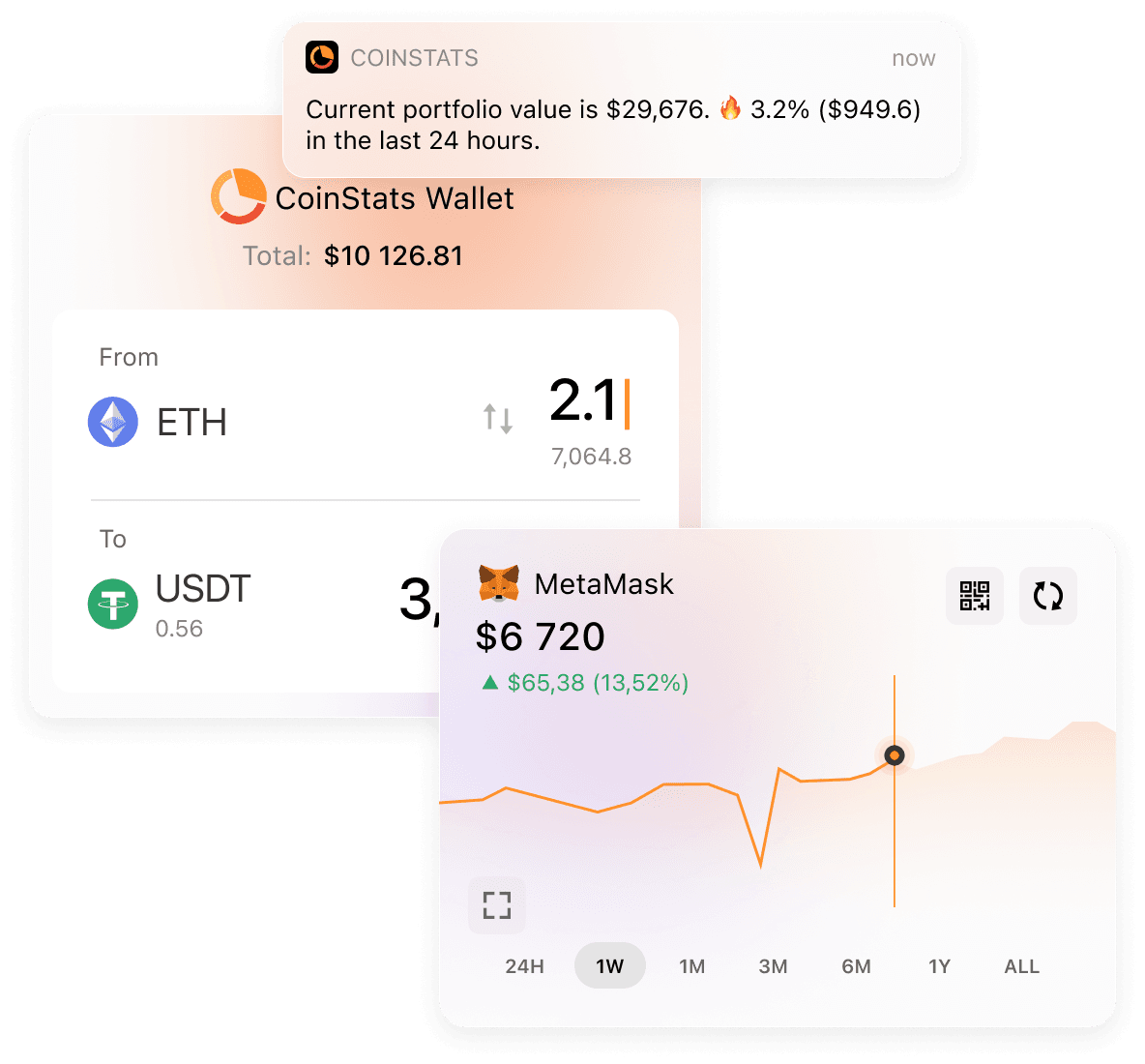
Live PnL and allocation. The dashboard shows total value, asset allocation, and profit and loss with historical performance charts. A portfolio heatmap and per-asset breakdowns help you see at a glance which positions are doing the work. Some users report cost-basis quirks on certain exchange imports, so treat the numbers as a strong first draft and reconcile anything that looks off.
Alerts and news. Custom price, volume, and market-cap alerts plus a news feed filtered toward your actual holdings. Done well, this replaces doom-scrolling five different sites. Alert limits scale with the plan.
DeFi and NFT tracking. Staking, lending, and liquidity positions across thousands of protocols appear alongside plain token balances, and NFT holdings are included too. This is where CoinStats pulls ahead of simpler trackers, though exotic positions sometimes show up as "unknown" until parsers catch up.
AI agent and insights. Newer additions include an AI agent that answers plain questions about your own holdings ("which coin drove today's move?"), AI price scenarios, an exit-strategy tool, and a token risk scanner. Useful as research prompts. Not predictions, and the deeper AI features sit on paid plans.
Swap, wallet, and tax tools. CoinStats also offers built-in swaps, a non-custodial wallet, and tax reporting features, with deeper reporting on paid tiers. A purist note: putting fund-moving features inside a tracking tool mixes two jobs. If you prefer separation, use CoinStats for tracking only.
Pricing plans
CoinStats sells tiers based on how much you track: portfolio count, transaction history, and sync frequency. The free Basic plan covers 10 portfolios, 20,000 transactions, and 10 daily syncs per portfolio, which is genuinely enough for a casual holder with a few wallets. Yearly plans start with a 7-day free trial, and you are only charged if you stay past the trial.
| Plan | Indicative price | Portfolios | Transactions | Daily syncs |
|---|---|---|---|---|
| Basic | Free | 10 | 20,000 | 10 per portfolio |
| Premium | About $13.99/month, billed yearly | 100 | 100,000 | 200 per portfolio |
| Degen | About $63–89/month, billed yearly | 500 | 1,000,000 | Unlimited |
| Team | Custom | Custom | Custom | Custom |
Two honest caveats. First, published prices move: third-party roundups quote Premium anywhere from about $8 to $14 monthly on yearly billing, and Degen anywhere from about $63 to $89, with lifetime one-time options sometimes offered. Always check the live pricing page before paying. Second, the binding constraint for most people is not the monthly price but the transaction cap: long-time traders with years of exchange history can blow past the free tier's 20,000 transactions faster than they expect.
Pros and cons
Strengths
- Breadth: 300+ integrations across exchanges, wallets, chains, and DeFi
- Read-only connections that cannot withdraw funds
- Strong mobile apps with widgets and watch support
- AI agent and risk scanner built around your actual holdings
- Free tier covers casual holders properly
- Building and updating since 2017, not a fly-by-night app
Weaknesses
- Free tier sync limits bite active users quickly
- Cost-basis quirks reported on some exchange imports
- Advanced analytics and AI depth locked behind paid plans
- Sync lag possible during high-volatility periods
- Exotic DeFi positions can misclassify or show as unknown
- Swap and wallet features blur the tracker-only boundary
Security: the read-only model
The security story here is architectural. Exchange connections use API keys you create with trading and withdrawal permissions disabled, so even a full compromise of CoinStats could not drain your exchange accounts through those keys. Wallet tracking needs no keys at all: a public address is enough.
That design removes the nightmare scenario, but it does not remove your homework. Create one API key per service so you can revoke individually, never enable withdrawals on a key used for tracking, and lock your CoinStats account itself with a unique password and two-factor authentication. Also remember what a tracker sees: your balances and history are sensitive financial information even when funds cannot move.
Who it suits, and who should skip it
CoinStats suits investors whose crypto lives in more than two places: a couple of exchanges, a few wallets, some staked or LP positions. If that is you, the one-dashboard view genuinely saves time and surfaces positions you had forgotten about. Active traders who want alerts and AI-assisted review of their own history will get the most from the paid tiers.
Skip it if everything you own sits on one exchange, where the exchange app already shows your balance. Skip it if you need audit-grade accounting for complex DeFi without doing reconciliation work. And skip it if connecting any third party to your financial accounts makes you uncomfortable: a well-kept spreadsheet is still a legitimate portfolio tracker.
Alternatives
CoinTracker leans harder into tax reporting, with pricing built around annual transaction counts rather than portfolio limits. If your main pain is tax season rather than daily tracking, it deserves a look.
Delta is a mobile-first tracker with a loyal following and a cleaner scope: tracking without the swap, wallet, and AI extras. Worth comparing if you want the smallest possible attack surface and feature set.
Manual tracking with a spreadsheet costs nothing, teaches you your own numbers intimately, and works fine until transaction volume makes it miserable. Many investors graduate from spreadsheets to CoinStats exactly when the spreadsheet starts lying by omission.
Verdict
CoinStats is the safest default pick for anyone whose crypto is scattered: the breadth of integrations is real, the read-only model is the right architecture, and the free tier is honest about what it includes. Its weaknesses are the predictable costs of that breadth: occasional misclassification, sync limits on the free plan, and pricing details you should verify live rather than trust from any review, including this one.
Start on the free tier, connect one exchange and one wallet, and check whether the imported history matches reality. If it does, you have found your dashboard. If the numbers look wrong, no feature list matters: reconcile first, pay later.
FAQ
CoinStats questions
Is CoinStats free to use?
Yes, there is a free Basic plan covering 10 portfolios, 20,000 transactions, and 10 daily syncs per portfolio. Paid tiers (Premium, Degen, Team) raise portfolio, transaction, and sync limits and unlock advanced analytics, AI features, and priority support. Yearly plans include a 7-day free trial. Pricing changes over time, so check the live pricing page before deciding.
Is CoinStats safe to connect to my exchange?
CoinStats connects to exchanges with read-only API keys, which means it can see balances and transactions but cannot withdraw funds. That non-custodial design removes the biggest risk of connecting a tracker. Safety still depends on your own habits: use unique API keys per service, never enable withdrawal permissions, and secure your CoinStats account with a strong password and two-factor authentication.
Does CoinStats track DeFi and NFTs?
Yes. Beyond exchange and wallet balances, CoinStats tracks positions across thousands of DeFi protocols (staking, lending, liquidity provision) and NFT holdings, so yield positions do not disappear from your overview. Exact protocol coverage changes as integrations are added, and exotic positions can occasionally misclassify.
Can CoinStats do my crypto taxes?
CoinStats offers tax reporting features, with deeper reporting on paid plans and integrations such as CoinLedger mentioned in third-party roundups. Treat any tracker's tax output as a first draft: verify cost basis, check how it classifies DeFi transactions, and confirm the reports suit your country's rules before filing.
What is the CoinStats AI agent?
A newer feature that answers plain-language questions about your own portfolio, such as which holding drove today's move or what your exposure to a narrative is. It also offers AI price scenarios and an exit-strategy tool. Treat its outputs as research prompts, not predictions.
Who should skip CoinStats?
Skip it if you only hold on one exchange (the exchange app already shows your balance), if you need exact accounting for complex DeFi activity without reconciliation, or if you are uncomfortable connecting any third-party service to your accounts. Manual spreadsheets remain a legitimate option for simple portfolios.
Disclaimer: Educational content only. This page is not financial, investment, legal, or tax advice. Features, pricing, and availability change; verify the live provider terms before connecting accounts or paying for a plan. Availability of linked third-party sites depends on their own terms.