What is GMGN AI Agent?
GMGN AI Agent is a way for compatible AI clients to call GMGN’s token, market, wallet, portfolio, tracking, and trading capabilities. It can speed up research, but it does not verify a token or predict a profitable trade.
Learn · GMGN AI tutorial · Updated 31 August 2026
GMGN AI Agent connects compatible AI tools to GMGN market, token, wallet, portfolio, tracking, and trading capabilities. This tutorial focuses on safer read-only research first: checking token data, reviewing wallet activity, protecting API credentials, and documenting what still needs manual verification.
Educational content only. This page is not financial, investment, legal, or tax advice. CryptosBeginner may earn a commission if you use the GMGN partner link.
What the agent can do
GMGN Skills can expose real-time token data, trending markets, wallet activity, holder information, portfolio statistics, tracking workflows, and execution commands through a compatible AI client. That can shorten research time, but it cannot prove that a meme coin is legitimate or that a wallet’s past results can be copied.
The safest first use is to ask for market and token context, identify missing information, and manually verify the contract, chain, liquidity, holders, route, and transaction details before signing anything.
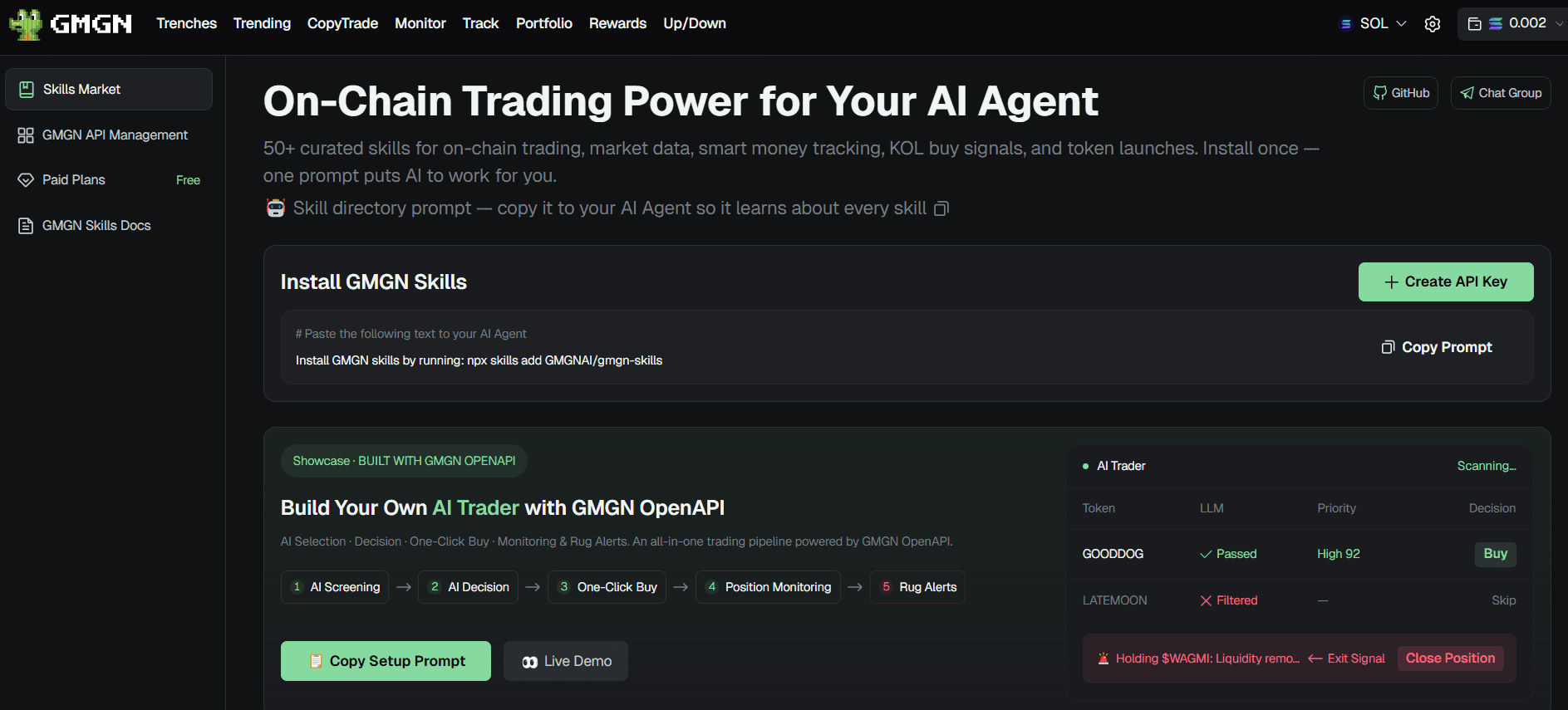
GMGN documents different credential requirements for different workflows. Query-oriented skills such as market, token, and portfolio operations use an API key. Swap functionality requires the API key plus the corresponding private-key authentication. Command-level requirements can change, so check the current documentation before running a workflow.
| Workflow | Examples | Credential boundary |
|---|---|---|
| Query and research | Market quotes, token information, holders, wallet activity, portfolio data, K-lines, and analytics | GMGN API key |
| Signed or execution-related actions | Swaps, strategy orders, and certain signed quote or order operations | GMGN API key plus the required private-key authentication |
`GMGN_PRIVATE_KEY` is described in the current GMGN skills repository as a request-signing key for GMGN OpenAPI authentication. It is not a blockchain wallet seed phrase or a blockchain wallet private key. It is still a high-risk secret because an exposed signing key could allow authenticated requests on your behalf.
The official `GMGNAI/gmgn-skills` repository provides skills for token research, market data, portfolio review, wallet scoring, tracked-wallet activity, swaps, strategy orders, combined condition-order workflows, and chart-pattern reading.
Review the current repository version before following any old command example. The package can change independently from this tutorial, including supported chains, command names, credential requirements, and workflow behavior.
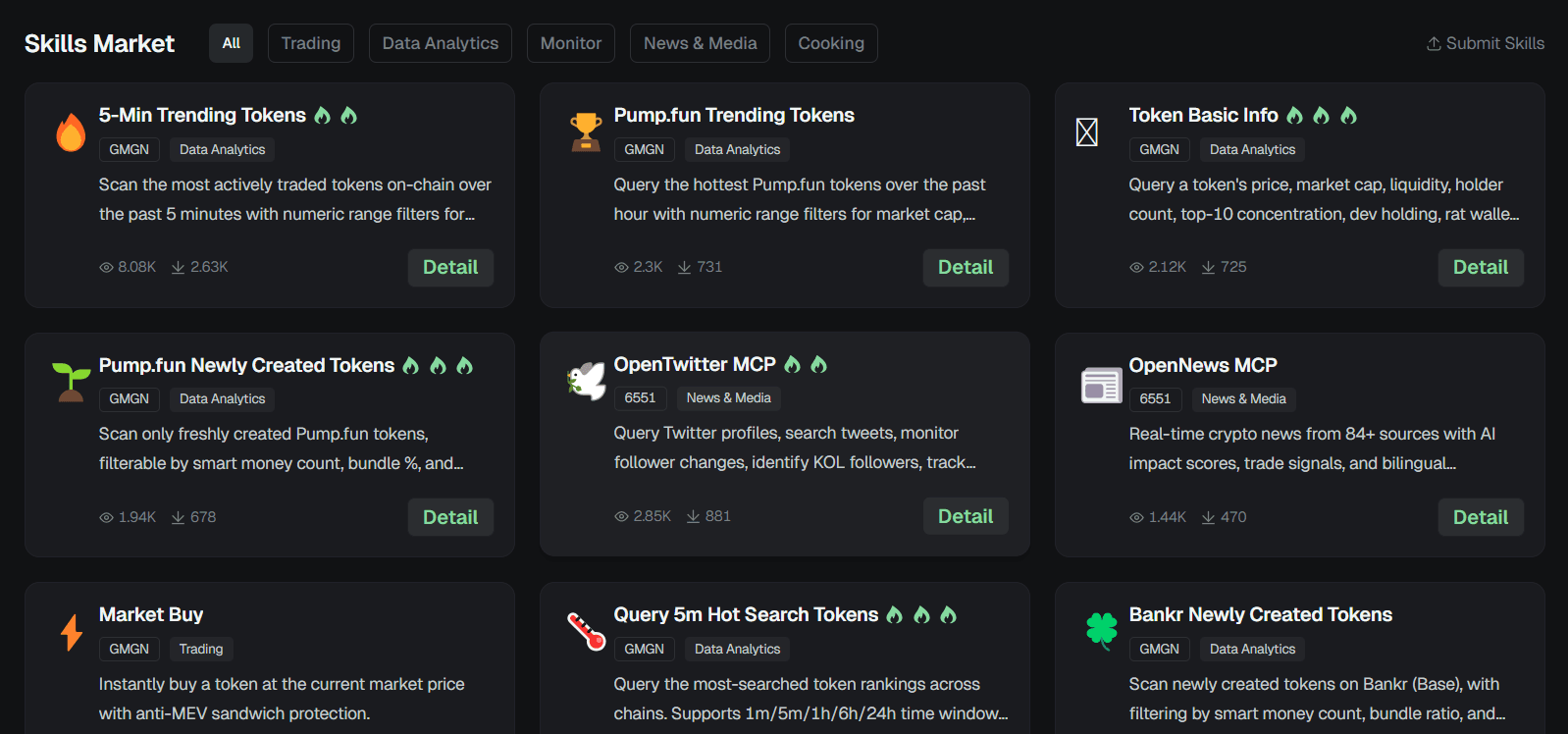
| Skill | Use it for |
|---|---|
| /gmgn-token | Token information, contract security, pool status, holders, and traders |
| /gmgn-market | K-line data, trending tokens, Trenches, token signals, and hot searches |
| /gmgn-portfolio | Wallet holdings, activity, statistics, token balances, and P&L |
| /gmgn-wallet-score | Track record, copy-tradeability, backtesting, and developer reputation |
| /gmgn-track | Followed-wallet, KOL, and Smart Money trade activity |
| /gmgn-swap | Quotes, swaps, limit orders, strategy orders, and order status |
| /gmgn-cooking | Combined buy and condition-order workflows for advanced users |
| /gmgn-kline-pattern | Chart-pattern reading and pattern scoring |
GMGN documents a locally generated Ed25519 key pair. The public key is uploaded during API-key creation, and the private key remains confidential. GMGN also says that API-key creation currently requires IPv4 requests and does not currently support IPv6 for the Agent API.
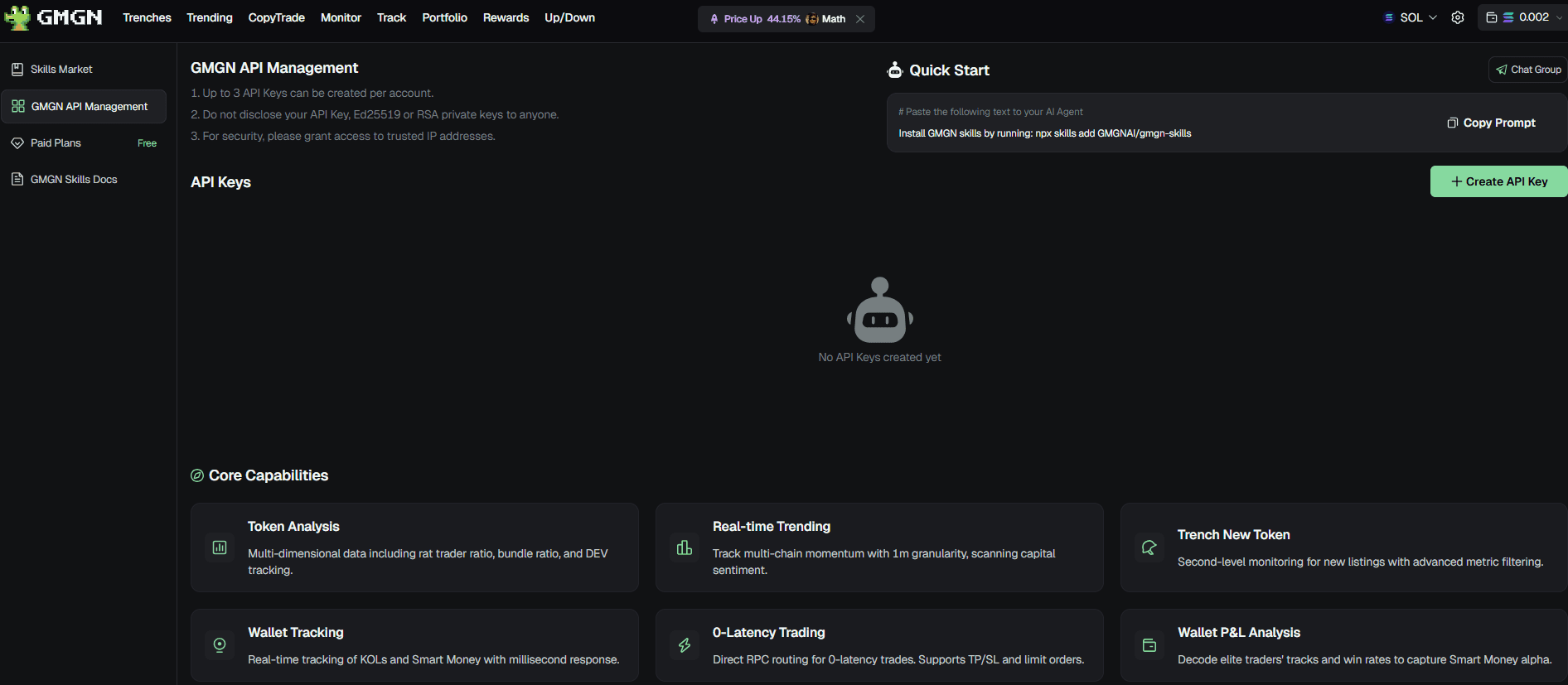
mkdir -p ~/.config/gmgn

cat > ~/.config/gmgn/.env << 'EOF'
GMGN_API_KEY=your_api_key_here
EOF

chmod 600 ~/.config/gmgn/.env
Add `.env` to `.gitignore`. Do not put keys in frontend code, browser storage, logs, screenshots, prompts, chats, or public repositories.
Review GMGN’s live API setup and pricing information before building a workflow. Do not rely on old screenshots for current quotas, plan names, rate limits, supported chains, or included credits. If the provider shows a plan or request limit, apply it to your polling interval, batching, and troubleshooting plan.
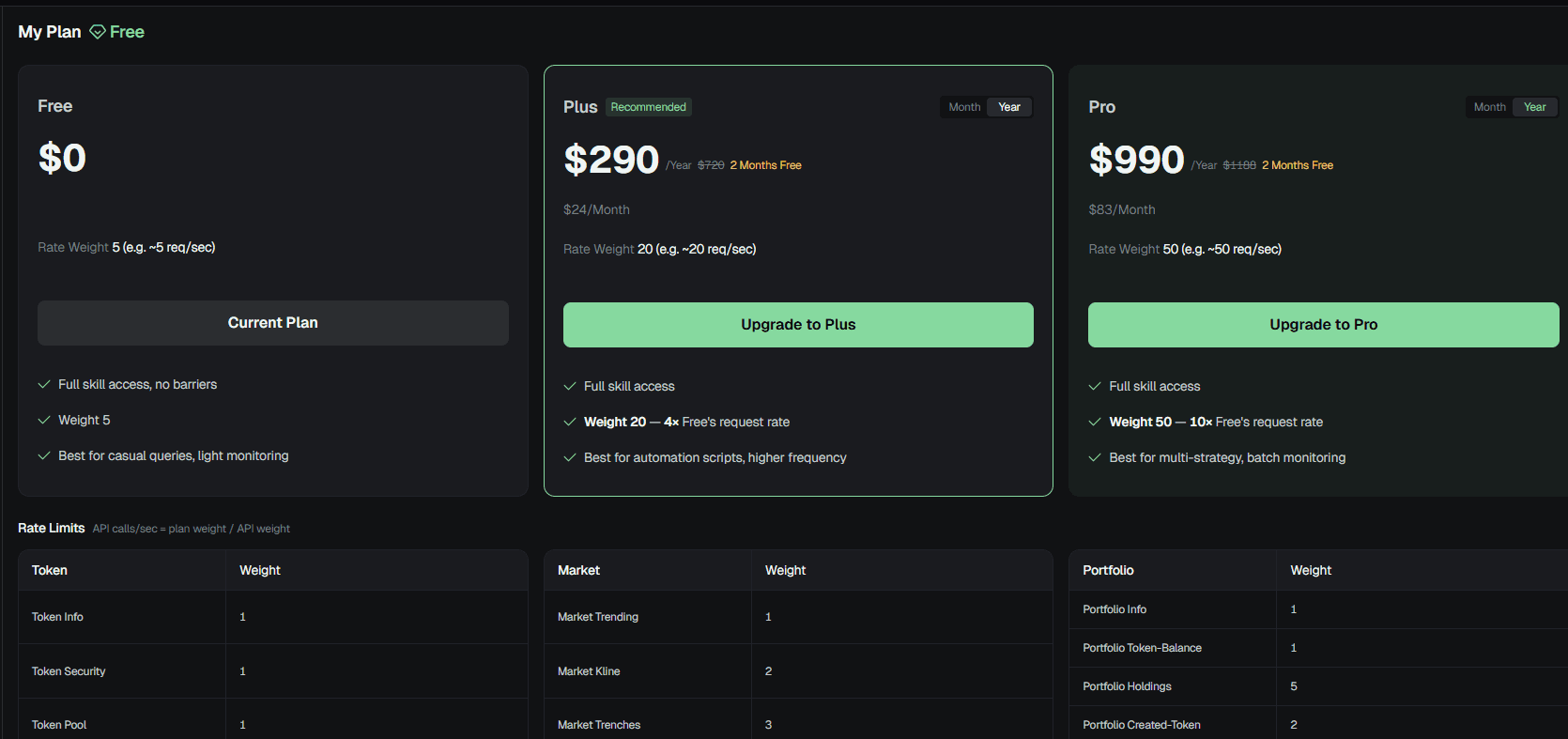
GMGN’s public AI Trader demo shows how deterministic screening, wallet evaluation, machine-learning scoring, LLM explanation, and manual trade confirmation can fit into one interface. It also makes an important distinction between simulation and live execution.
Treat the demo as a product and workflow reference. Do not paste real credentials into an unfamiliar environment. If you test with a local backend, confirm exactly where keys are sent, whether they remain local, whether they are written to storage, and whether the mode is simulation or live.
Open the GMGN AI Trader demo ↗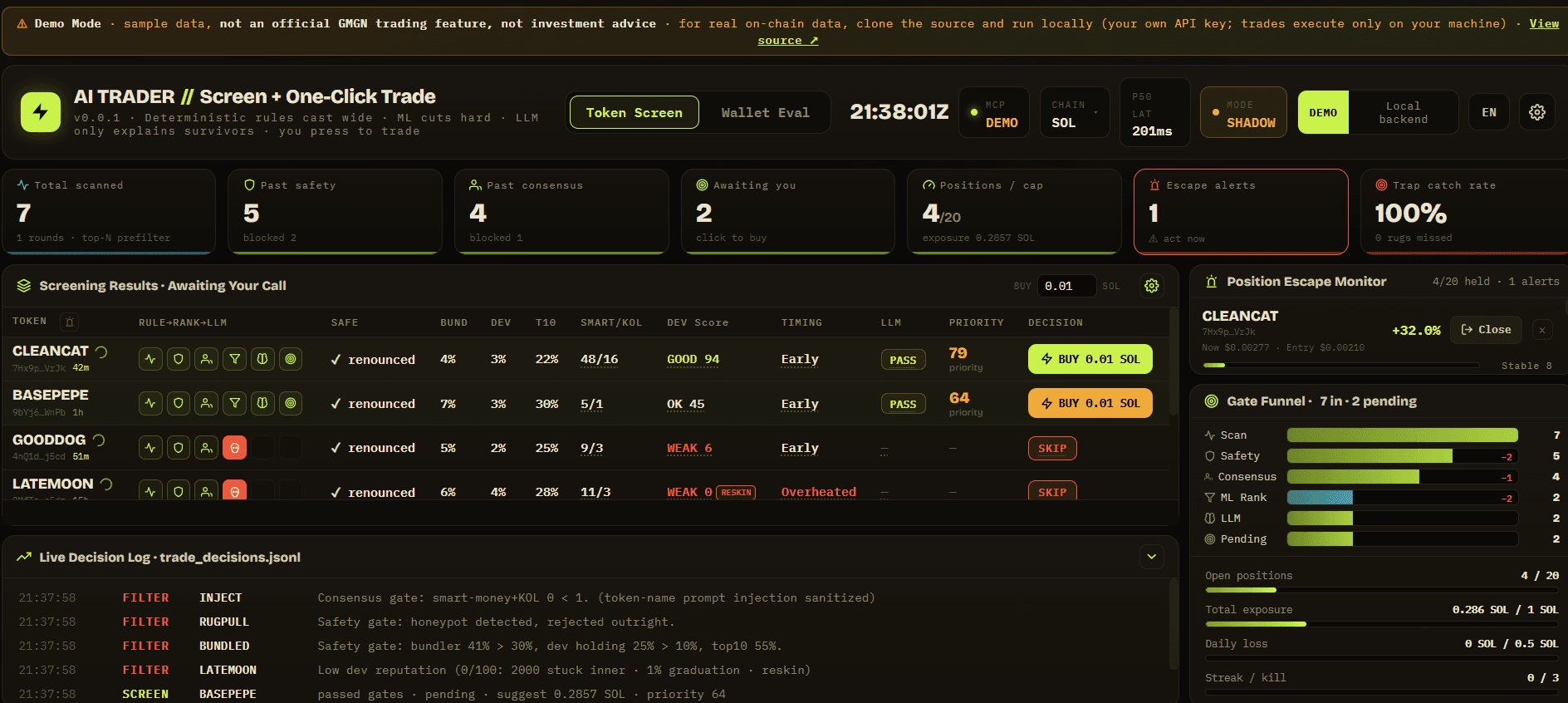
These prompts are designed to return useful data without asking the agent to trade. Replace placeholders with addresses you have independently verified.
Show the trending tokens on Solana from the last hour. Include the chain, token address, liquidity, volume, token age, and any missing fields. Do not recommend a trade.Check the contract security, pool status, holders, and recent activity for <token_address>. Separate verifiable data from interpretation.Show holdings, recent trades, realized P&L, and activity for wallet <wallet_address> on Solana. Explain what the data does not prove.Show the top holders for <token_address>, including concentration and any suspicious wallet groups where available.Show newly launched Pump.fun tokens from the last six hours. Filter for the selected chain and list the information that still needs manual verification.Create a neutral research summary for <token_address>. Include liquidity, holders, security fields, recent trades, unknowns, and a skip/watchlist recommendation framework.A wallet page can show useful context such as holdings, activity, realized or unrealized P&L, win-rate distributions, trade counts, hold time, and recent entries. It can also mislead if the sample is small, the positions are unmatched, transfers or airdrops are mixed with trades, or the wallet’s timing and liquidity cannot be reproduced.
A Smart Money or KOL label is a provider classification, not proof of skill, identity, independence, or future performance. If several tracked wallets buy the same token in a short period, treat it as a research event that requires contract, liquidity, holder, timing, and execution verification—not as a buy signal.
Contract-security indicators, honeypot checks, authority status, holder concentration, bundler exposure, sniper activity, and liquidity data are useful inputs. No single field proves that a token is safe or that you can sell at a displayed price. Token metadata, social accounts, volume, and visible activity can be manipulated.
Manually verify the chain, token contract, wallet, amount, slippage, route, and intended order. An AI agent can produce a similar-looking address or misunderstand an instruction. Real on-chain transactions are irreversible once confirmed.
| Symptom | Safer diagnostic path |
|---|---|
| API key rejected | Confirm the API key is active, check that the complete public key was used during creation, and verify that the request uses the expected credential format. |
| 401 or 403 with a valid-looking key | GMGN documentation currently says IPv4 requests are supported and IPv6 is not supported for the Agent API. Check whether your environment is routing through IPv6 and review the provider’s current network requirements. |
| Empty wallet result | Confirm the chain and address. A provider may not have synchronized every wallet or may not have data for the requested period. |
| Rate-limit response | Stop repeated retries, respect the reset window, reduce polling, and batch requests where the provider supports it. |
| Missing field in a result | Treat the value as unavailable. Do not infer, invent, or fill in a contract, holder count, liquidity figure, or score. |
| Agent suggests a trade | Stop before signing. Manually verify the chain, token contract, wallet, amount, slippage, route, and intended action. |
| Secret appears in a log or screenshot | Treat it as exposed. Revoke or rotate the API key and signing key through the provider rather than trying to hide the screenshot afterward. |
GMGN AI Agent is a way for compatible AI clients to call GMGN’s token, market, wallet, portfolio, tracking, and trading capabilities. It can speed up research, but it does not verify a token or predict a profitable trade.
No. The current GMGN skills repository describes GMGN_PRIVATE_KEY as a request-signing key for GMGN OpenAPI authentication, not a blockchain wallet seed phrase. Keep it secret because a compromise could allow authenticated API requests.
You can begin with query and research workflows using a personal API key. Trading and certain signed operations require additional private-key authentication. Check the current command documentation because requirements can vary by command.
GMGN’s Agent API documentation currently lists SOL, BSC, and Base, while the gmgn-skills repository documents broader command-level support that includes ETH and other identifiers for certain workflows. Confirm the exact chain for your chosen command before using it.
No. Smart Money is a provider classification. Review the underlying observations, time period, position sizes, liquidity, holder concentration, and whether the activity can realistically be copied.
GMGN supports trading and automated workflows, but real on-chain transactions are irreversible and can be affected by model errors, prompt injection, slippage, and incorrect parameters. Beginners should start with read-only research and manually verify every transaction prompt.
This tutorial was reviewed on 31 August 2026. GMGN can change its credentials, supported chains, command behavior, pricing, rate limits, security controls, and demos. Check the current first-party material before creating credentials or enabling any signed workflow.
Disclosed partner link
CryptosBeginner may earn a commission if you use the GMGN partner link. It does not change the review, setup guidance, credential warnings, or the risks of using meme-coin tools and AI-assisted workflows.