Tools · crypto cards
DogPay review 2026: spend crypto with Visa and Mastercard
Updated 16 October 2026 · Tested on the live app for CryptosBeginner
Virtual and physical crypto cards, a USD bank account, real fee tables captured inside the app, and support for Apple Pay, Google Pay, and AI subscriptions. Here is the honest, screen-by-screen breakdown of DogPay.
Maria Santos · Fintech analyst, CryptosBeginner
Every review is research-led: specs, fees, and availability are checked against official sources before publication and re-checked on every update. Affiliate links never influence verdicts. Last reviewed 16 October 2026.
What DogPay is
DogPay is a mobile app that bridges crypto and everyday spending. You deposit cryptocurrency, and the app gives you ways to spend it: Visa and Mastercard virtual cards for online payments, a physical card for in-store use, and a USD bank account you can open inside the app for sending and receiving dollars.
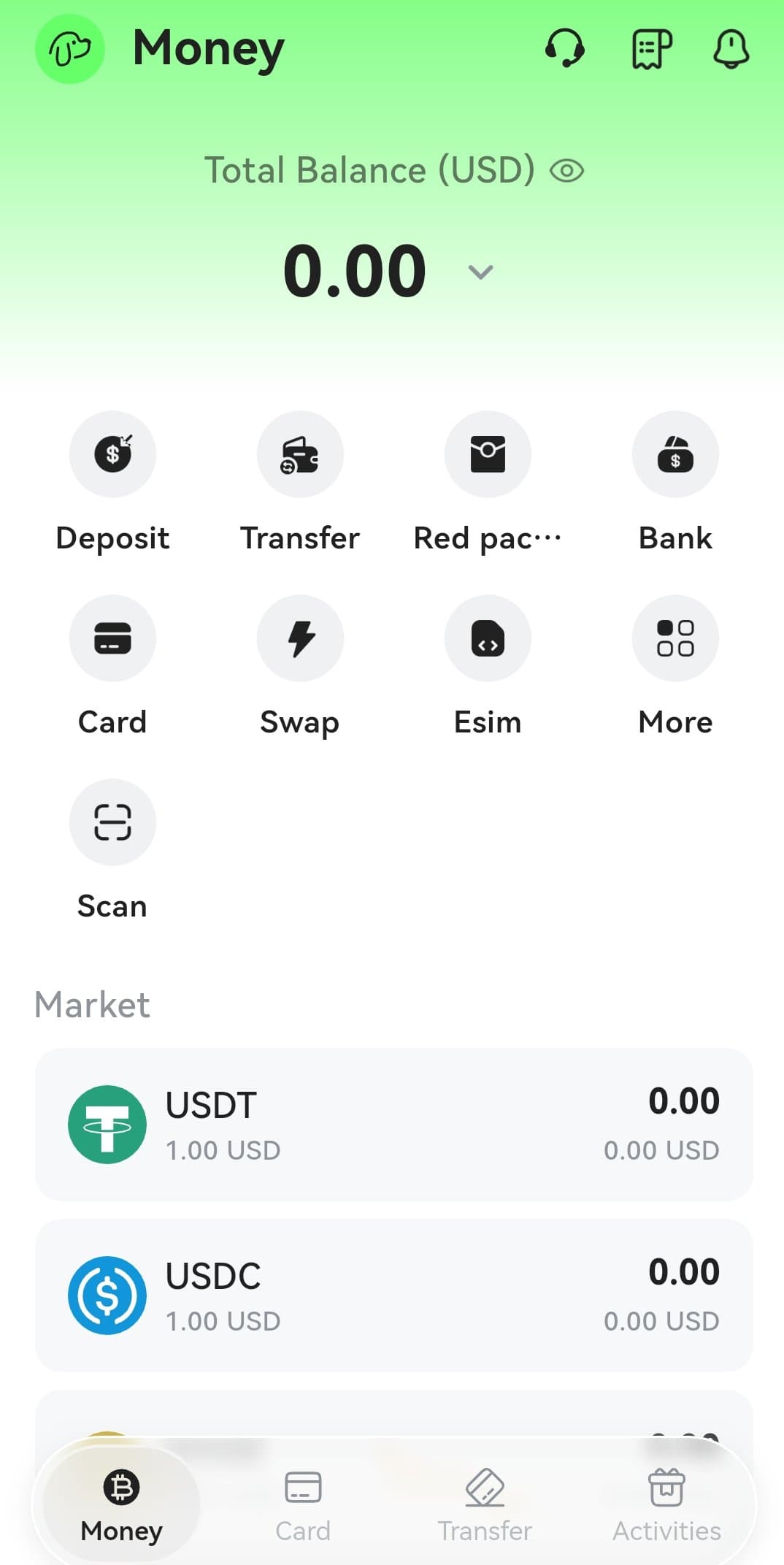
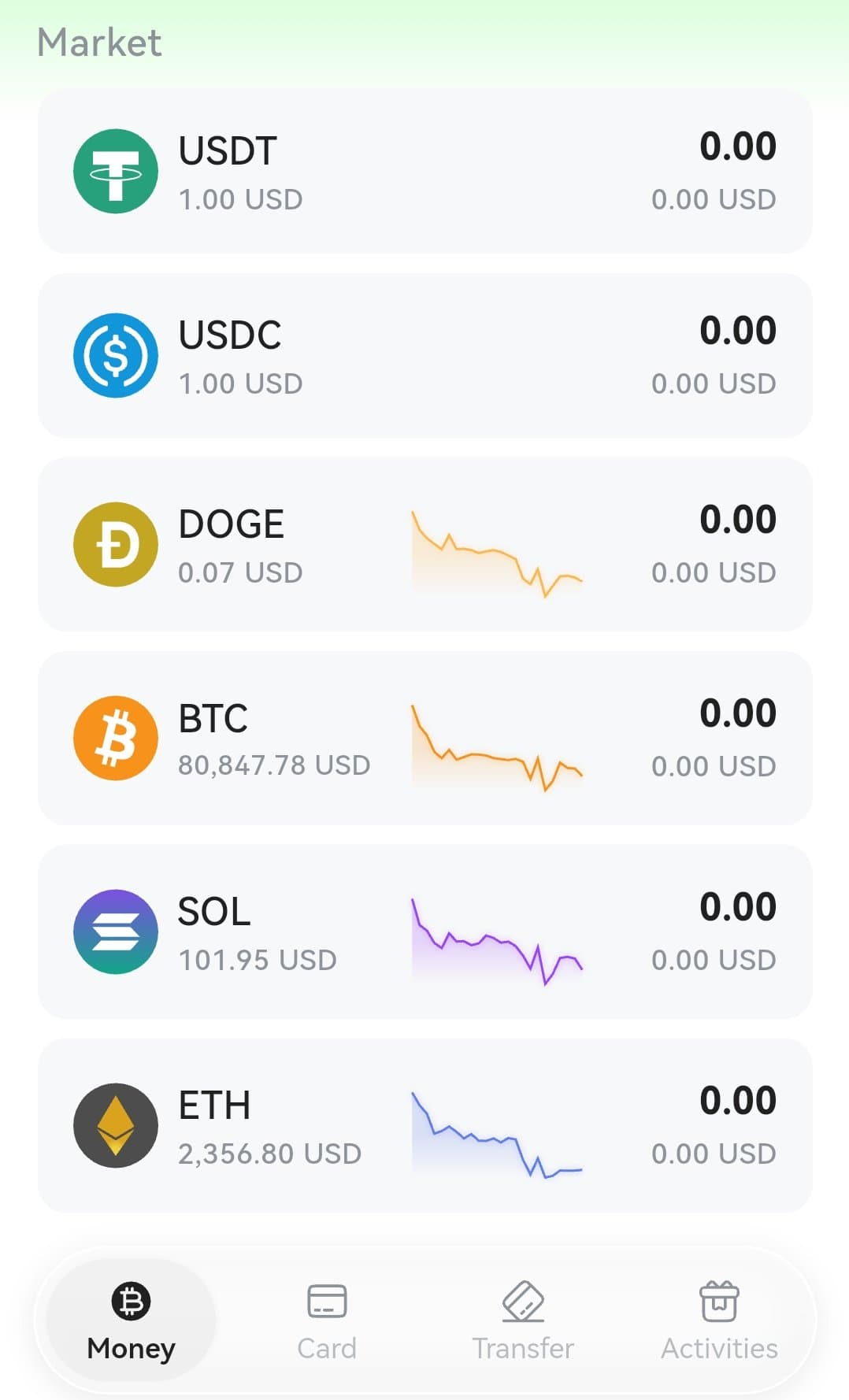
The home screen, called Money, puts everything one tap away: Deposit, Transfer, Red packet, Bank, Card, Swap, eSIM, Scan, and a Market view with live prices for USDT, USDC, DOGE, BTC, SOL, and ETH. It is a full spending toolkit, not just a single card.
Company background: who runs DogPay
DogPay presents itself as a digital finance and payment infrastructure platform, not a bank. That distinction matters: your accounts and cards are provided through its regulated financial institution partners, which independently review and approve applications. DogPay states it holds a US FinCEN money services business registration (31000285417699) and Canadian registrations including a FINTRAC MSB registration (C100000785) and a Bank of Canada payment service provider registration. It also advertises PCI-DSS Level 1 certification for card data security.
The business side of DogPay serves cross-border companies with USD business accounts and multi-currency accounts in Hong Kong and Singapore, plus payment APIs. The consumer app reviewed here is the retail product: cards, a USD account, and transfers. DogPay states its services are not offered in Mainland China or certain restricted regions, and that availability depends on jurisdiction and compliance requirements.
What the app stores say
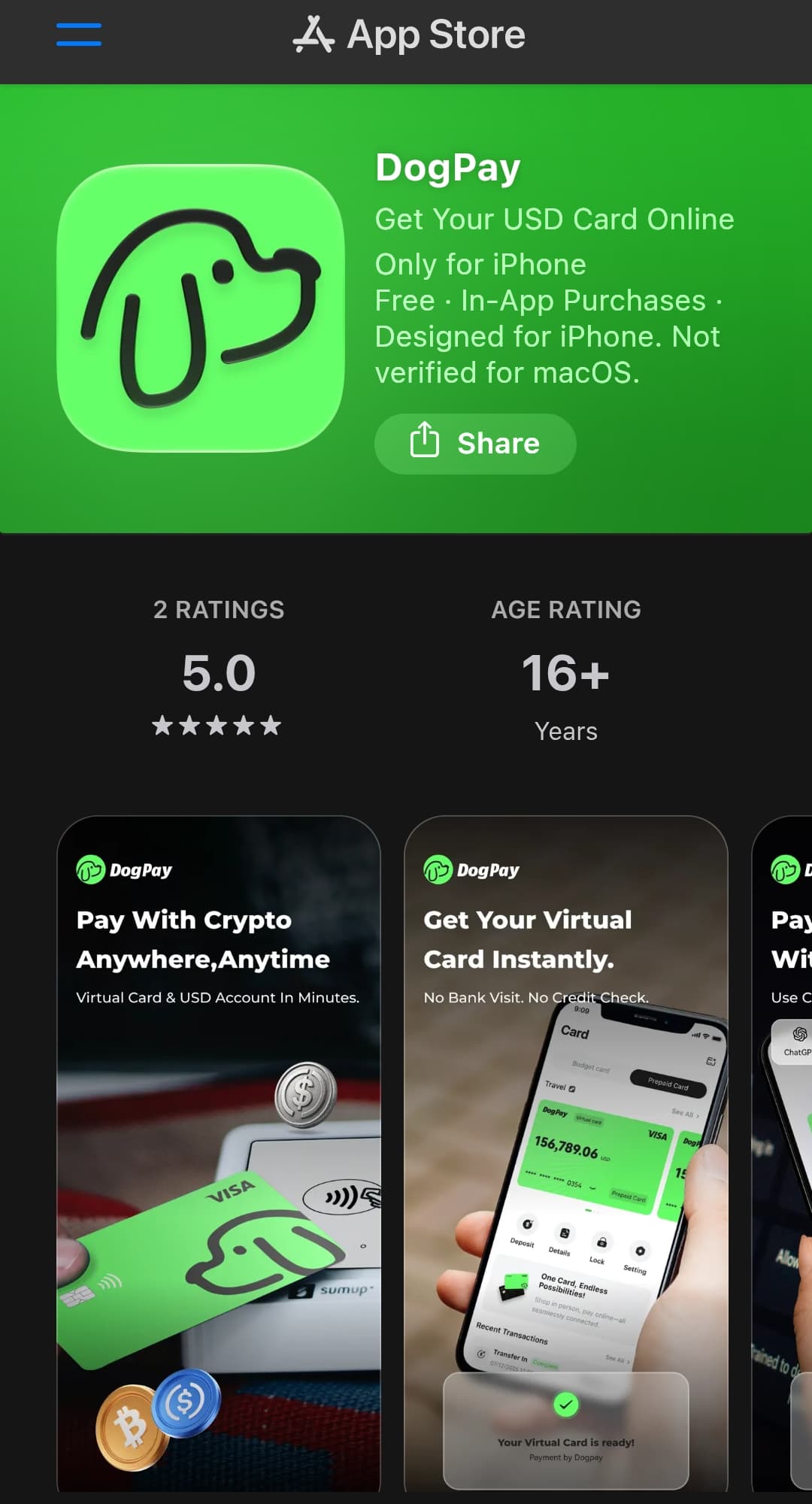
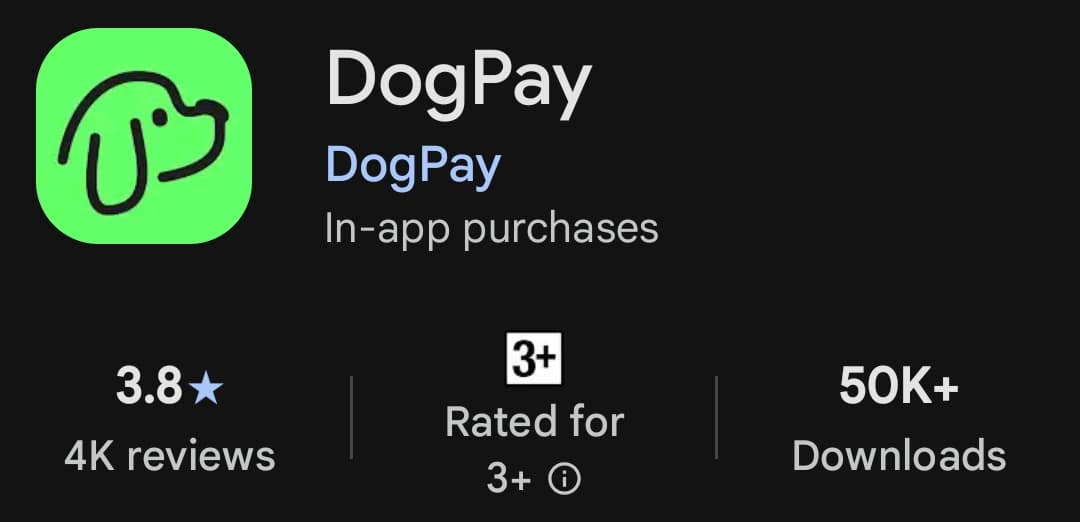
On the App Store, DogPay shows a 5.0 rating but from only 2 ratings, so treat that number as uninformative. On Google Play it has a 3.8 star rating from about 4,000 reviews and 50,000+ downloads. Reviews are mixed: many users praise it for ad payments and subscriptions, while a few allege problems with deposits and withdrawals. As with any custodial fintech app, start small and test withdrawals before committing meaningful funds.
Cards: Visa and Mastercard, virtual and physical
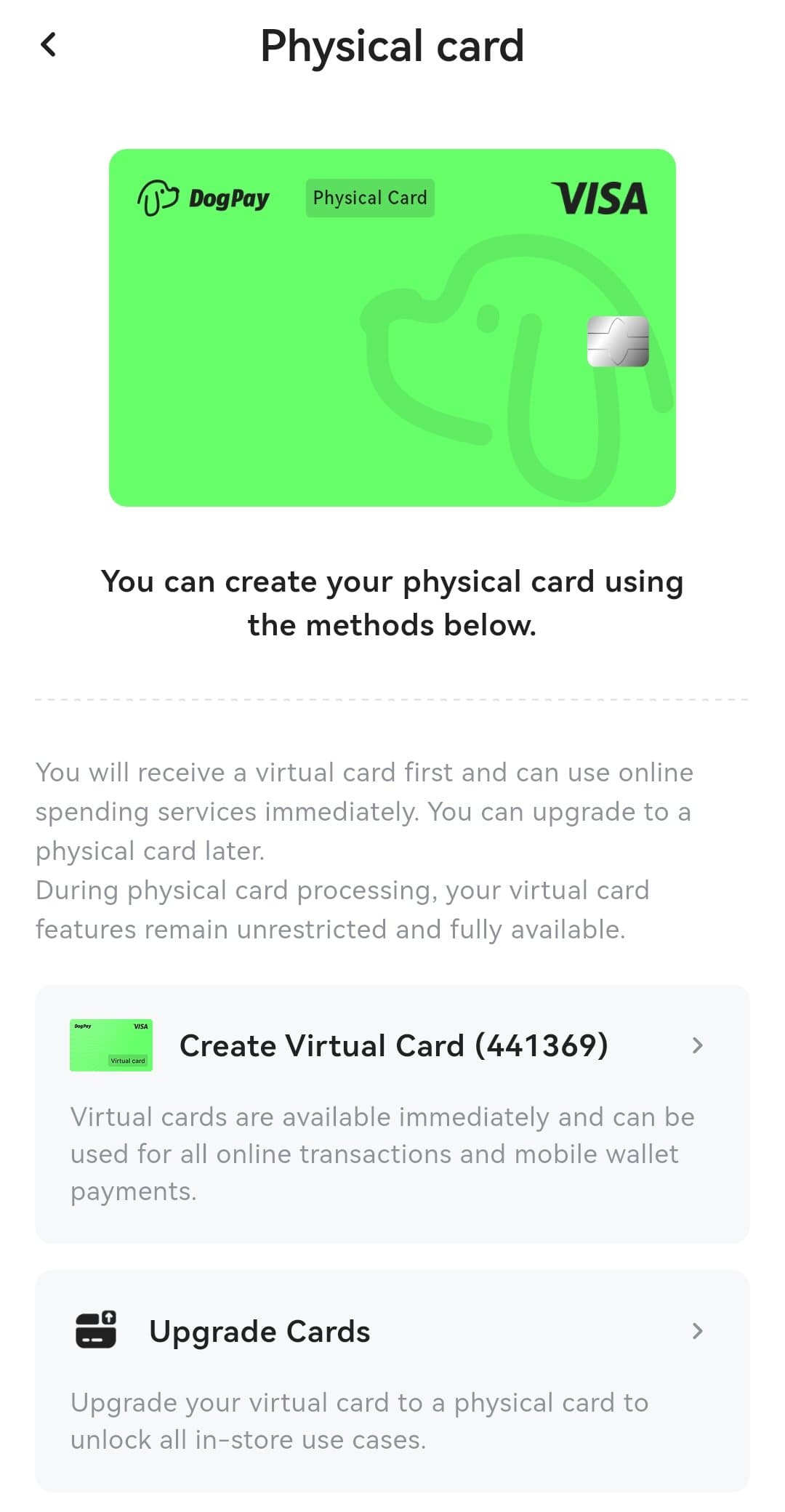
DogPay issues both Visa and Mastercard cards, in virtual and physical form. You get a virtual card first and can use it for online spending immediately, then upgrade to a physical card later for in-store use. While the physical card is being processed, the virtual card keeps working without restrictions.
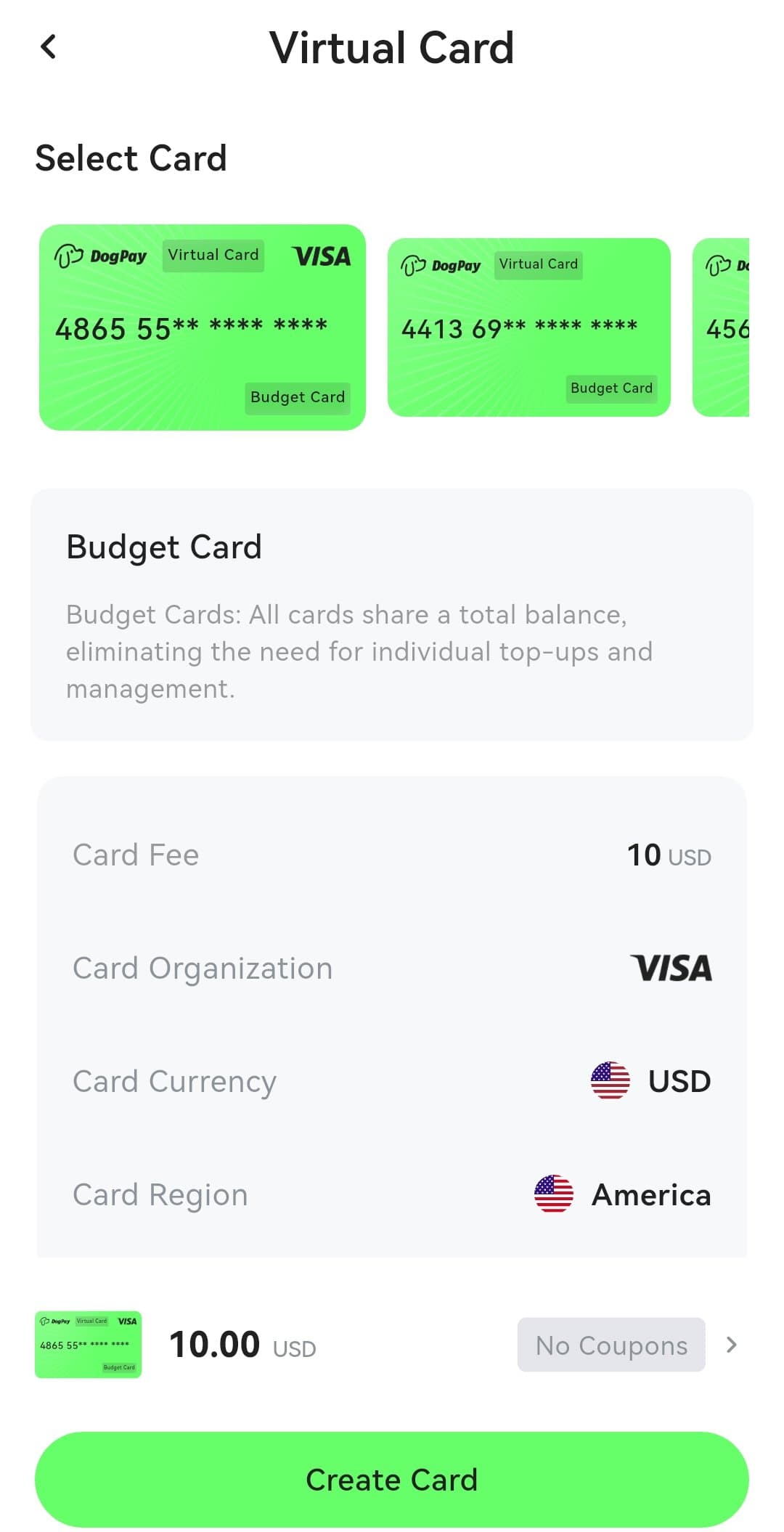
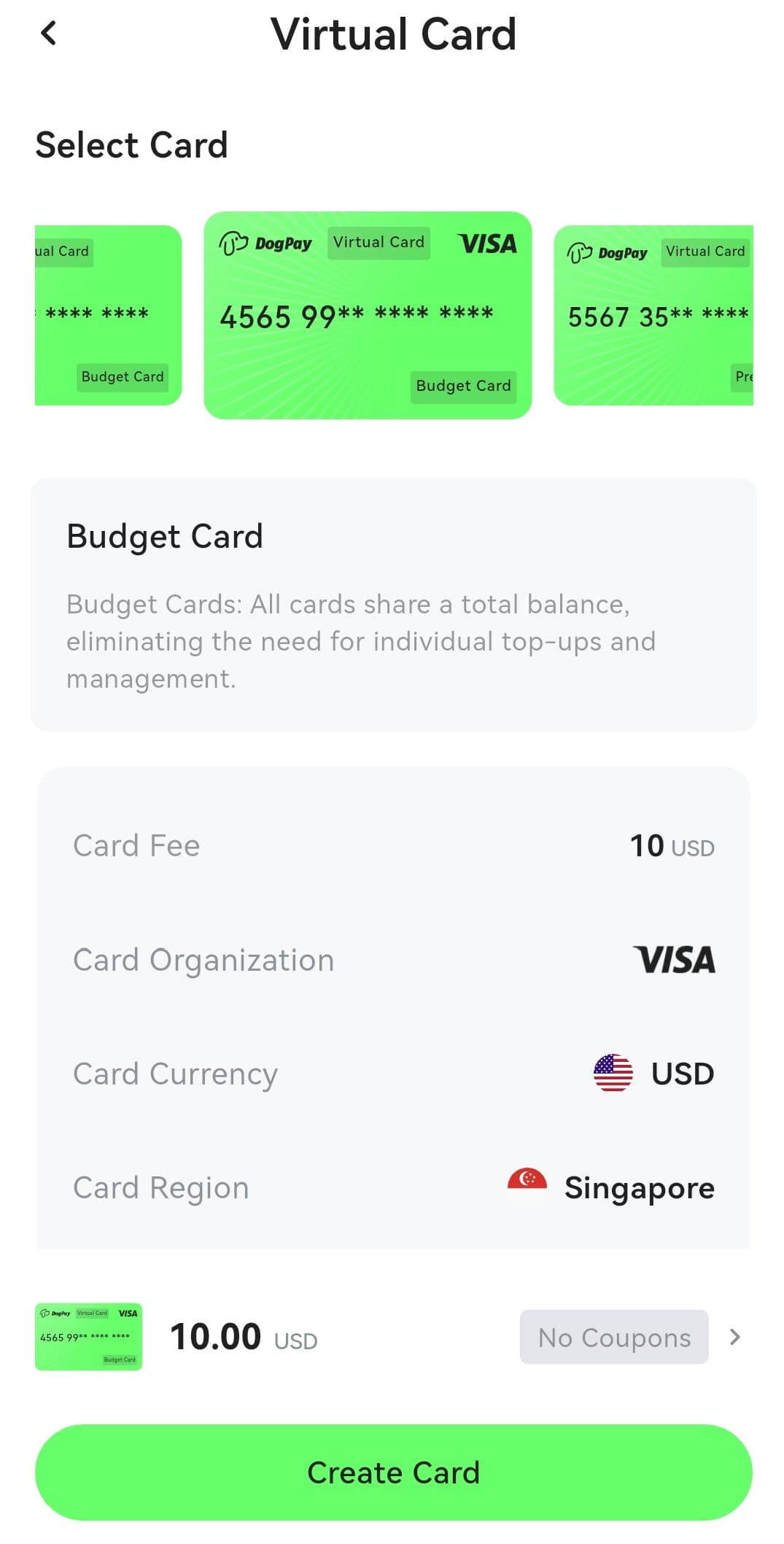
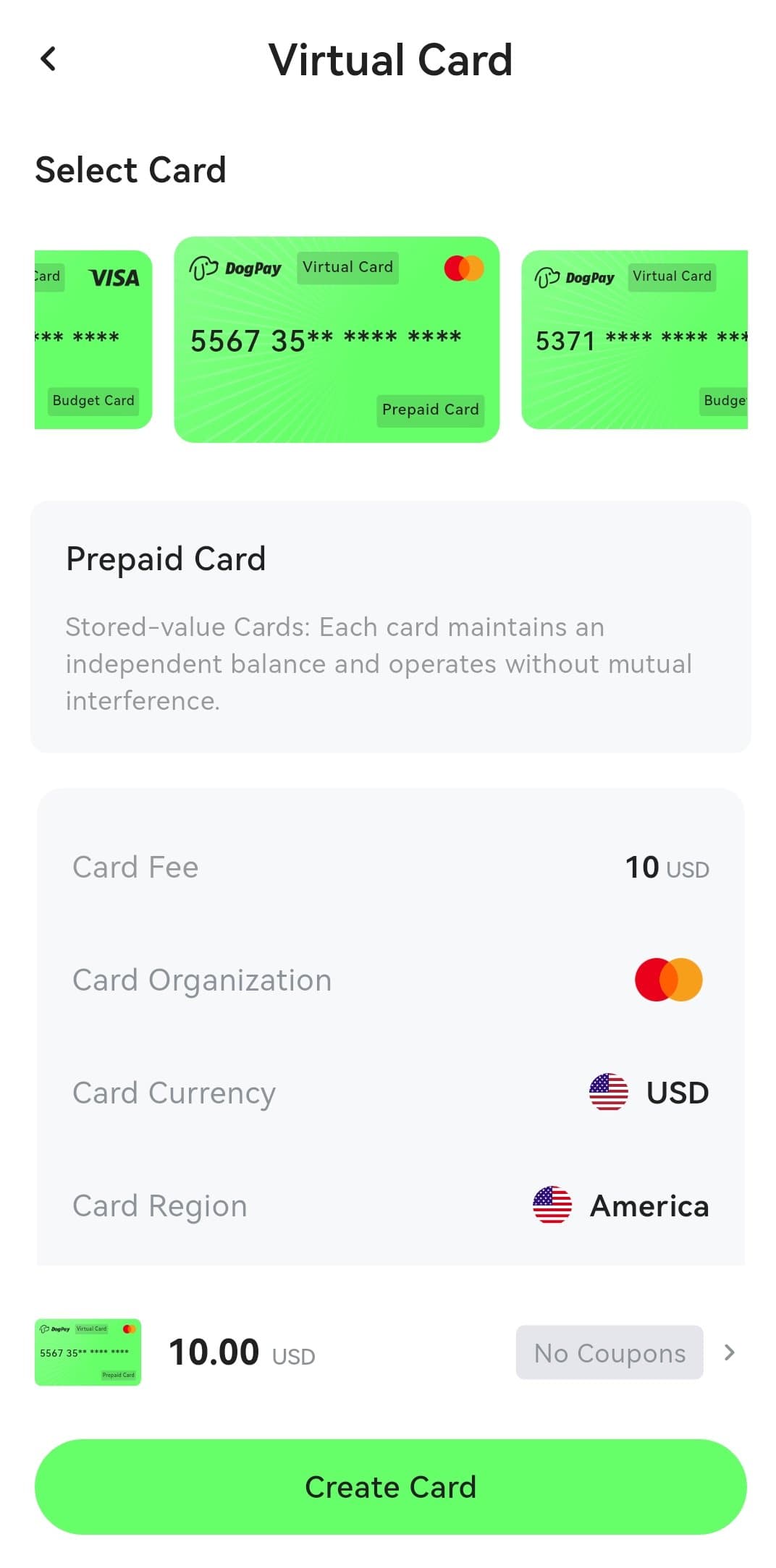
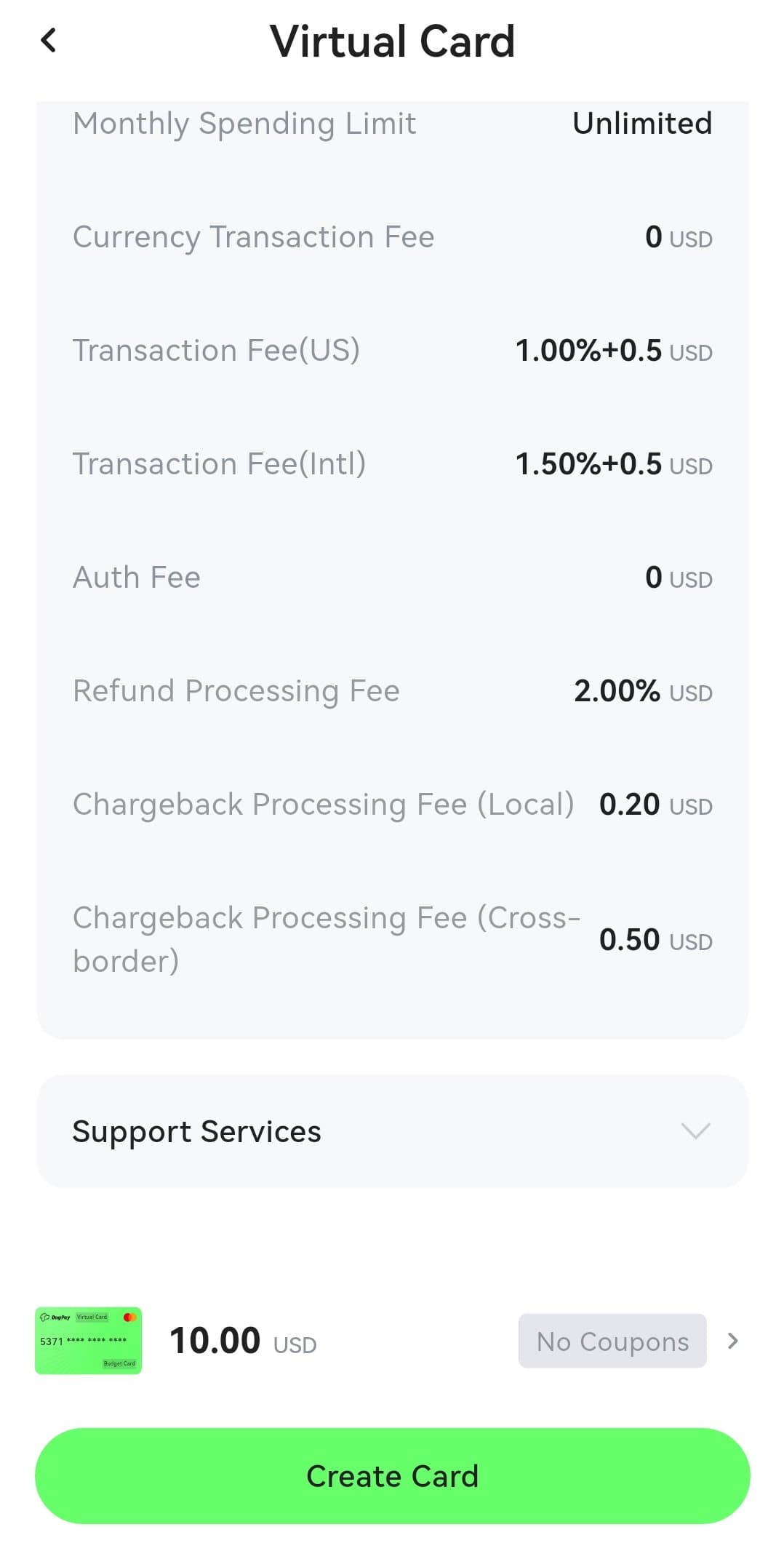
There are two card styles. Budget Cards share one total balance across all your cards, so you never top up individual cards. Prepaid Cards keep an independent balance per card. Card issuance costs 10 USD per virtual card on the Basic plan.
Card BIN regions: American, Singapore, and Global
DogPay offers cards from three BIN regions: American, Singapore, and Global. The BIN region affects where the card is recognized as issued from, which matters for merchants and platforms that treat cards differently by region. Each BIN has its own fee schedule, so check the fee table for your specific card before spending.
Fees: the real tables from inside the app
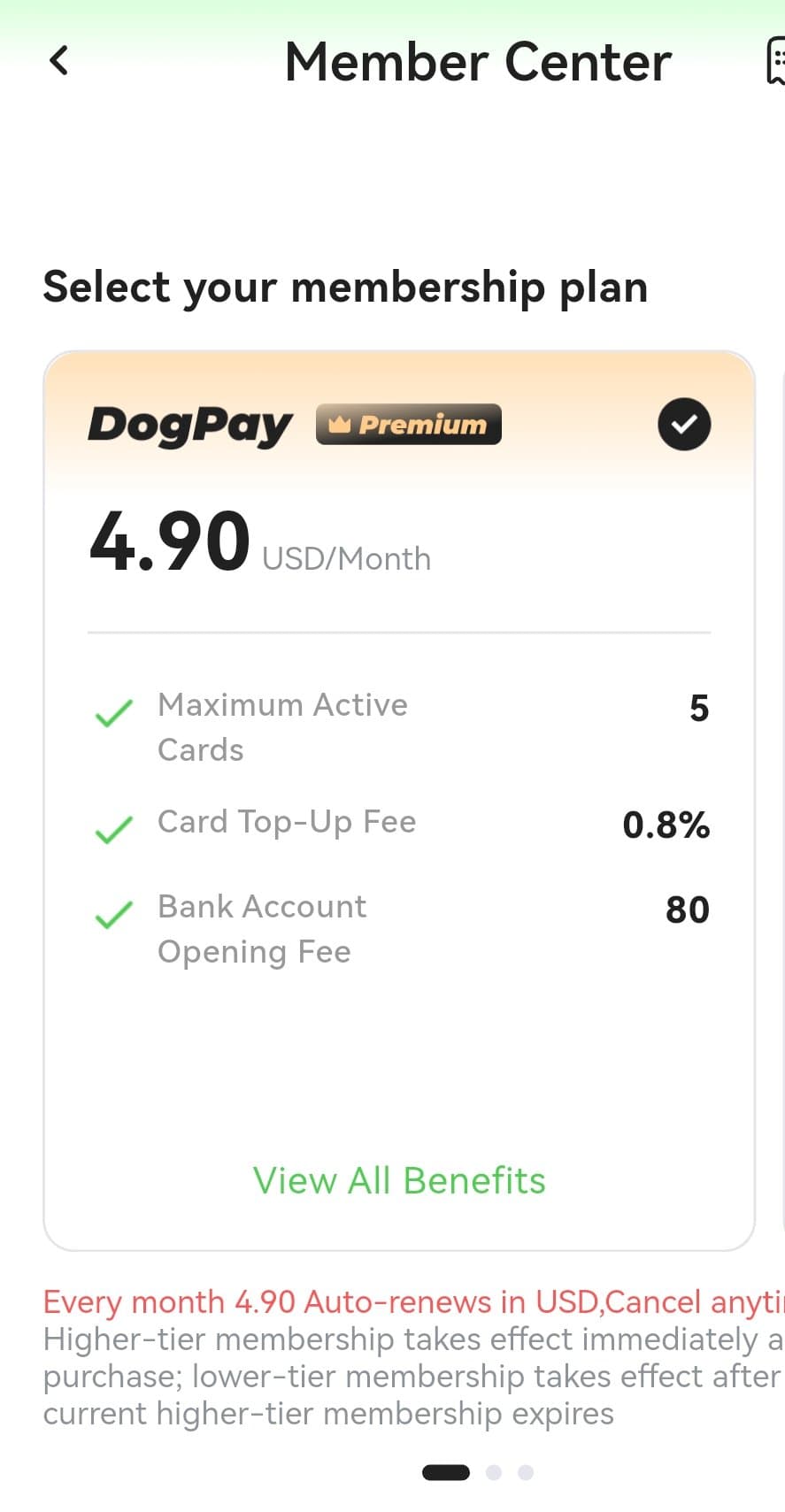
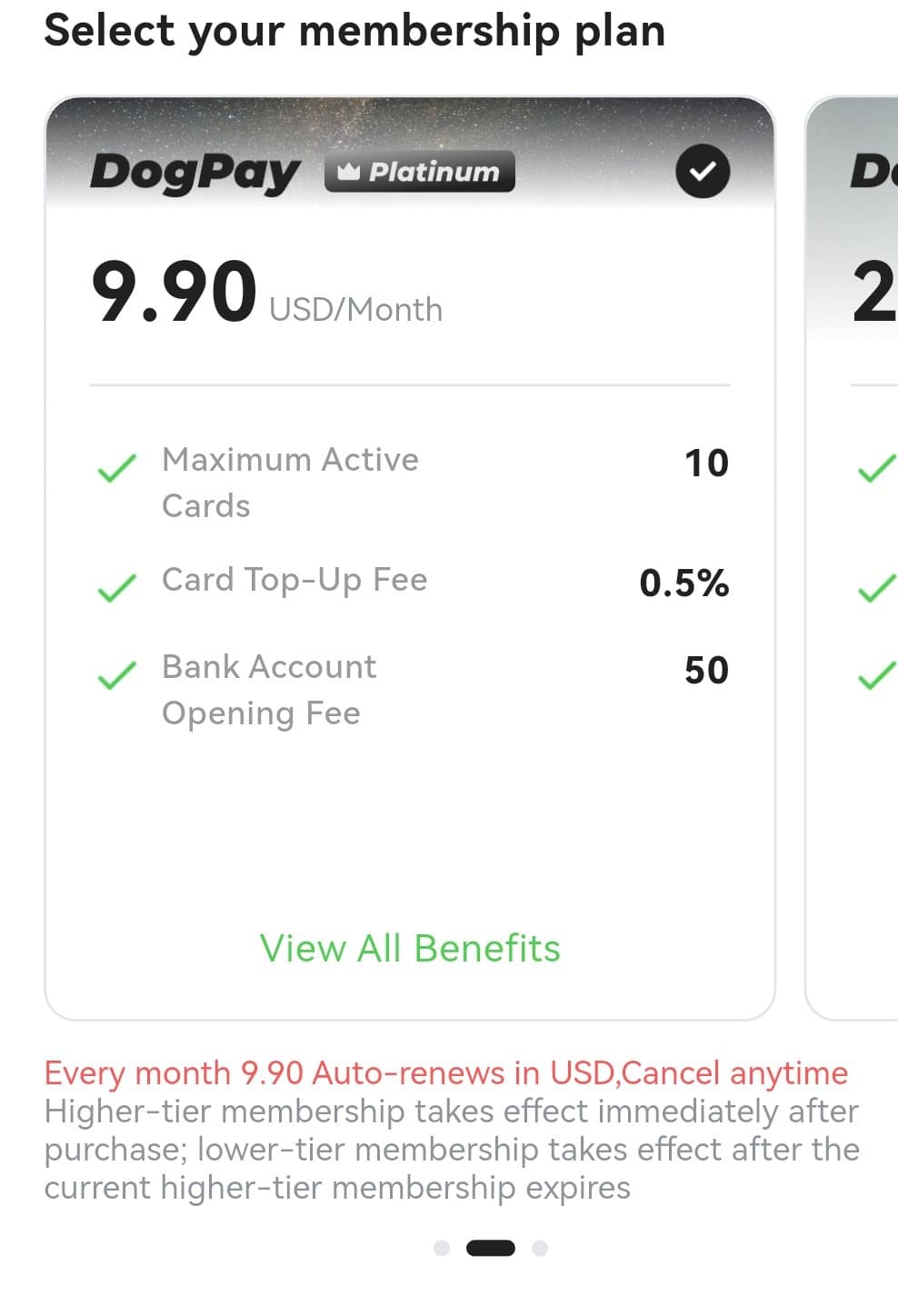
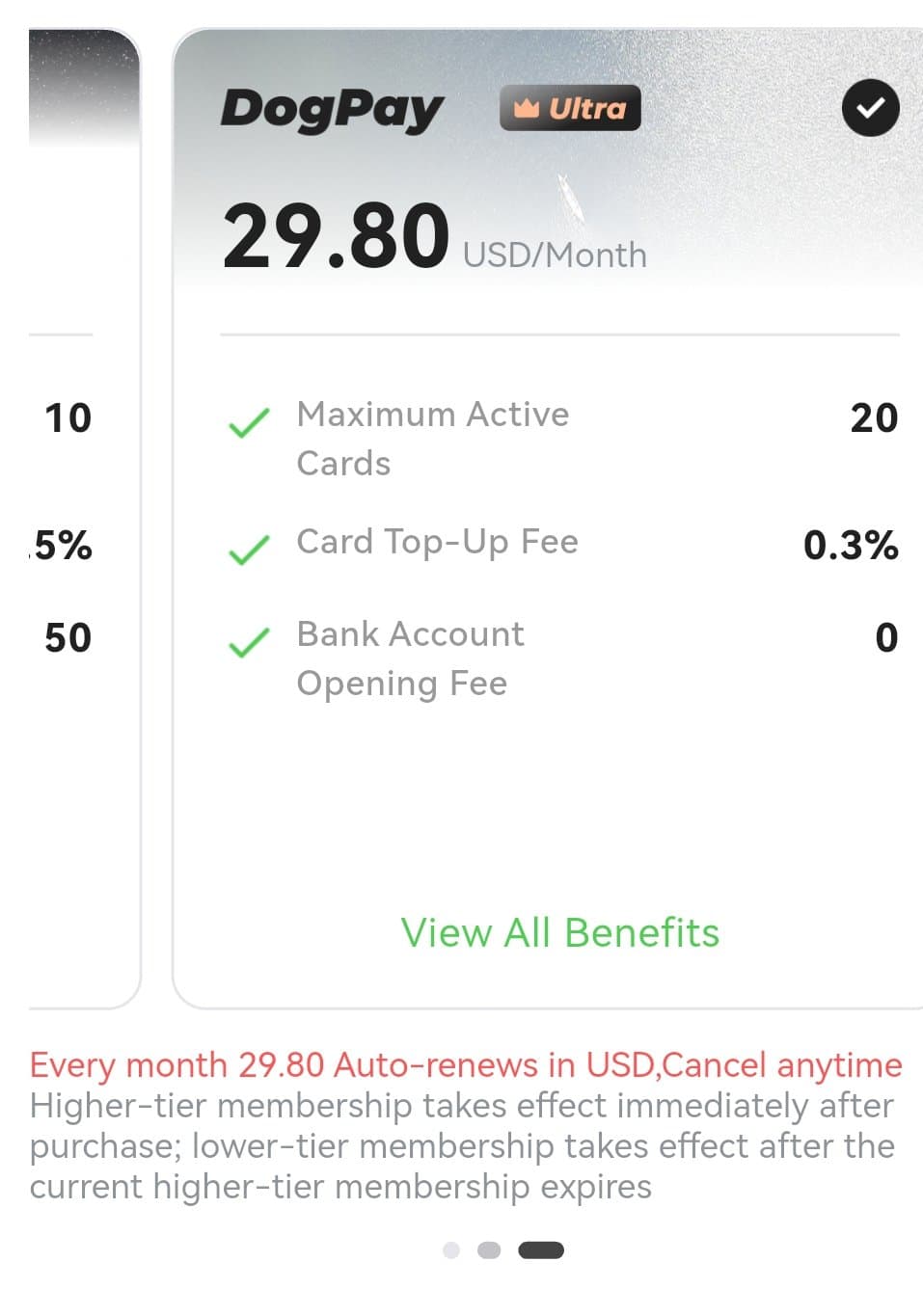
DogPay's fees come in two layers: the membership tier, which sets your card top-up fee and card limits, and the per-card transaction fee schedule, which depends on the card's BIN region and network. Here are the membership numbers captured in the app.
| Membership | Monthly price | Max active cards | Card top-up fee | Bank account opening |
|---|---|---|---|---|
| Basic | Free | 2 | 1% | Not shown |
| Premium | 4.90 USD | 5 | 0.8% | 80 USD |
| Platinum | 9.90 USD | 10 | 0.5% | 50 USD |
| Ultra | 29.80 USD | 20 | 0.3% | 0 USD |
Memberships auto-renew monthly in USD and can be cancelled anytime. Upgrading takes effect immediately; downgrading takes effect after the current higher-tier period expires.
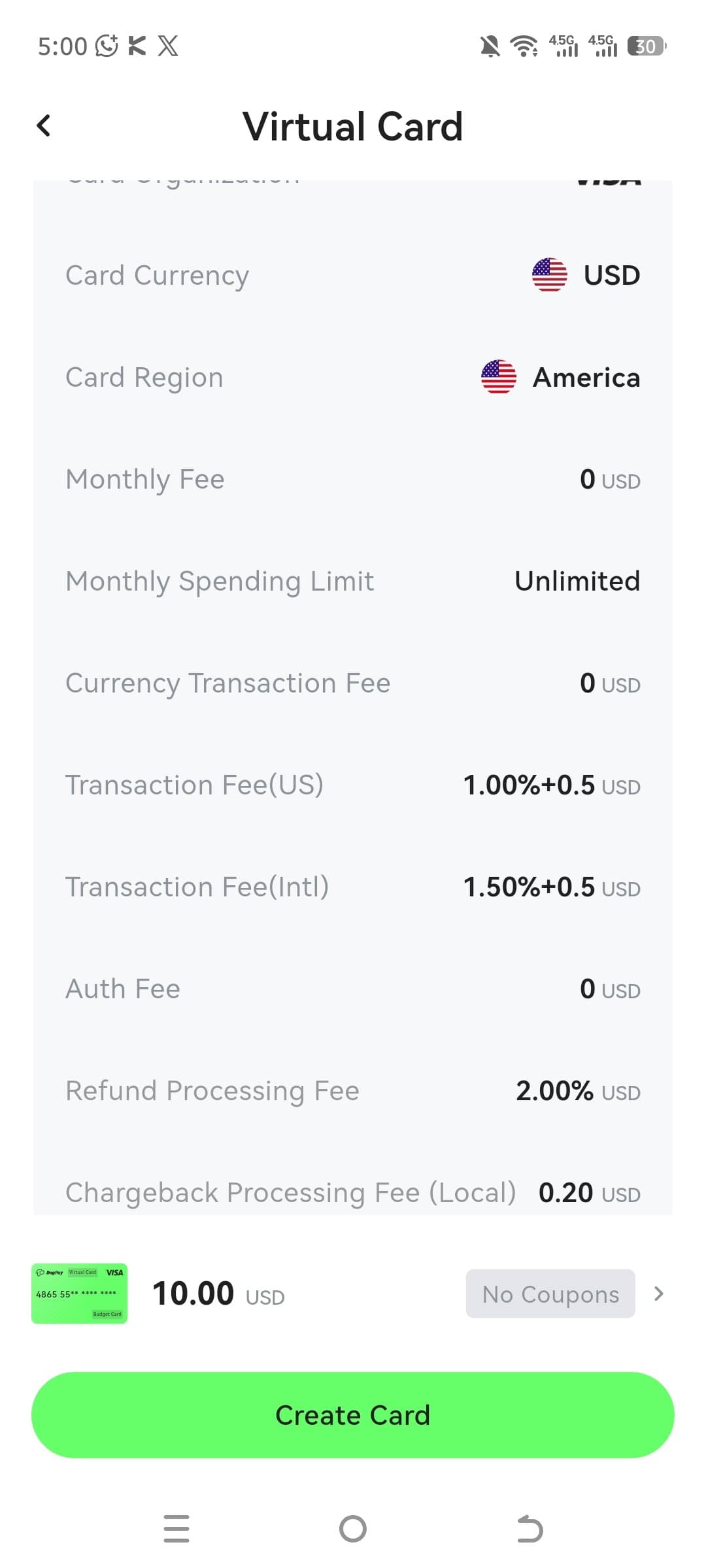
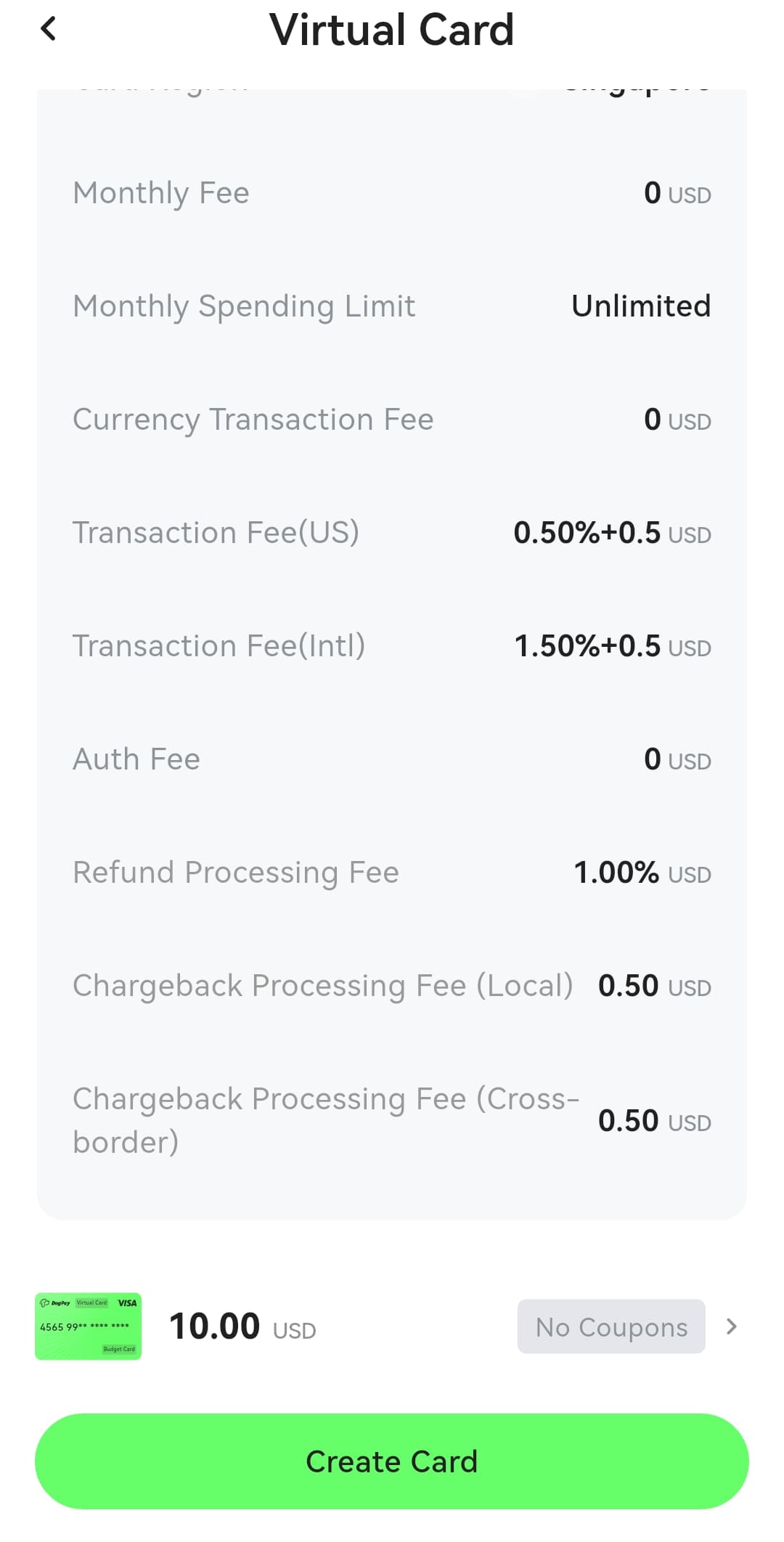
Per-card transaction fees vary by BIN. For the American BIN Visa card shown in the app: US transactions cost 1.00% plus 0.5 USD, international transactions cost 1.50% plus 0.5 USD, refunds cost 2.00%, and there is no monthly fee with unlimited monthly spending. The Singapore BIN Visa card charges 0.50% plus 0.5 USD on US transactions and 1.50% plus 0.5 USD internationally. The Mastercard prepaid option we captured charges 0.00% plus 0 USD on transactions but a 1.00% deposit handling fee. Always check the fee table for your exact card in the app before spending, because BIN pricing changes.
USD bank account
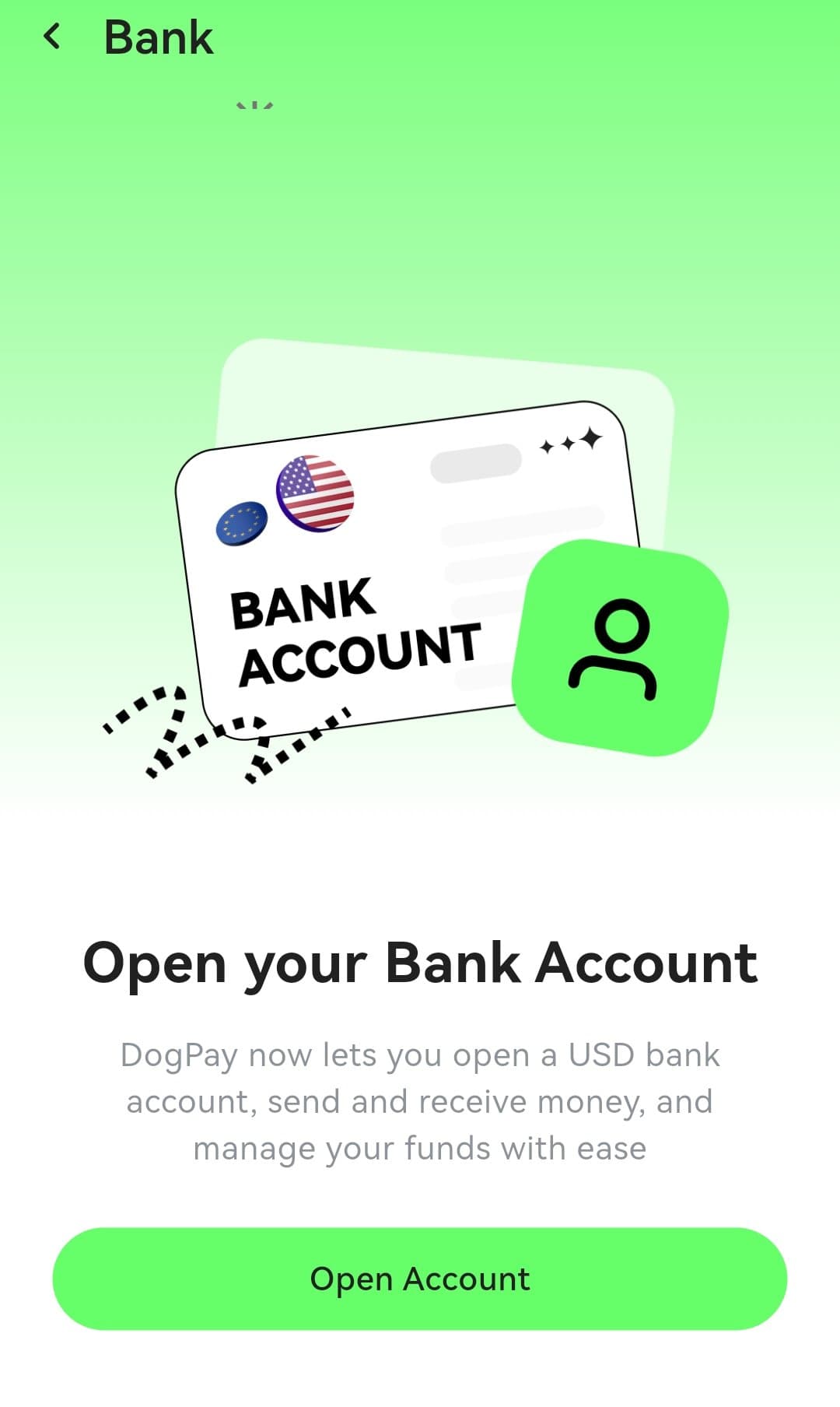
DogPay can open a USD bank account for you inside the app, for sending and receiving dollars and managing funds. The account opening fee depends on your membership tier: 80 USD on Premium, 50 USD on Platinum, and 0 USD on Ultra. The Basic tier screen we captured did not show a bank account opening option.
Deposits: assets and networks
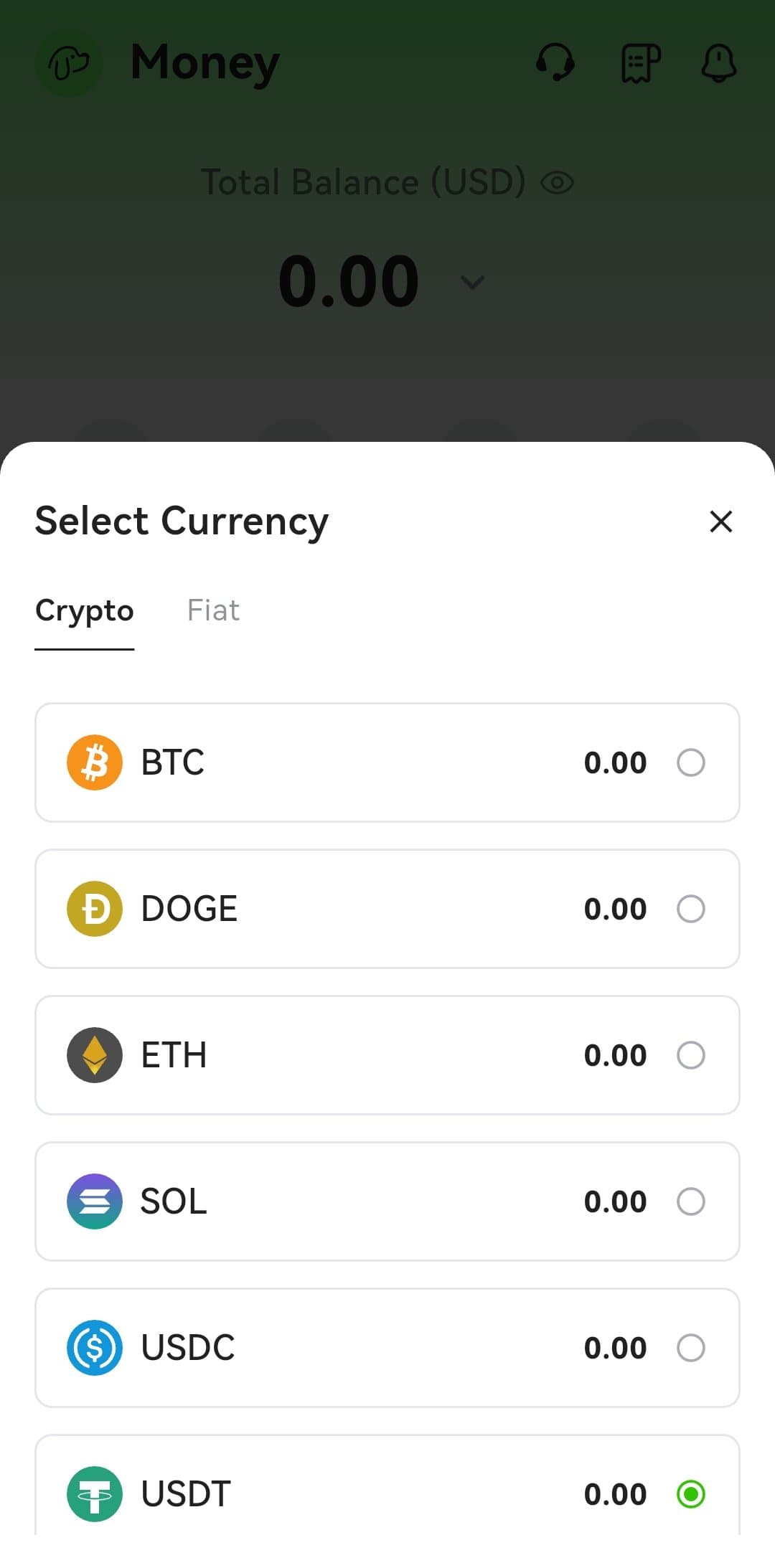
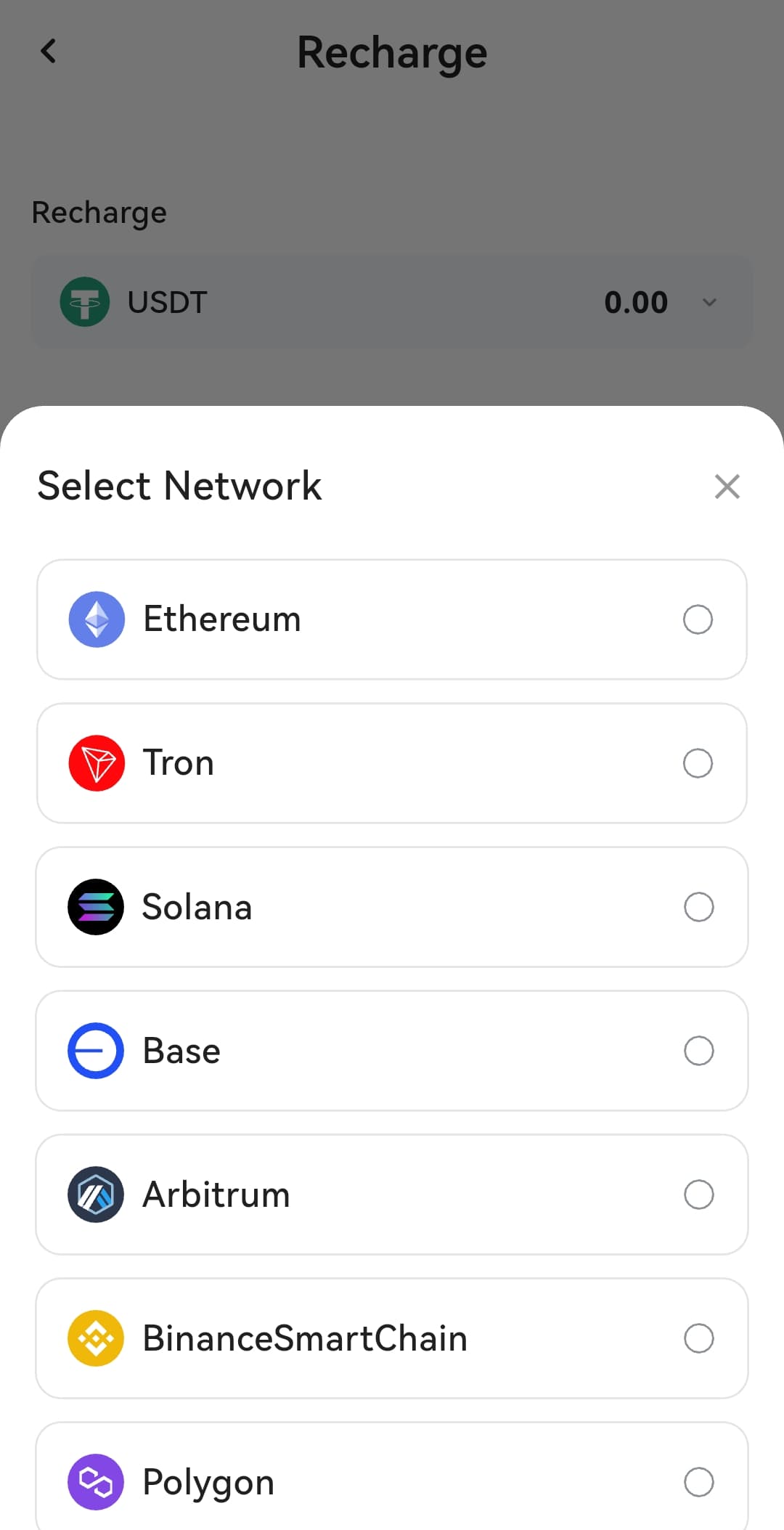
You fund DogPay with crypto. The app supports USDT, USDC, DOGE, BTC, SOL, and ETH, and for deposits you pick a network: Ethereum, Tron, Solana, Base, Arbitrum, BNB Smart Chain, or Polygon. Choose the network where your funds already sit. Sending USDT on Tron when your balance is on Ethereum means a bridge or swap you did not need.
KYC: required before cards
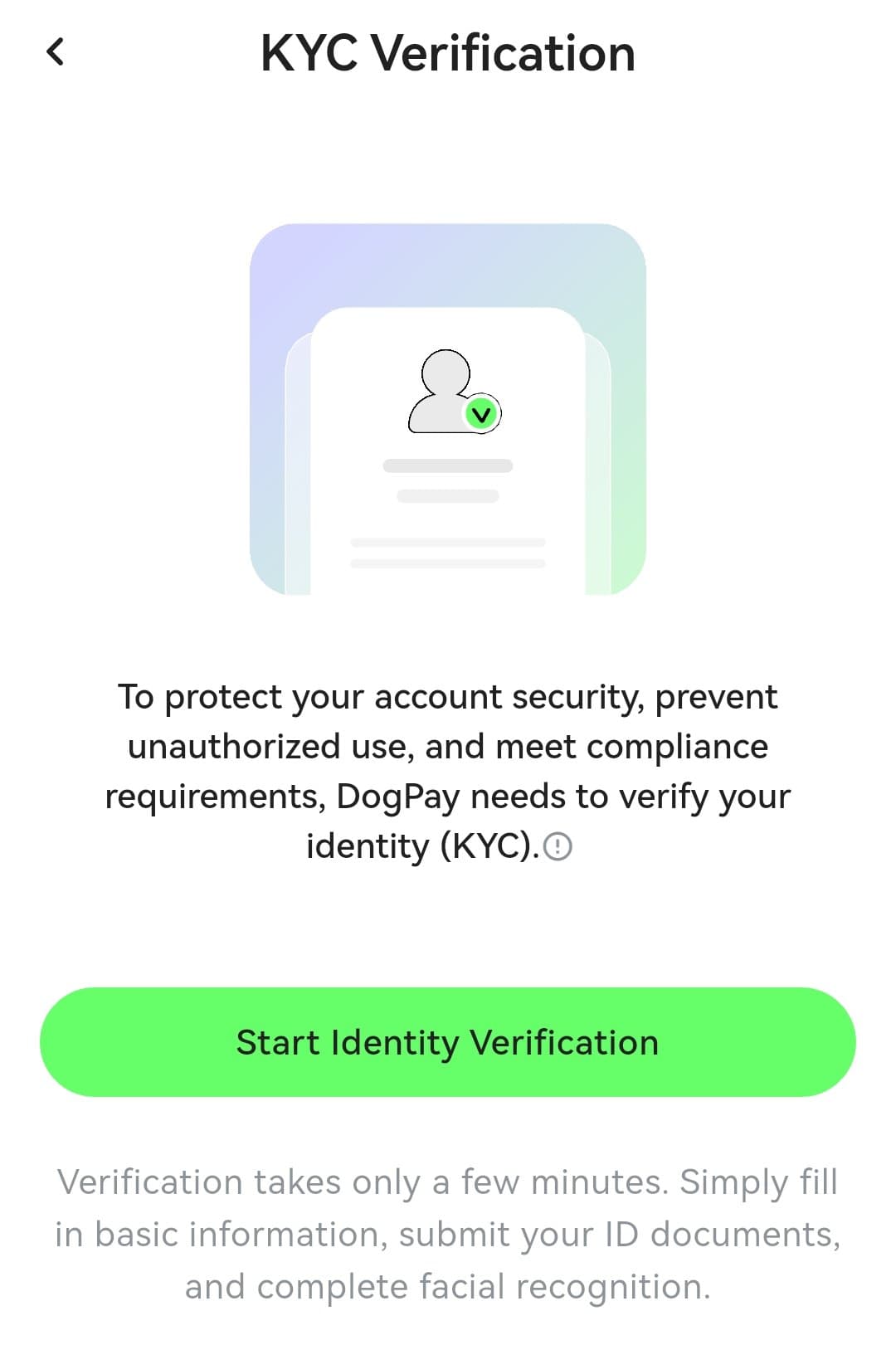
DogPay requires identity verification before it issues any card. The KYC screen explains it needs to verify your identity to protect account security and meet compliance requirements. You fill in basic information, submit ID documents, and complete facial recognition. The app says verification takes a few minutes. Until KYC is done, the Card tab shows that card issuance is unavailable.
What else the app does
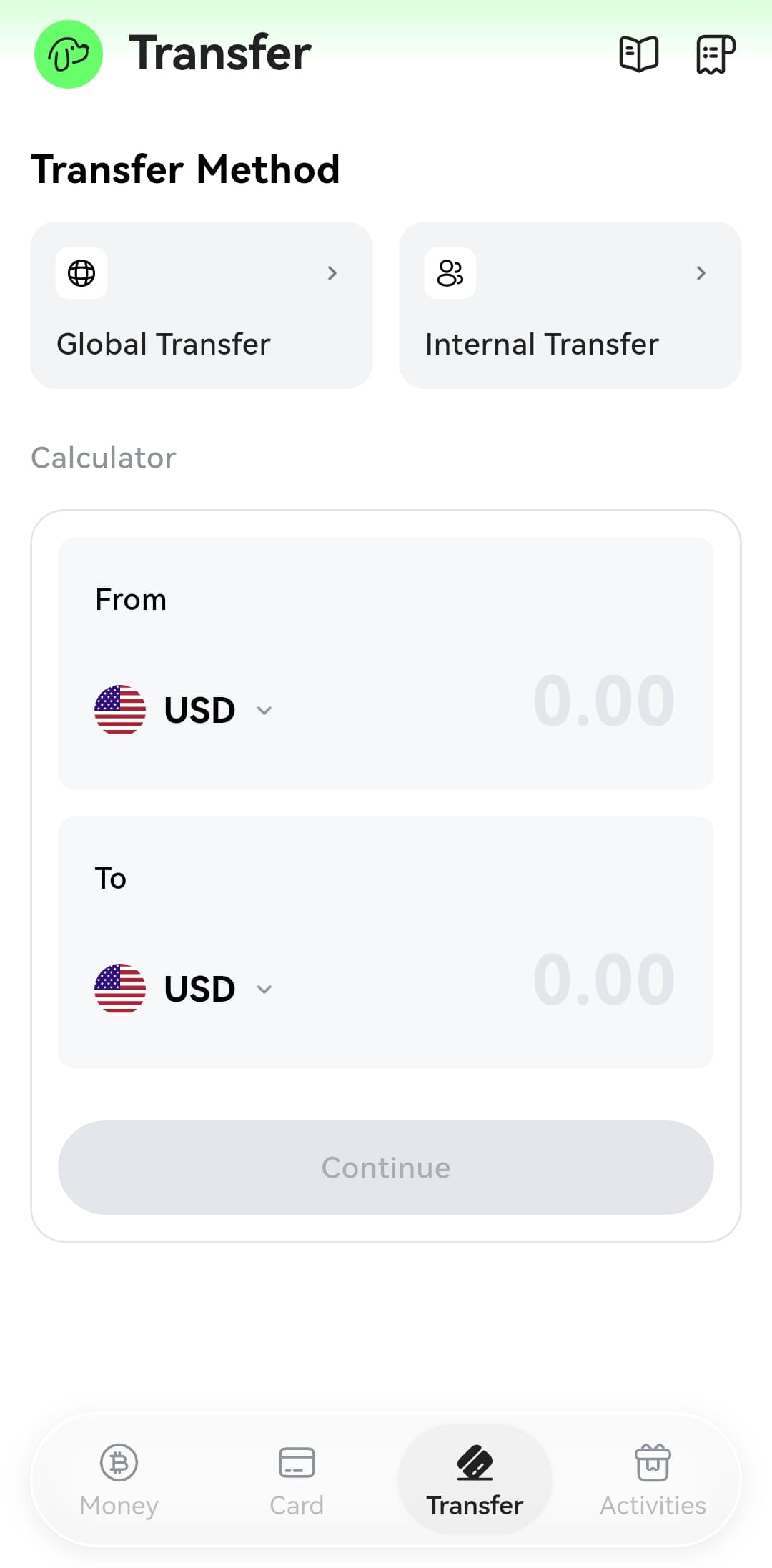
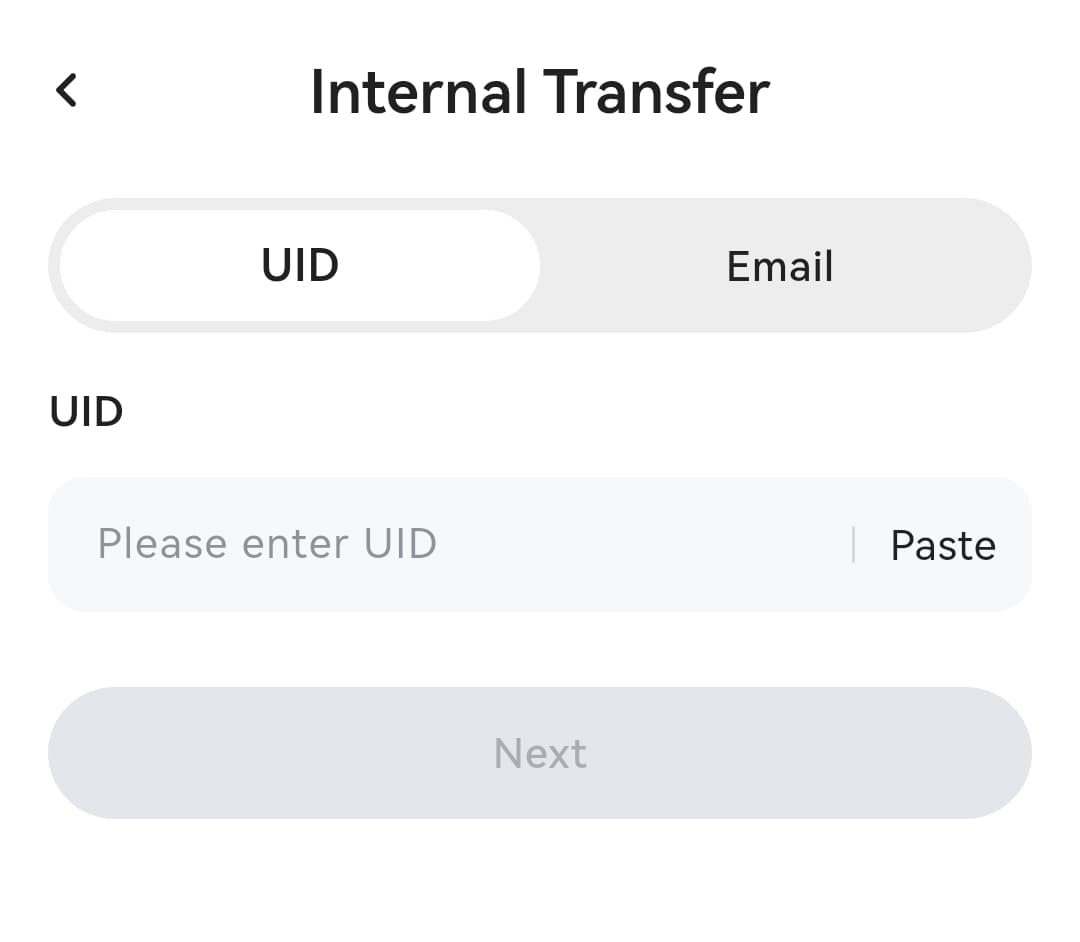
Beyond cards, DogPay packs in transfers, swaps, red packets (the social gifting feature popular in Asia), eSIM purchases, and a QR scanner. The Transfer tab offers Global Transfer with a currency calculator and Internal Transfer by UID or email for moving funds between DogPay users.
The supported apps screen is worth a look: 3D Secure, Google Pay, and Apple Pay are confirmed, and the app explicitly lists Amazon plus AI services (Anthropic API, Claude, OpenAI API, Midjourney) as supported. That makes DogPay a practical way to pay for subscriptions and API bills with crypto, which matches what many reviewers praise it for.
How to sign up with our referral
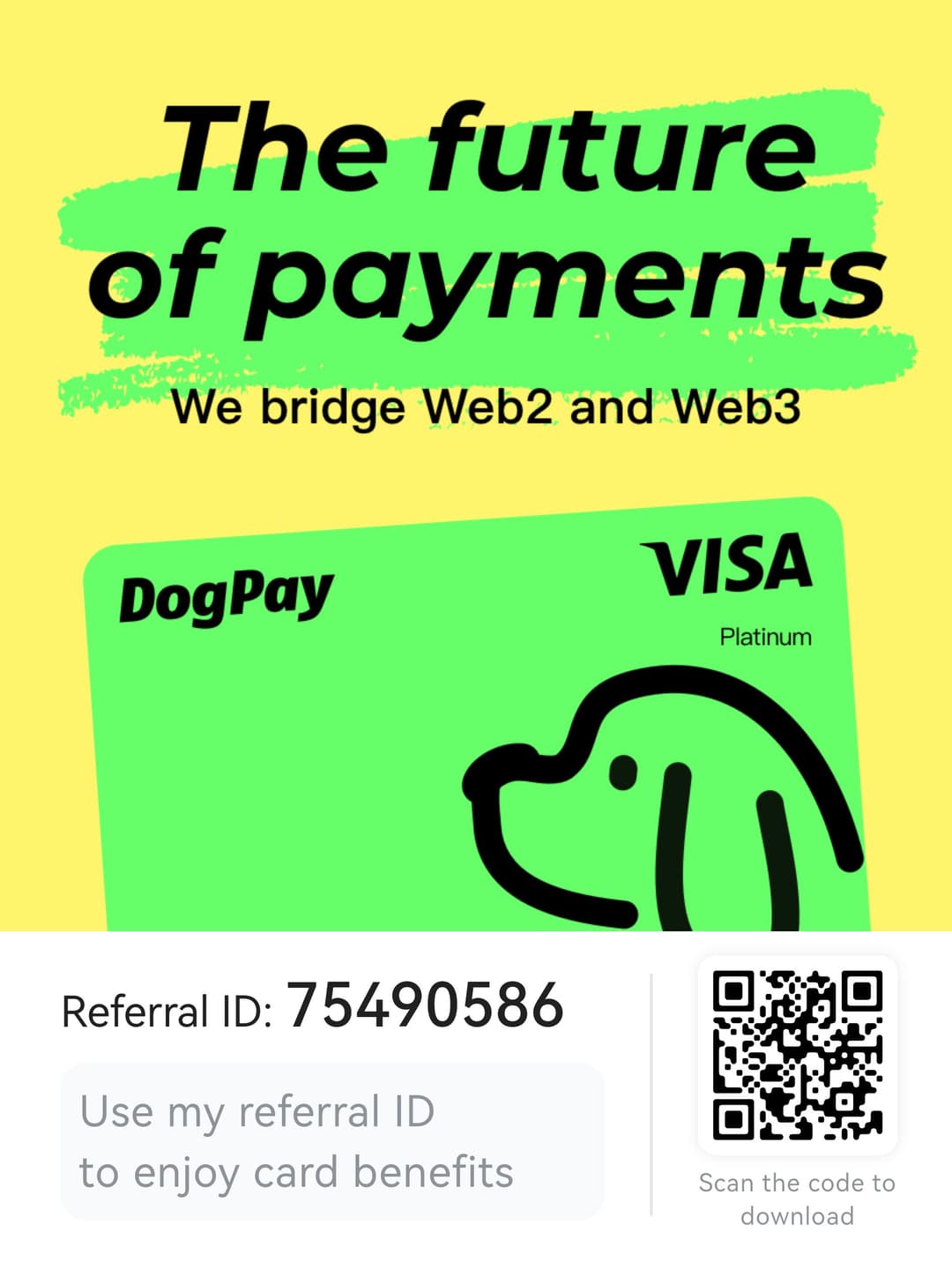
1. Open our referral link: go.cryptosbeginner.com/DogPay. The referral code is 75490586. 2. Register with your email and download the DogPay app for iPhone or Android. 3. Complete KYC: basic info, ID document, and facial recognition. 4. Deposit crypto on the matching network (USDT on Tron is the cheapest common route). 5. Go to the Card tab and apply for a virtual card (10 USD issuance). Enter the referral ID in the app to enjoy card benefits.
Pros and cons
What stands out
- Both Visa and Mastercard, virtual and physical
- Three BIN regions: American, Singapore, Global
- Budget Cards share one balance, no per-card top-ups
- USD bank account inside the app
- Apple Pay, Google Pay, and 3DS confirmed
- Works for AI API bills and Amazon
- Seven deposit networks including Tron and Solana
- Registered MSB in the US and Canada
What to watch
- 10 USD virtual card issuance fee
- Transaction fees stack per BIN and can be confusing
- Membership needed for lower top-up fees
- Bank account opening costs up to 80 USD on lower tiers
- KYC mandatory, no card without it
- Mixed app store reviews, some withdrawal complaints
- Not available in Mainland China and restricted regions
- Custodial: the app holds your funds
Verdict
DogPay is a practical crypto spending toolkit, not just a card. The combination of Visa and Mastercard options, three BIN regions, a USD bank account, and confirmed Apple Pay and Google Pay support covers most real-world spending needs. The standout use case is paying for things crypto does not normally reach: Amazon orders, AI API bills, and subscriptions, straight from stablecoins.
The honest costs: 10 USD to issue a virtual card, per-transaction fees that vary by BIN, and a membership if you want lower top-up fees. The fee structure takes effort to understand, and the mixed app store reviews mean you should start small and test a withdrawal before trusting it with serious money. But for its niche, paying online services with crypto without a bank in the middle, it is one of the more complete options available.
Frequently asked questions
What is DogPay?+
DogPay is a mobile app that turns crypto into spendable money. You deposit crypto like USDT, USDC, BTC, ETH, SOL, or DOGE, and spend it through Visa and Mastercard virtual or physical cards, or through a USD bank account the app can open for you. It also offers transfers, swaps, red packets, and even eSIM top-ups. It is available on iPhone and Android.
Is DogPay a bank?+
No. DogPay describes itself as a digital finance and payment infrastructure platform, not a bank. Accounts and cards are provided through its regulated financial institution partners, which independently review and approve applications. Its published registrations include a US FinCEN MSB registration (31000285417699) and Canadian FINTRAC MSB registration (C100000785), plus a Bank of Canada PSP registration.
What does a DogPay card cost?+
A virtual card costs 10 USD to issue. Physical cards are also offered and can be upgraded from a virtual card. On top of issuance, each card has its own transaction fee schedule that depends on its BIN region (American, Singapore, or Global) and network (Visa or Mastercard). Membership tiers lower your card top-up fee: Basic 1%, Premium 0.8%, Platinum 0.5%, Ultra 0.3%.
What are the DogPay membership tiers?+
There are four tiers. Basic is free and allows 2 active cards with a 1% card top-up fee. Premium costs 4.90 USD per month, allows 5 active cards, 0.8% top-up fee, and an 80 USD bank account opening fee. Platinum costs 9.90 USD per month, allows 10 active cards, 0.5% top-up fee, and a 50 USD bank account opening fee. Ultra costs 29.80 USD per month, allows 20 active cards, 0.3% top-up fee, and a 0 USD bank account opening fee.
Do I need KYC to use DogPay?+
Yes. The app requires identity verification (KYC) before it will issue a card. The verification screen asks for basic personal information, an ID document, and a facial recognition check, and says it takes a few minutes. Without completed KYC, card issuance stays unavailable.
Which crypto and networks does DogPay support?+
The app supports USDT, USDC, DOGE, BTC, SOL, and ETH. For deposits, you can choose from Ethereum, Tron, Solana, Base, Arbitrum, BNB Smart Chain, and Polygon networks. Pick the network that matches where your funds already are to avoid extra bridging costs.
Does DogPay work with Apple Pay and Google Pay?+
Yes. The app's supported apps screen confirms both Google Pay and Apple Pay, plus 3D Secure (3DS) for online payments. It also lists compatibility with Amazon and with AI service payments including the Anthropic API, Claude, OpenAI API, and Midjourney, which makes it popular for paying for subscriptions and API bills with crypto.
Is DogPay available in my country?+
DogPay says its services are affected by the financial institution, product, jurisdiction, and compliance requirements, and that services are not offered in Mainland China or certain restricted regions. Card BIN regions include American, Singapore, and Global options. Check availability in the app for your country before depositing funds.
How do I sign up for DogPay with a referral?+
Use a referral link when you register, then download the app, complete KYC, and you can apply for a virtual card. Our referral link is https://go.cryptosbeginner.com/DogPay and the referral code is 75490586. Using the referral ID can unlock card benefits shown in the app.